
Find the Cause Before Deciding on the Repair
A MacBook Air can develop symptoms that point in several directions at once. Failure to start, unexpected shutdowns, charging trouble, excessive heat, missing storage, intermittent ports, or unusual behavior after liquid exposure may each originate from more than one part of the system. The visible symptom is therefore the beginning of the diagnostic process, not necessarily the answer.
Accurate diagnostics narrow the problem by separating what the computer is doing from what is actually causing it. Power behavior, battery and charging conditions, thermal response, storage access, connected devices, and logic board activity can provide different pieces of the same puzzle. Following those clues in a logical order helps avoid replacing a part simply because it appears related to the symptom.
What a Symptom Can Tell Us
Different Symptoms Require Different Starting Points
MacBook Air diagnostics are more useful when testing begins with the behavior that brought the computer in rather than with a predetermined list of parts to replace. Some symptoms point first toward power measurements, others toward thermal behavior or storage communication, and intermittent problems may require reproducing the conditions under which the failure appears.
When It Will Not Turn On
A MacBook Air showing no response requires more than confirming that the screen stays dark. Charging input, battery condition, power sequencing, internal voltage activity, and signs of board-level failure can help establish how far electricity is traveling before startup stops.
A machine that appears completely dead can also behave differently when the battery is disconnected, external power is introduced, or individual power stages are measured. Those differences help narrow the search without treating every no-power condition as the same failure.
When Behavior Changes During Use
Problems that appear only after startup require a different approach. Freezing, sudden shutdowns, excessive fan activity, performance changes, or instability after the machine warms up can provide clues that are absent during a basic power-on test.
Observing when the behavior begins matters. Temperature, workload, battery state, connected accessories, and the amount of time the computer has been operating can reveal patterns that would disappear if the MacBook Air were evaluated only while sitting idle.
When macOS or Storage Is Involved
A MacBook Air that powers on normally can still require diagnostics when startup stalls, storage disappears, files become inaccessible, or macOS behaves unpredictably. The objective is to distinguish a software condition from storage trouble or another hardware problem affecting normal communication.
That distinction is particularly important before making changes to a machine containing important files. Testing can establish whether attention should remain on the operating environment or move toward the hardware responsible for storing and accessing the data.

Physical Evidence Can Change the Entire Diagnosis
Not every MacBook Air problem announces itself through an error message or a repeatable software symptom. Internal inspection can expose evidence that changes the direction of the diagnosis immediately, especially when the computer has been dropped, exposed to moisture, previously repaired, or operating with a problem that gradually became worse.
Corrosion around a connector, residue near circuitry, a damaged cable, a disturbed component, heat discoloration, or an abnormal connection can provide context that electrical testing alone does not initially reveal. The location of that evidence matters as much as its presence because damage in one area may explain several symptoms that otherwise appear unrelated.
Inspection is also useful for identifying what isn’t visibly damaged. A clean board does not prove that the electronics are functioning correctly, just as visible residue does not automatically prove that the nearest component caused the failure. Physical findings have to be compared with the machine’s behavior and measurements before they become meaningful.
That combination prevents the inspection from becoming guesswork. Visible evidence helps determine where testing deserves greater attention, while measurements help establish whether the suspected area is actually involved in the failure.
A Problem That Comes and Goes Still Leaves Clues
Intermittent failures can be difficult to evaluate because the MacBook Air may behave normally during an initial check. The useful information often comes from identifying what changes immediately before the problem appears.
A failure that appears only on battery power, only with an adapter connected, or after the battery reaches a particular charge level can provide an important distinction. Comparing those states helps determine whether the behavior follows a specific power condition rather than occurring randomly.
The same principle applies to startup. A MacBook Air that occasionally refuses to turn on but later starts normally may need its unsuccessful and successful power sequences compared rather than being judged only during the moment when it happens to work.
Heat can expose instability that is invisible when the computer is cold. A MacBook Air may operate normally after startup and begin freezing, shutting down, slowing unexpectedly, or losing a function only after internal temperatures change.
Allowing the machine to reach the conditions associated with the complaint can therefore be part of the diagnosis. The timing of the failure can help separate temperature-related behavior from a problem that simply happens after several minutes of use.
A symptom that reacts to movement can point the investigation toward connections that remain stable while the computer is stationary. Opening or changing the angle of the display, moving the machine, connecting a cable, or applying ordinary handling may cause an intermittent condition to appear or disappear.
Reproducing that relationship carefully can reveal a pattern without assuming in advance which cable, connector, or component is responsible.
External displays, USB devices, chargers, hubs, and other accessories change the conditions under which a MacBook Air operates. If the problem appears only when a particular connection is present, testing with and without that device helps isolate the relationship.
The accessory itself is not automatically the cause. The important diagnostic clue is that adding or removing it changes the behavior, which gives the investigation another controlled condition to compare.
Electrical Testing Turns Suspicion Into Evidence
Once symptoms and physical observations have narrowed the possibilities, electrical measurements can show what is actually happening inside the MacBook Air. A circuit may look completely normal while a required voltage is absent, unstable, shorted, or failing to appear at the correct point in the startup sequence.
Voltage readings are especially useful when a machine will not power on or when one function has disappeared without obvious physical damage. Instead of replacing parts to see what happens, measurements can establish whether power reaches a circuit, whether that circuit responds, and where expected activity stops.
Resistance and short-to-ground testing provide another kind of evidence. An abnormal reading on a power rail can redirect attention toward the circuitry connected to that rail, while a normal reading can prevent unnecessary work in an area that initially appeared suspicious.
Current behavior can also reveal information that is difficult to obtain visually. How a MacBook Air responds when power is introduced may indicate that some stages are becoming active while others are not. Combined with voltage and resistance measurements, those patterns help build a more complete picture of the failure.
The value comes from interpreting these readings together. One isolated measurement rarely explains an entire malfunction. Comparing electrical behavior with the original symptom, inspection findings, and the expected operating sequence is what allows the diagnosis to become progressively more specific.
Four Questions Measurements Can Answer
Is the expected voltage present?
A missing supply can establish that the affected circuit never receives what it needs to operate.
Is the voltage stable?
A reading that appears but collapses or fluctuates can be just as significant as one that is completely absent.
Is there abnormal resistance?
Unexpected resistance to ground can help identify a power rail that requires closer investigation.
How does the board respond to power?
Current behavior can provide clues about how far the startup process progresses before activity stops.
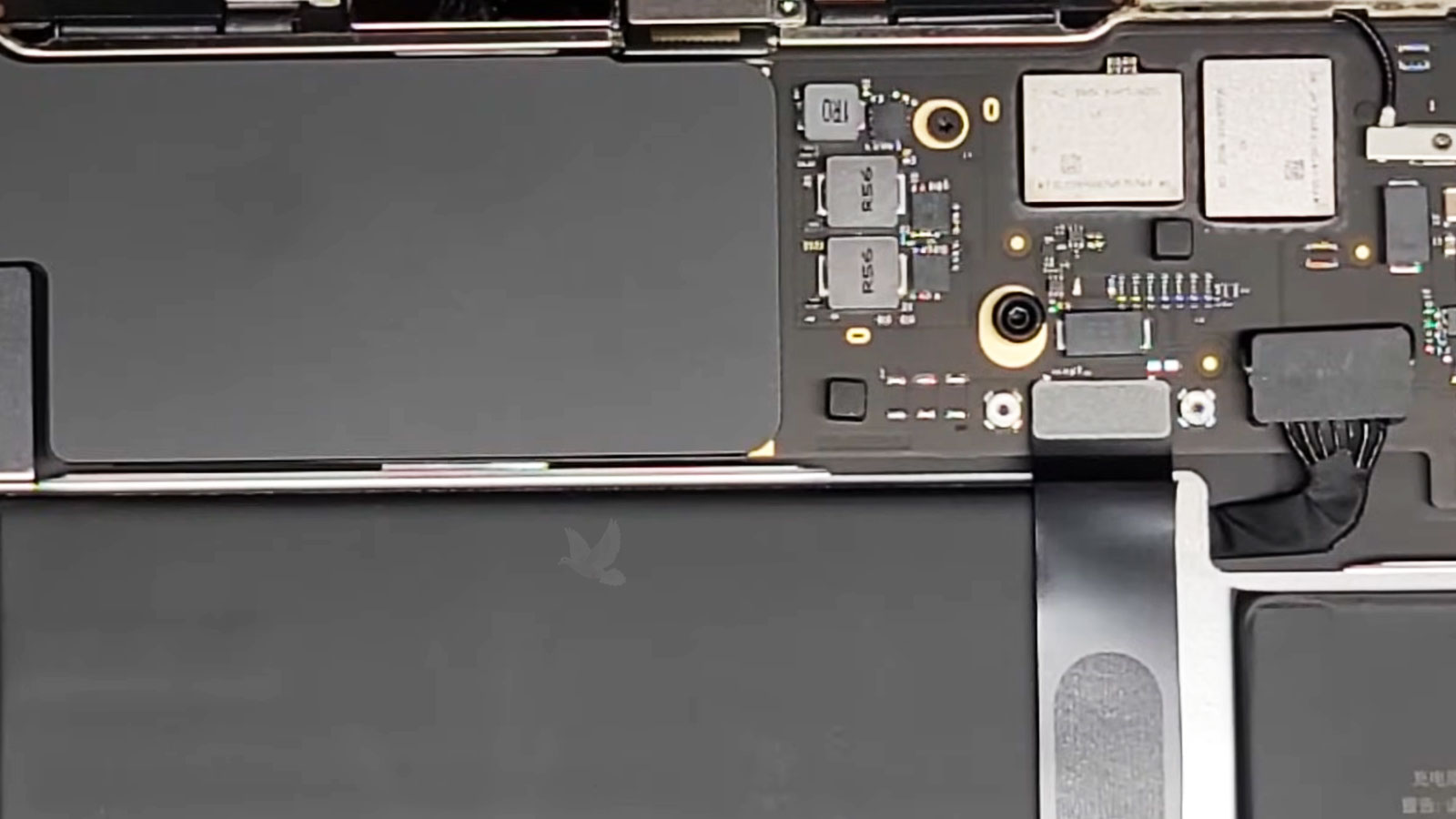
A complete diagnosis connects the observed symptom, the physical and electrical evidence, and the point at which normal operation breaks down.
Finding What Failed Is Only Part of the Answer
A defective component can explain why a MacBook Air stopped functioning, but it does not always explain why that component failed. This distinction becomes particularly important when the affected circuitry is connected to other power, charging, communication, or control stages.
For example, discovering an electrically damaged component does not automatically make that component the starting point of the problem. An abnormal condition elsewhere may have placed it under stress, or another failure may be preventing the surrounding circuit from operating correctly. Replacing only what appears damaged can leave the original cause untouched.
Diagnostics therefore continue beyond identifying the first abnormal reading. Nearby circuitry, related signals, and the conditions surrounding the failure can be checked to determine whether the evidence supports an isolated defect or a broader electrical problem.
This is also why two MacBook Air computers displaying nearly identical symptoms can ultimately have completely different faults. The symptom describes the result experienced by the user; the diagnostic process has to establish the chain of events responsible for producing it.
What Is Actually Wrong?
A useful diagnostic result should move beyond the original symptom and identify the area, circuit, component, or condition responsible for the malfunction as specifically as the evidence allows.
The answer may be straightforward, or it may reveal that several observations are connected to one underlying fault.
The Findings Should Lead to a Sensible Decision
The purpose of diagnostics is not simply to produce a technical explanation. The findings should make the next decision clearer. Once the source of the problem has been established, it becomes possible to determine what would actually be required to correct it and whether the proposed work makes sense for that particular MacBook Air.
That distinction can prevent a machine from entering a chain of speculative repairs. If testing identifies one specific failure, attention can remain there. If the investigation uncovers multiple problems, previous damage, or a condition that changes the practicality of repair, that information belongs in the decision as well.
A diagnosis can also establish when the original concern does not require the type of repair initially suspected. Eliminating unnecessary work is just as valuable as identifying necessary work.
The result should therefore leave the owner with something more useful than a list of possibilities: a technically supported understanding of the problem and a reasonable direction forward.
What Should Happen Next?
The appropriate next step depends on what testing actually uncovered, not on what was assumed before the MacBook Air was examined.
That may mean addressing a specific failure, considering the extent of damage, or deciding that further work would not be worthwhile.
Get a Clear Answer About Your MacBook Air
Pickup and delivery can be arranged within Miami when bringing the MacBook Air in personally is inconvenient. Once the diagnostic findings are established, the next step can be discussed based on the actual condition of the machine rather than assumptions about what might be wrong.