

A Problem That Comes and Goes Is Still a Real Failure
Some computer problems refuse to appear on command. A machine may freeze once every few days, lose a connection only after hours of operation, restart without warning, or work normally during testing and fail again after returning to regular use. That inconsistency can make the problem harder to isolate, but it does not make the failure any less significant.
Intermittent behavior often means that something changes before the symptom appears. Temperature, electrical load, movement, operating time, connected equipment, software activity, or the sequence in which the computer starts can all influence when a fault becomes visible. The circumstances surrounding the failure can therefore be just as useful as the symptom itself.
Diagnosing this type of problem requires finding a repeatable pattern whenever possible and separating coincidence from conditions that actually trigger the failure. A computer does not need to remain completely broken for a defect to be identified; sometimes the most important evidence is understanding exactly what has to happen before the problem returns.
The Processor Is Not Working Alone
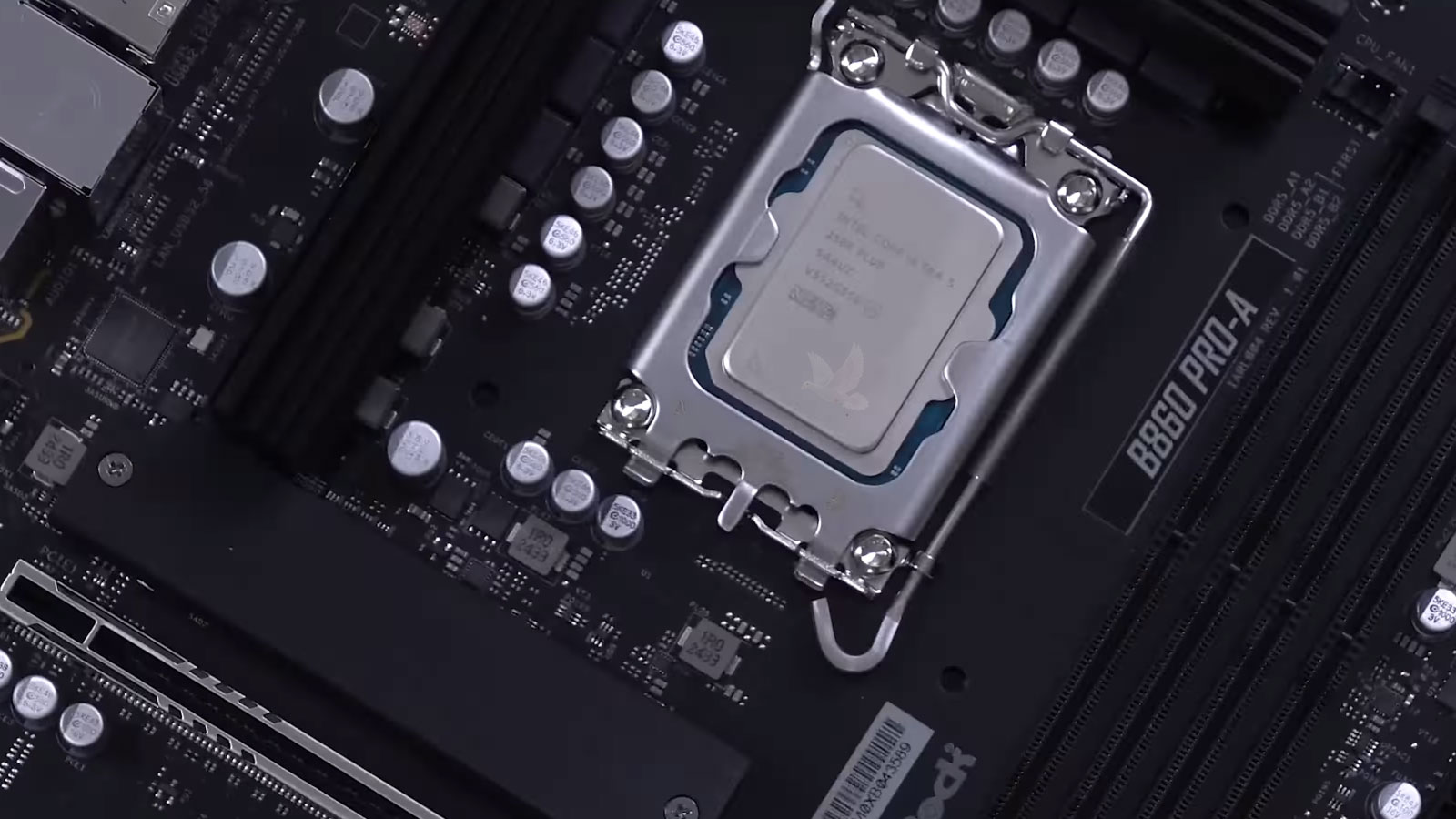
When a computer develops processor-related symptoms, the CPU itself is only one part of the area that has to be considered. The motherboard must deliver the correct voltages, provide stable communication with memory and other hardware, maintain clock and control signals, and establish reliable contact through the processor socket or soldered connections.
A failure anywhere in that supporting circuitry can produce symptoms that appear to implicate the processor. A system may refuse to start, restart under demanding workloads, behave differently with certain memory configurations, or stop during the early stages of initialization. Replacing the CPU without establishing what is happening around it can therefore leave the original problem unchanged.
Testing can involve comparing processor behavior with the voltages, signals, socket condition, and motherboard circuitry responsible for keeping it operational. The objective is to determine whether the processor has actually failed or whether another part of the platform is preventing a functioning CPU from doing its job.
A Dead Port May Have a Working Connector
When a USB, Thunderbolt, network, audio, or other external port stops working, the visible connector is only the beginning of the circuit. Power and data must travel through additional components before reaching the part of the computer responsible for handling the connection.
Physical damage to the connector is one possibility, but a port can remain mechanically intact while the electronics behind it have failed. Determining where communication or power stops helps establish whether the repair belongs at the connector itself or farther inside the system.
Fan Behavior Is a Clue
What the Fans Do at Startup Can Reveal Where the System Stopped
Fans are controlled by the computer rather than simply receiving power whenever the machine is switched on. During startup, their behavior can reflect whether particular circuits have become active, whether the system is progressing through initialization, and whether control signals are reaching the hardware as expected.
A fan that immediately runs at maximum speed, repeatedly starts and stops, briefly moves and becomes inactive, or never receives power can provide different information. The same is true when several fans behave differently from one another. Those patterns do not identify the failed component by themselves, but they can help establish what the motherboard is and is not doing.
Fan behavior becomes more useful when considered alongside other signs of activity such as indicator lights, diagnostic LEDs, power-rail measurements, drive activity, and whether the system responds to the power button after startup has begun. Together, those observations can help narrow the point at which initialization is failing.
A Previous Repair Can Introduce a New Failure
A computer can arrive with more than its original problem. During an unsuccessful repair attempt, connectors can be damaged, screws installed in the wrong locations, components displaced, solder bridges created, pads or traces lifted, and cables left partially connected. An incorrect replacement part can also introduce electrical or compatibility problems that were not present beforehand.
In those situations, simply returning to the original symptom is not enough. The machine has to be examined in its present condition, separating the initial failure from anything that may have changed while the equipment was being opened, tested, or repaired.
Correcting the problem may involve restoring damaged connections, repairing board traces or solder work, identifying incompatible parts, and then continuing diagnosis of the fault that started the repair in the first place. The result can be two distinct jobs inside the same machine: undoing newly introduced damage and resolving the original failure.
Sometimes the Computer Fails Because of What Is Connected to It
A computer that will not start properly is not necessarily the only equipment involved in the failure. An external drive, docking station, USB device, expansion card, monitor connection, or other attached hardware can introduce a condition that changes how the system behaves.
A defective device can draw abnormal current, create a short on a supplied voltage, interfere with communication, or cause the computer to stall while attempting to initialize the hardware. In other cases, the system starts normally until one particular device is connected, making the relationship much easier to recognize.
Diagnosis can therefore include reducing the machine to a known working configuration and reconnecting hardware systematically. If the failure returns when a particular device or connection is restored, testing can continue on that branch instead of treating the entire computer as an unexplained problem.
This distinction matters because the component requiring repair may ultimately be outside the computer, even though the computer is where the symptoms first became visible.
The Right Type of Part Is Not Always the Right Part
Replacement hardware can look identical while important differences remain hidden in model numbers, revisions, electrical specifications, firmware, pin assignments, or manufacturer-specific configurations. A display panel may have the correct dimensions and connector but use different signaling. A power adapter may physically connect while supplying the wrong electrical characteristics. Even boards from closely related versions of the same computer can contain differences that affect whether the machine operates correctly.
That makes part identification part of the repair itself. Matching only the appearance of a failed component can create another problem or make an otherwise correct diagnosis appear to be wrong when the replacement does not behave as expected.
The original part number, board revision, connector arrangement, electrical requirements, and equipment configuration can all help establish what actually belongs in the machine. When an exact replacement is unavailable, determining whether an alternative is genuinely compatible is more important than whether it simply fits.
Fit Is Only One Requirement
A replacement should match the requirements of the equipment, not merely its physical dimensions or connector.
When the Failure Refuses to Make It Obvious
When a computer problem keeps changing, comes and goes without warning, or has already resisted an earlier repair, we can take the investigation further. For customers in Miami Gardens, that means looking beyond the first visible symptom and working to identify what is actually causing the failure.
We approach these difficult problems by testing the conditions in which they occur, narrowing down the possibilities, and determining what the evidence supports before recommending the repair. The goal is to give you a clear understanding of what is wrong and what it will take to correct it.