
Network Installation for Reliable Wired and Wireless Connections
A reliable network begins with the right infrastructure. We install wired and wireless networks for offices, businesses, and other locations that need dependable connections between computers, network equipment, and internet access throughout the property.
Wired installations can include running Cat6 Ethernet cable through walls and other appropriate pathways to bring network connections exactly where they are needed. For locations that depend on WiFi, wireless networking can be configured to provide practical coverage and connectivity based on the layout and networking requirements of the space.
Whether the project requires new network wiring, additional Ethernet connections, a wireless network, or a combination of wired and wireless infrastructure, the installation should be planned around how the network will actually be used.
The objective is not simply to connect devices. It is to create a network infrastructure that fits the property, places connections where they are needed, and provides a practical foundation for everyday business and office use.
Planning a Wired and Wireless Network
Before cable is run or wireless equipment is positioned, the network should be planned around the property and the devices that need connectivity. The location of computers, work areas, network equipment, walls, and existing infrastructure can influence where connections should be installed and whether wired, wireless, or both types of networking make the most sense.
Planning these details first helps determine where Ethernet connections are needed, how cable should travel through the property, and where wireless coverage will be required.
Property Layout
The physical layout affects how the network can be installed. Walls, rooms, work areas, equipment locations, and available cable pathways are considered when determining how connections can reach the places where they are needed.
Connection Locations
Desks, offices, workstations, and other areas that require wired connectivity should have Ethernet connections positioned where they can be used conveniently. This allows the cable installation to serve the actual arrangement of equipment rather than forcing equipment to accommodate poorly placed network connections.
Wireless Coverage
Wireless networking should account for where WiFi will actually be used throughout the property. The building layout and intended coverage area help determine where wireless equipment should be positioned to provide useful connectivity in the required areas.
A network installation works best when the wired connections and wireless coverage are treated as parts of the same infrastructure. Planning both together allows the finished network to match how people and equipment will actually use the space.
Cat6 Ethernet Cable Installation
When computers and other network equipment need dependable wired connections, Ethernet cable can be installed through the property to bring network access directly to the required locations.
Cat6 cable can be routed through walls and suitable building pathways between the network equipment and individual offices, desks, workstations, or other connection points. The objective is to create permanent network runs that keep the infrastructure organized while placing Ethernet connectivity where people actually need to use it.
New cable runs can be useful when an office is being set up, when additional workstations are being added, or when an existing location does not have network connections in the areas where equipment is now being used.
Adding Network Connections Where They Are Needed
A property does not always have to be completely rewired to improve its network. Additional Cat6 runs can be installed for specific rooms or work areas when the existing network needs to be expanded.
This makes it possible to add wired connectivity as the number of computers or networked devices grows without treating every installation as an entirely new network.
Through Wall Cable Runs
Ethernet cable can be routed through walls and appropriate pathways so network connections can reach offices and work areas without relying on loose cable running across occupied spaces.
Workstation Connections
Cable runs can terminate near desks and workstation areas so computers and other equipment have convenient access to a physical network connection.
Network Expansion
Additional cable runs can extend an existing wired network into areas that need new connections as an office changes, expands, or adds equipment.
A properly planned cable installation provides the physical connection points the network needs today while making it easier to accommodate additional wired equipment as the location changes.
Connecting the Wired Network
Running Ethernet cable creates the physical pathways, but those individual connections also need to become part of the network.
Cable runs can connect work areas back to the appropriate network equipment so computers and other Ethernet capable devices can communicate through the wired infrastructure and access the network resources available at the location.
How those connections are arranged depends on the size of the installation, the number of wired devices, and the network equipment already present or being installed.
The result is a wired infrastructure in which individual cable runs, connection points, and network equipment work together instead of functioning as isolated Ethernet connections.
Wireless Network Setup and WiFi Coverage
Wireless networking provides flexibility for laptops, mobile devices, and other equipment that needs network access without a dedicated Ethernet connection. Setting up WiFi involves more than simply connecting wireless equipment and confirming that a signal appears.
The network should provide useful coverage in the areas where people actually work and use their devices. The size and layout of the property, walls and other physical barriers, and the locations where wireless connectivity is needed can all influence how the wireless network should be arranged.
Wireless networking can be configured so compatible devices can connect to the local network and available internet service through WiFi. The setup should match the way the location will actually use its wireless connections rather than relying only on default equipment settings.
A wireless signal can become weaker as it travels through a property. Distance, walls, building materials, and equipment placement can contribute to areas where connectivity becomes unreliable or difficult to maintain.
Identifying those areas helps determine whether the existing wireless arrangement should be changed or whether additional wireless coverage is appropriate.
A business does not have to choose exclusively between Ethernet and WiFi. Computers and equipment that benefit from physical connections can remain wired while laptops, mobile devices, and other appropriate equipment use the wireless network.
Combining both allows each type of connection to be used where it makes the most sense.
The objective of a wireless installation is practical connectivity throughout the areas that need it, while allowing the wired and wireless portions of the network to function as one coordinated system.
Improving WiFi Coverage Across the Property
A wireless network may provide a strong connection near the primary network equipment while becoming weaker in offices, conference rooms, or other areas farther away.
When coverage is inconsistent, the solution depends on the layout of the property and the reason the signal is not adequately reaching those locations. Simply increasing the number of wireless devices does not necessarily create a better network.
The existing coverage and the areas experiencing problems should first be considered so additional wireless equipment can be placed where it provides a useful improvement.
Wireless Access Point Placement
Wireless access points can be positioned to provide coverage in areas where WiFi connectivity is required. Their locations should account for the physical layout and the areas where people regularly use wireless devices.
Wired Connections for Access Points
When appropriate, Cat6 cabling can provide a physical network connection to wireless access points located elsewhere in the property. This allows the wired infrastructure to support expanded wireless coverage without requiring all wireless equipment to remain near the primary router or network location.
Extending Coverage to Additional Areas
Additional wireless coverage can be useful when the existing network does not adequately reach offices, work areas, meeting rooms, or other parts of the property. The objective is to address the areas that actually need better connectivity rather than adding equipment without a clear purpose.
Using the wired infrastructure to support strategically placed wireless equipment can provide a practical way to extend WiFi coverage while keeping both sides of the network connected through the same underlying infrastructure.
Expanding an Existing Network
Network requirements can change as a business adds employees, rearranges work areas, occupies additional rooms, or introduces equipment that needs connectivity. An installation that was adequate when the network was originally built may no longer provide enough Ethernet connections or wireless coverage for the way the property is being used today.
Existing infrastructure can be evaluated alongside the new requirements to determine what can remain in place and where additional wired or wireless connectivity should be added.
More Workstations
Additional employees or work areas need wired connections that the existing installation does not currently provide.Add Ethernet Connections
New Cat6 runs can extend the wired network to additional desks, offices, or workstation areas that require physical network connections.
Office Layout Changes
Desks, departments, or equipment have moved and the existing network connections are no longer located where they are needed.Adapt the Network
Additional network runs and connection points can accommodate the new layout without assuming that the entire existing installation needs to be replaced.
New Areas Need WiFi
Wireless connectivity is required in areas that were not part of the original coverage plan or are not adequately served by the current network.Extend Wireless Coverage
Additional wireless coverage can be incorporated into the existing network, including wired connections to appropriately positioned access points when required.
Network Has Outgrown Its Setup
The number and location of connected devices have changed enough that the original network arrangement no longer fits everyday use.Expand the Infrastructure
The wired and wireless portions of the network can be expanded around the current requirements while retaining existing infrastructure that remains useful.
Expanding a network does not automatically mean replacing everything already installed. The goal is to determine what the existing infrastructure can continue to provide and add the connections or coverage needed for the property as it is used now.
Wired Connection Problems
A computer or network device may lose its wired connection because of a damaged cable run, connection point, connector, network equipment problem, or another fault somewhere along the physical network path.
Troubleshooting Wired and Wireless Network Problems
When a network connection stops working correctly, the visible symptom does not always reveal where the problem originates. A computer may have no network access even though the cable connected to it appears normal, while a wireless problem affecting one area may originate from equipment located elsewhere in the property.
Troubleshooting begins by determining whether the problem affects one device, one network connection, a specific area, or a larger portion of the network.
The wired path, network equipment, wireless connectivity, and affected devices can then be evaluated to narrow the problem to the part of the network responsible for the failure.
Finding where connectivity is being interrupted allows the repair or correction to address the actual network problem instead of changing equipment without first identifying the cause.
Wireless Connection Problems
Weak WiFi, dropped connections, or areas without reliable wireless access can result from coverage limitations, equipment placement, configuration problems, or issues affecting the network supporting the wireless connection.
Combining Wired and Wireless Connectivity
Many offices benefit from using Ethernet and WiFi together rather than depending entirely on one type of connection. Wired connections can serve computers and equipment that remain in fixed locations, while wireless networking provides flexibility for laptops, mobile devices, and other equipment used throughout the property.
The two sides of the network can share the same underlying infrastructure. Cat6 cabling can connect workstations and network equipment while also providing network connections to wireless access points positioned where additional WiFi coverage is needed.
This allows the network to be designed around the requirements of individual areas and devices instead of forcing every connection to use the same method.
The Connection Method Can Match the Device
A desktop workstation that remains at the same desk may be well suited to Ethernet, while a laptop that moves between offices or meeting areas benefits from wireless connectivity. Other networked equipment can be connected according to its location, available connections, and how it is normally used.
The objective is a practical network in which wired and wireless connectivity complement each other and provide access where each type of connection makes the most sense.
A combined installation provides the flexibility of WiFi while retaining physical Ethernet connections wherever wired connectivity is appropriate, all as part of the same network.
Organizing Network Cabling and Connections
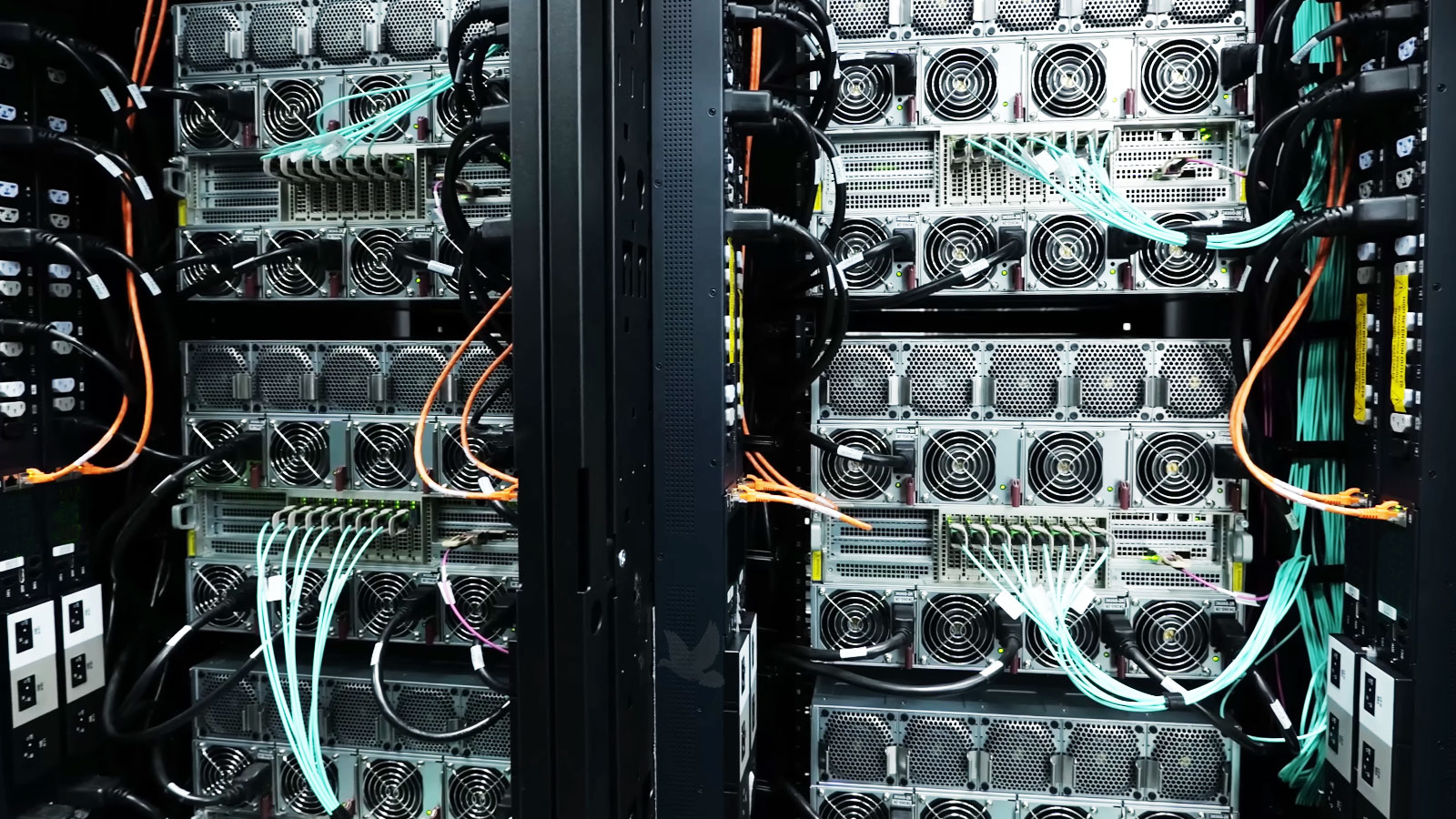
As the number of Ethernet connections increases, the location where those cables come together can quickly become difficult to manage. Multiple Cat6 runs, network switches, router connections, and other network equipment should be arranged so the individual connections can be identified and accessed without unnecessary confusion.
An organized installation is especially useful when a network needs to be expanded or a connection needs to be investigated later. Knowing where a cable originates and where it terminates makes it easier to work with the infrastructure without disturbing unrelated connections.
Cable routing should also account for the physical space around the network equipment. The objective is to avoid an unnecessary concentration of tangled or poorly positioned cables while keeping the connections accessible for normal network work.
Keeping the Infrastructure Serviceable
A network is not necessarily finished simply because every required connection works. The physical arrangement should also allow individual cables and network connections to be followed when equipment is changed, another workstation is added, or troubleshooting becomes necessary.
A clean and understandable installation makes future changes to the network considerably easier.
One Central Network Location
When the installation allows it, individual Ethernet runs can return to an appropriate network location where the wired connections and supporting equipment can be kept
Easier to Identify and Maintain
Keeping the physical connections organized makes it easier to identify individual cable runs and work with the network when connections are added, moved, or diagnosed.
The cabling behind a network should be as thoughtfully arranged as the connections people use every day. An organized infrastructure provides a cleaner foundation for maintaining and expanding the network over time.
Network Installation for Offices and Businesses
An office network should support the way people actually work within the property. Some locations need Ethernet connections at every workstation, while others rely on a combination of wired computers and wireless devices throughout offices, meeting areas, and shared spaces.
Network installation can begin with a new location that needs its infrastructure built from the ground up or with an existing business that needs additional connections, better wireless coverage, or changes to accommodate a different layout.
The installation can be planned around the number and location of connections required instead of forcing the business to adapt its workspace around the network that happens to be there.
New Office Network Installation
When a new office or business location needs networking, Cat6 cable runs, Ethernet connection points, network equipment, and wireless coverage can be planned together before the space is fully in use. This provides an opportunity to place connections according to the intended workstation and equipment locations.
Existing Office Network Improvements
An existing network can be expanded when a business adds workstations, changes its floor plan, needs Ethernet in additional rooms, or has areas where wireless connectivity is inadequate. Existing infrastructure that remains useful can continue to serve the network while the necessary additions are incorporated.
Wired and Wireless Based on the Workspace
The appropriate combination depends on how the property is used. Fixed computers and equipment can have physical Ethernet connections where appropriate, while WiFi can provide connectivity for devices that need mobility throughout the workplace.
Whether the location needs a completely new network or improvements to an existing one, the purpose of the installation is to provide the wired connections and wireless coverage the business needs to operate throughout its workspace.
Bring Reliable Network Connections to Your Workplace
Whether you need Cat6 cable run to new workstations, additional Ethernet connections, better WiFi coverage, or a complete wired and wireless network for an office or business, we can help determine what the location requires and install the network around the way the space will actually be used.
Contact us and tell us about the property, the number of areas or devices that need connectivity, and whether you need wired connections, wireless coverage, or both. We can begin with what you already know about the project and determine the next step from there.