
Laptop Charging Port Repair for Loose, Damaged, and Failed Power Connections
When Power Reaches the Laptop Through an Unreliable Connection
A laptop that charges only when the power plug is held at a certain angle, repeatedly connects and disconnects from the adapter, or has a visibly loose charging port may have a physical problem at the DC power connection.
The charging jack is the point where external power enters the laptop, but its construction varies considerably between models. Some power jacks are mounted directly to the motherboard, while others connect through a cable or separate internal assembly. That difference matters when determining what has failed and how the repair should be performed.
A damaged jack can also produce symptoms that appear inconsistent. The laptop may charge normally in one position and stop in another, the connector may no longer fit securely, or power may disappear when the plug is moved. These behaviors make the physical condition of the port and its internal connection important parts of the diagnosis.
These symptoms can point toward a damaged power jack, but they do not establish the cause by themselves. The charging connection should be examined before deciding that the port needs replacement.
A Charging Problem Can Start Somewhere Other Than the Power Jack
A loose or damaged charging port can interrupt power, but similar symptoms can also appear when the adapter, battery, charging circuit, or another part of the laptop’s power path is responsible.
That is why diagnosis should begin with the behavior of the charging connection itself rather than assuming that the visible port must be replaced.
Evidence That Points Toward the Jack
A charging port becomes more suspicious when the symptom changes as the connector is moved, when the plug no longer fits securely, when the jack has visible physical movement, or when power returns only at a particular angle.
These behaviors suggest that the mechanical connection itself may be unstable and should be examined directly.
Evidence That Calls for Broader Testing
If the connector feels normal and the charging behavior does not change with movement, the cause may be somewhere else in the power path. In that situation, replacing the jack simply because the laptop will not charge could leave the original problem unresolved.
The symptom identifies a charging problem. Diagnosis determines whether the power jack is actually responsible.
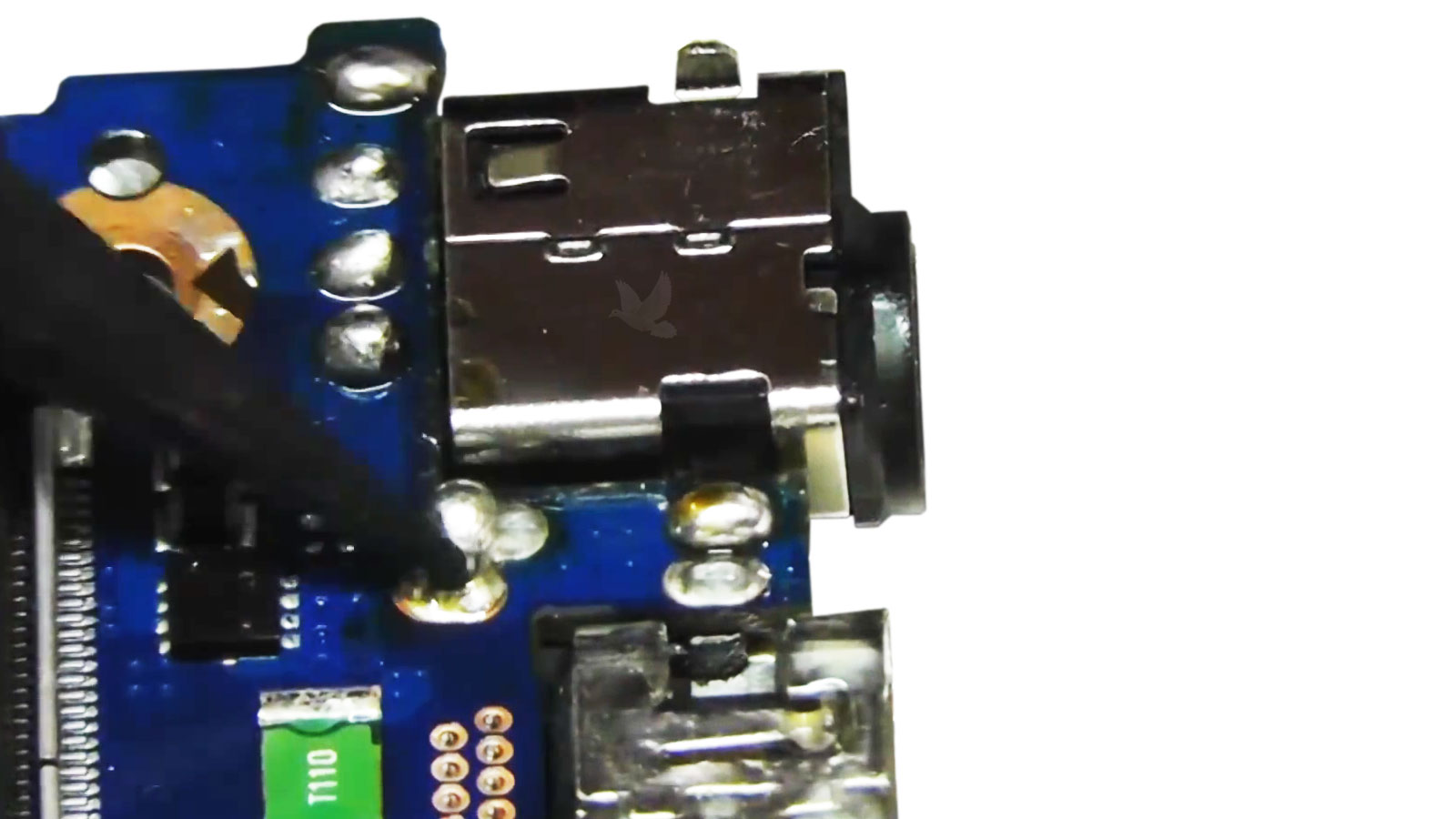
Repair Depends on How the Power Jack Is Built Into the Laptop
Once the DC jack is confirmed as the source of the charging problem, the repair depends on how that particular laptop incorporates the power connection.
Some laptops use a jack attached to a short cable or separate harness. Others place the connector directly on the motherboard, where removal and replacement require work on the board itself. The external symptom may look similar, but the physical repair is not necessarily the same.
Before the failed connector is removed, its mounting, electrical connection, surrounding components, and condition of the nearby area should be examined. Physical stress at the charging port can affect more than the visible opening on the outside of the laptop.
A Motherboard-Mounted Jack Can Fail at More Than the Connector
When the DC power jack is soldered directly to the motherboard, repeated movement, impact, or stress from the charging plug can affect the solder joints and the board area supporting the connector.
In some cases, the jack itself is damaged. In others, the electrical or mechanical connection between the jack and the motherboard has also been compromised.
| Condition | What It Can Mean |
|---|---|
| Loose solder joints | The connector may move or lose electrical contact even when the jack itself still appears intact. |
| Cracked or weakened board pads | The points that secure or connect the jack to the motherboard may no longer provide a reliable attachment. |
| Heat or electrical damage near the jack | Discoloration or damaged material around the power input can indicate that the failure extends beyond a simple mechanical problem. |
| Physically broken connector | The internal contacts or housing of the jack may be damaged and require replacement. |
| Combination damage | The jack and the surrounding board area can both be affected, which changes how the repair has to be approached. |
The Board Area Must Be Stable Before the Repair Is Complete
Replacing the connector alone is not enough if the surrounding pads, solder points, or board structure cannot support it correctly. The finished repair needs a mechanically secure jack and a reliable electrical connection so the charging plug does not immediately recreate the original problem.
A Repaired Charging Port Should Not Need Special Treatment
A properly repaired DC power connection should allow the laptop’s compatible adapter to connect normally and maintain power without the workarounds that were necessary when the jack was loose, damaged, or electrically unstable.
The Same Charging Symptom Can Involve a Different Type of Power Jack
Laptop manufacturers use different methods to connect the charging port to the computer. Identifying that construction matters because the correct repair depends on the jack that is actually installed, not simply on the fact that the laptop has a charging problem.
Cable-Connected Jack
The charging port connects to the motherboard through a separate cable or harness rather than being soldered directly to the board.A Separate Power Connection
Some laptops use a DC jack connected to the motherboard through a short cable or harness. When the jack itself fails, the repair can involve replacing that separate assembly rather than removing a connector soldered directly to the board.
Board-Mounted Jack
The charging connector is physically and electrically attached directly to the motherboard.Directly Attached to the Motherboard
When the charging connector is soldered to the motherboard, replacement involves the electrical and mechanical connection to the board. The condition of the solder points, pads, and surrounding area becomes part of the repair.
Model-Specific Design
The correct replacement depends on the laptop’s actual charging-port layout, mounting, and electrical configuration.The Laptop Determines the Part
Connector shape alone is not enough to select a replacement. The jack must correspond with the laptop’s actual power-input configuration so its fit, mounting, and electrical connection are appropriate for that model.
Laptop DC Power Jack Repair for an Unreliable Charging Connection
When testing confirms that the laptop’s DC power jack is damaged, loose, or no longer maintaining a reliable connection, the repair should address the actual construction and condition of that power input.
Whether the laptop uses a cable-connected jack or a connector mounted directly to the motherboard, the objective is the same: restore a secure power connection without replacing unrelated components simply because the laptop developed a charging problem.
Having Trouble Keeping the Laptop Connected to Power?
The charging connection can be examined to determine whether the DC jack is responsible and what type of repair is appropriate for the laptop.