
iMac Repair Services
iMac Repair Starts With an Integrated System
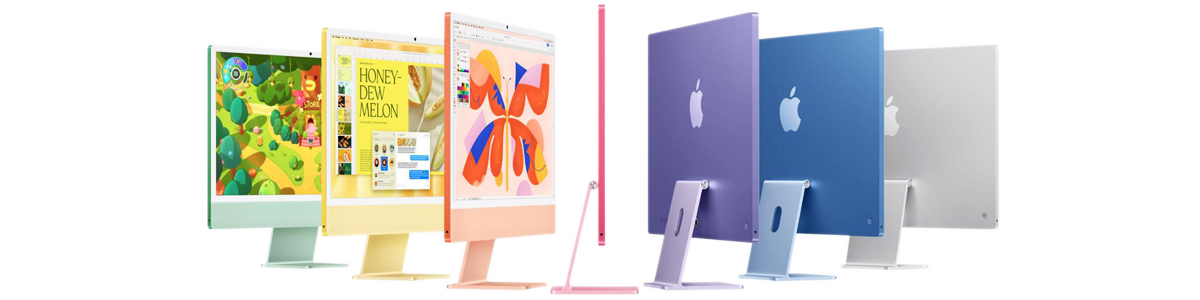
An iMac combines the display and computer hardware within the same enclosure. The screen, logic board, storage, power supply, cooling system, memory, internal connections, and other components operate as parts of one integrated desktop rather than as separate pieces connected to an external monitor.
That construction affects how problems have to be approached. A failure that appears through the display, startup process, power system, storage, or operating system may originate in a component located behind the same display assembly, and reaching that hardware can require considerably more disassembly than the visible symptom might suggest.
iMac designs have also changed substantially across generations. Intel-based models, thinner enclosure designs, different display assemblies, storage configurations, and newer Apple silicon systems do not all contain the same hardware or provide the same internal access. The exact iMac therefore matters when determining which repair path applies.
One Enclosure, Multiple Systems
Choose the iMac Service That Matches the Problem
iMac problems can involve the display, storage, power system, logic board, software, data, or other internal hardware. The services below provide direct paths to the repair area that best matches what is happening with the computer.
iMac Hardware and Internal Repairs
Use these services for problems involving physical components, internal electronics, storage hardware, or damage affecting the iMac itself.
iMac Diagnostics, Data, and Software
Use these services when the cause needs to be identified, files require attention, or the problem involves macOS and system configuration rather than one known physical component.
iMac Generations and Repair Differences
The iMac has existed through multiple generations with major changes to its enclosure, display construction, internal layout, storage, memory, processors, cooling, and power hardware. Two computers carrying the iMac name can therefore require very different procedures even when they appear to have a similar problem.
Older aluminum models, thinner Intel-based iMacs, Retina configurations, and newer Apple silicon systems do not provide identical access to their internal components. Display attachment methods, cable arrangements, logic board layouts, storage configurations, and replaceable hardware can vary considerably from one generation to another.
Those differences become especially important when a repair requires opening the computer. The display may need to be removed before internal hardware can be reached, and the method used to secure that display depends on the design. Internal access therefore has to follow the construction of the particular iMac rather than a procedure assumed to apply to every model.
Hardware options also changed as the product evolved. Some iMacs use conventional hard drives, others use solid-state storage or combined storage configurations, while newer designs integrate more functionality directly into the logic board. Memory access, storage replacement, and other upgrade possibilities can consequently differ depending on the exact model.
Identifying the iMac before selecting parts or planning the work helps establish what hardware is actually inside, how the computer is assembled, and which repair or upgrade options apply to that generation.
What Can Change Between iMac Generations
| Area | What May Differ |
|---|---|
| Display | Attachment method, panel design, connections |
| Storage | Hard drive, SSD, combined or integrated storage |
| Memory | Accessibility and upgrade options |
| Logic Board | Layout, processor architecture, integrated hardware |
| Cooling | Fan arrangement and thermal design |
| Internal Access | Disassembly procedure and component placement |
The model identifier and hardware configuration provide a more reliable starting point than appearance alone when determining what an individual iMac can require.
One iMac Symptom Can Involve Several Systems
Because the display, power hardware, storage, logic board, cooling system, and other components operate inside the same enclosure, what appears to be one straightforward iMac problem can sometimes originate somewhere else in the system.
The Visible Problem Is the Starting Point
A symptom describes what the iMac is doing, but it does not necessarily identify the component responsible. Inspection and testing help narrow the problem from the visible behavior to the part of the system actually causing it.
When the iMac Needs a Repair
Repair becomes the priority when a component or system is preventing the iMac from operating normally. Display failures, power problems, logic board faults, storage problems, abnormal video, and other hardware conditions require attention to the source of the failure before normal operation can be restored.
Some repairs point toward a specific component, while others begin with diagnostics because several parts of the iMac can produce similar symptoms. The objective is to identify what has actually failed and determine whether that part can be repaired, restored, or needs to be replaced.
When an Upgrade Can Extend Its Useful Life
An iMac does not necessarily need to be failing before internal work becomes worthwhile. Some models can benefit from hardware changes intended to improve storage performance, increase available capacity, or address limitations that have become more noticeable as software and everyday workloads have changed.
Upgrade possibilities depend heavily on the exact generation and configuration. Storage, memory, and other hardware are not equally accessible or replaceable across every iMac, so the model needs to be considered before assuming that a particular upgrade is available.
Repair and Upgrade Can Sometimes Happen Together
When an iMac already needs to be opened for a repair, it can make sense to consider supported upgrades or maintenance at the same time. Whether that is worthwhile depends on the model, the condition of the computer, the work already required, and which components can actually be serviced on that generation.
Reaching the Internal Hardware Is Part of iMac Service
Many iMac repairs require access to components positioned behind the display. Depending on the generation, reaching the storage, power supply, logic board, cooling hardware, memory, or internal connections can require removing the display and carefully disconnecting components before the affected hardware can even be inspected or serviced.
The method of access is not identical across the iMac family. Different generations use different display assemblies, attachment methods, internal layouts, cables, and component locations. A procedure appropriate for one design should not automatically be assumed to apply to another.
Opening the iMac Is Only the Beginning
A successful iMac repair therefore involves more than reaching a failed part. The computer has to be opened according to its construction, the actual problem has to be addressed without unnecessarily disturbing surrounding hardware, and the system has to return from reassembly with the repaired function operating as intended.
Start With What the iMac Is Doing
When the failed component is already known, choosing a service can be straightforward. When it is not, the behavior of the iMac provides a useful starting point for narrowing down which repair area deserves attention.
The situations on this page are not diagnoses by themselves. They are practical starting points that connect common iMac problems with the services most closely related to them.
If several symptoms are occurring together or none of the available repair categories clearly matches the problem, diagnostic testing provides the appropriate route before assuming that a particular component needs replacement.
Find the Right iMac Repair Service
The iMac services on this page cover problems involving displays, storage, power, logic boards, video, data, software, maintenance, upgrades, and other areas of the computer. When the affected component is known, choose the service that matches the problem for more specific repair information.
If the symptoms do not clearly point to one component or service, diagnostic testing provides the appropriate starting point. The goal is to identify what is actually causing the problem before determining the repair that the iMac requires.