
When an iMac Needs More Than a Software Installation
Installing software is only one part of preparing an iMac for reliable everyday use. Applications, system settings, user accounts, permissions, updates, connected devices, and startup behavior may all need to work together before the computer is properly configured.
iMac software configuration in Miami can address situations ranging from setting up a computer for a particular type of work to correcting an existing configuration that has become disorganized, incompatible, or difficult to use.
A Working Setup Depends on More Than One Setting
A properly configured iMac brings these separate parts into a usable environment so the computer is prepared for the work expected from it.
The Right Configuration Depends on How the iMac Will Be Used
Two iMacs running the same version of macOS may need very different setups. A computer used primarily for everyday personal tasks does not necessarily require the same applications, account structure, storage behavior, or connected devices as one prepared for business or specialized work.
Existing software also matters. When an iMac has been in use for some time, configuration may involve working around applications and settings that are already present rather than treating the computer as a completely new installation.
Start With the Intended Use
Before changing settings or installing additional software, it helps to establish what the iMac actually needs to accomplish.
The goal is not to load the computer with every available option. It is to create a software environment where the necessary applications, accounts, preferences, and devices work together without adding unnecessary complexity.
Software Problems Often Begin With Conflicting Pieces
An iMac can have all the necessary software installed and still behave poorly when applications, settings, updates, or background processes no longer work well together. Identifying those relationships can be just as important as installing something new.
Startup Conflicts
Programs that launch automatically can compete for resources or introduce unwanted behavior every time the iMac starts during normal startup each day.
Software Compatibility
An application that worked under an earlier configuration may behave differently after macOS, supporting software, or related components change.
Background Processes
Utilities, synchronization tools, update services, and other background software can continue affecting the system even when no application window is open.
Configuration Changes
A collection of small preference changes can eventually make the system difficult to understand, especially when the original purpose of those settings is no longer clear.
Reviewing how these pieces interact can help separate a single application problem from a broader configuration issue and provide a clearer direction for correcting the software environment.
macOS Settings Shape the Everyday Experience
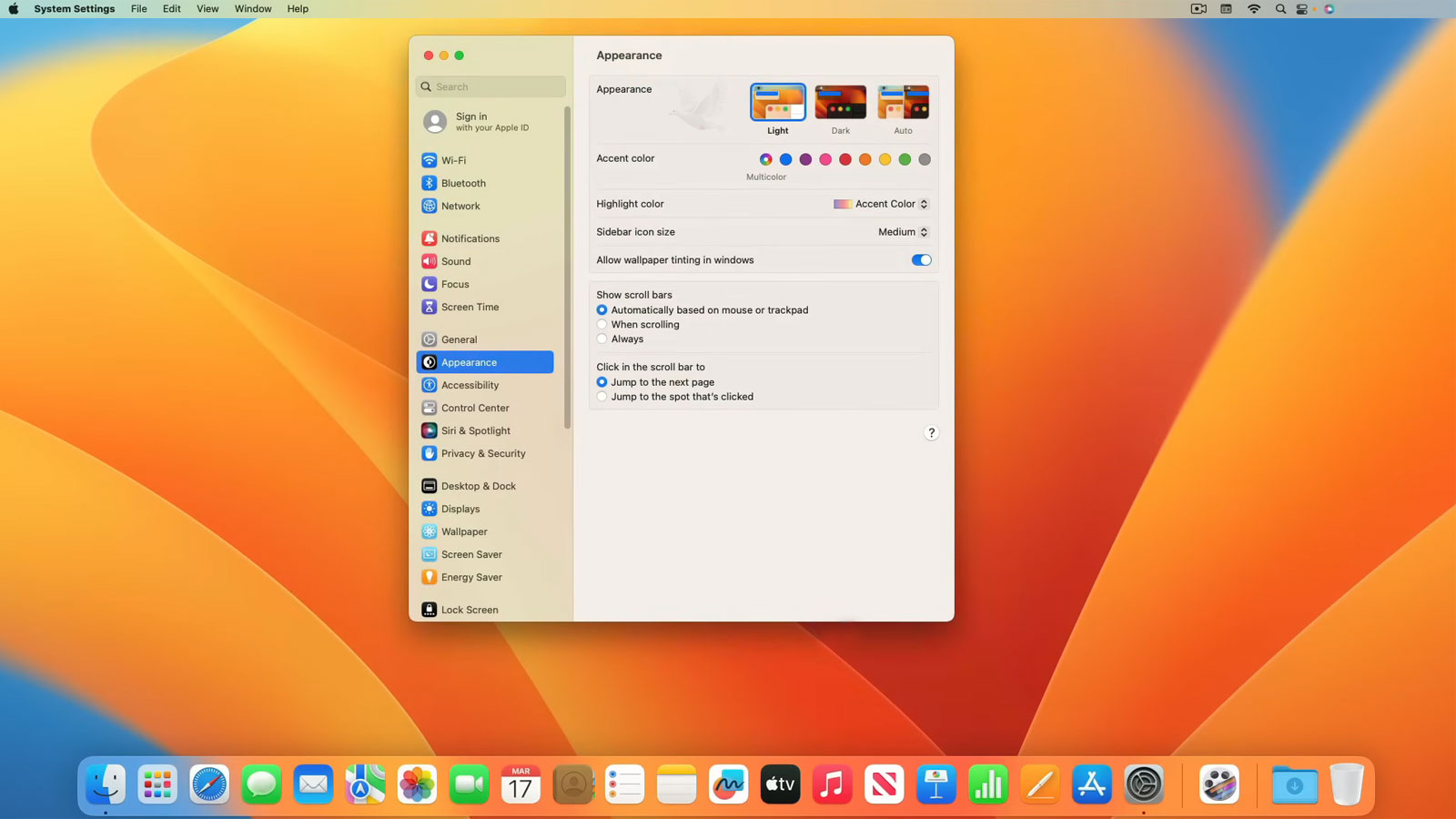
Many configuration choices are built directly into macOS. Adjusting them carefully can make the iMac easier to use while also reducing unnecessary interruptions, unwanted startup behavior, and confusion between different users or applications.
Separate accounts can keep personal settings, files, and application preferences organized when more than one person uses the same iMac. Account permissions can also be adjusted according to what each user needs to access or change.
Login items and applications configured to open automatically influence what happens immediately after signing in. Reviewing them can reduce unnecessary background activity and keep startup behavior focused on software that is actually needed.
Display behavior, notifications, privacy choices, energy settings, accessibility features, and other macOS preferences can be adjusted around the way the computer is used instead of leaving every option at its default.
macOS and application updates can affect compatibility, security, and normal software operation. Update settings should provide reasonable maintenance without creating unnecessary interruptions or introducing changes without consideration for existing applications.
A useful configuration does not require changing every available preference. The important settings are the ones that make the iMac easier to operate while supporting the applications and tasks expected from it.
Applications Need to Work as a System
Individual programs do not operate in isolation. Applications can depend on macOS versions, supporting components, permissions, file associations, connected services, and other software already installed on the iMac.
Installation Is Only the Beginning
Once an application is installed, its preferences and access requirements may still need attention. File locations, default programs, account connections, privacy permissions, and startup behavior can all influence whether the software fits naturally into the existing environment.
Existing Software Matters Too
When configuring an iMac that is already in use, existing applications and user data should be considered before making broader changes. Preserving what is still needed while correcting unnecessary or conflicting settings helps avoid turning configuration work into a completely new setup.
Configuration Extends Beyond the iMac Itself
Printers, external drives, displays, cloud services, and other equipment can become part of the everyday software environment. Each connection may introduce its own settings, permissions, applications, or compatibility requirements before everything works together normally.
A peripheral is not fully configured simply because the iMac detects it. The useful test is whether the hardware, its software, and the applications that depend on it work together during normal use.
A Finished Configuration Should Hold Up in Normal Use
A configuration can appear complete while individual settings are being changed, yet behave differently once the iMac returns to everyday use. Final testing should bring the applications, accounts, connected equipment, and system behavior together rather than checking each part only in isolation.
The Test Should Match the Setup
A newly configured personal iMac may only need straightforward checks involving its primary applications and devices. A computer prepared for a more complex workflow may require several programs, accounts, storage locations, and peripherals to operate together.
Small Problems Are Easier to Correct Now
A forgotten permission, incorrect default application, unwanted startup item, or device setting is easier to address while the configuration is still being reviewed. Correcting those details before normal use begins helps leave the system in a more predictable state.
Build the Setup Around What the Computer Needs to Do
iMac software configuration service is available in Miami for new computers, existing systems that need adjustment, and setups involving applications, accounts, preferences, peripherals, or other software requirements.
The work can focus on the parts of the configuration that are actually relevant to the computer rather than changing settings simply because they are available. That may involve preparing a new environment from the beginning or correcting specific parts of an existing setup while preserving applications, files, and preferences that should remain in place.
A Practical Setup Is the Final Goal
The completed configuration should leave the iMac ready for the applications, accounts, devices, and everyday tasks expected from it, with the important parts tested together before the computer returns to regular use.