
Finding the Cause Before Deciding on the Repair
An iMac can show the same outward symptom for very different reasons. A computer that will not start, freezes during use, runs unusually slowly, restarts without warning, loses network connectivity, or behaves unpredictably may have a problem involving hardware, storage, memory, power, software, or several conditions occurring at the same time.
Diagnostics should narrow those possibilities rather than begin with an assumed repair. Observing when the problem occurs, reproducing the symptom when possible, and testing the systems connected to it can help separate the visible behavior from the component or condition actually responsible for it.
A Symptom Is Only the Starting Point
The message on the screen or the behavior reported by the user provides useful direction, but it does not automatically identify the failed part. Two iMacs displaying similar symptoms can ultimately require completely different solutions.
Different Symptoms Point the Investigation in Different Directions
The way an iMac fails helps determine where testing should begin. Instead of treating every malfunction as a general computer problem, the symptoms can be grouped according to the systems most likely to require examination.
An iMac that shows no response, powers on intermittently, shuts down during startup, or repeatedly restarts may require examination of the power path and the hardware involved in initialization. The point is not to replace the first component associated with the symptom, but to determine where normal startup behavior stops.
A blank screen, distorted image, unusual lines, flickering, or loss of video does not automatically mean the display panel itself has failed. Display connections, graphics-related circuitry, power delivery, and other internal components can produce symptoms that appear similar from outside the computer.
Long startup times, application freezes, spinning cursors, delayed file access, and general sluggishness can originate from several areas. Storage condition, memory behavior, software activity, thermal conditions, and system configuration may need to be separated before the slowdown can be attributed to a particular cause.
Problems involving Wi-Fi, Bluetooth, USB devices, external storage, audio equipment, or other connections can require testing beyond the affected accessory itself. Ports, internal modules, operating-system configuration, and communication with the connected device can each become part of the diagnostic path.
Good Diagnostics Begin With Conditions That Can Be Compared
Before an intermittent or confusing problem can be isolated, it helps to establish what the iMac does under known conditions. A repeatable starting point makes changes easier to recognize and reduces the chance of drawing conclusions from a symptom that appears only once.
Reproduce
Try to establish when the reported behavior appears and what is happening immediately before it occurs.
A problem that consistently appears during startup, file access, heavy processing, sleep and wake, or connection of a particular device provides more useful diagnostic direction than a symptom considered without its surrounding conditions.
Compare
Change one relevant condition and observe whether the behavior follows it.
Testing with a different peripheral, connection, startup condition, user environment, or other appropriate variable can help determine whether the symptom remains tied to the iMac or changes when part of its operating environment changes.
Narrow
Use the results of those comparisons to reduce the number of plausible causes.
When a symptom disappears under one condition but returns under another, the difference becomes useful evidence. Each meaningful result can move the investigation toward a smaller group of components, settings, or processes that deserve closer examination.
Is the Problem in the Hardware or the Operating Environment?
One of the most useful distinctions during diagnosis is whether the behavior follows the physical iMac or depends on the software environment in which it is operating. A familiar symptom alone cannot establish which side is responsible.
Testing both possibilities can prevent the investigation from stopping at the first plausible explanation. The useful evidence is what changes, what remains consistent, and under which conditions the symptom returns.
Intermittent Problems Need Evidence, Not Guesswork
Some iMac problems refuse to appear on command. The computer may work normally for hours and then freeze, restart, lose a device, shut down, or develop another symptom without an obvious pattern. In those cases, the circumstances surrounding the failure become part of the diagnostic evidence.
When Diagnostics Move Inside the iMac
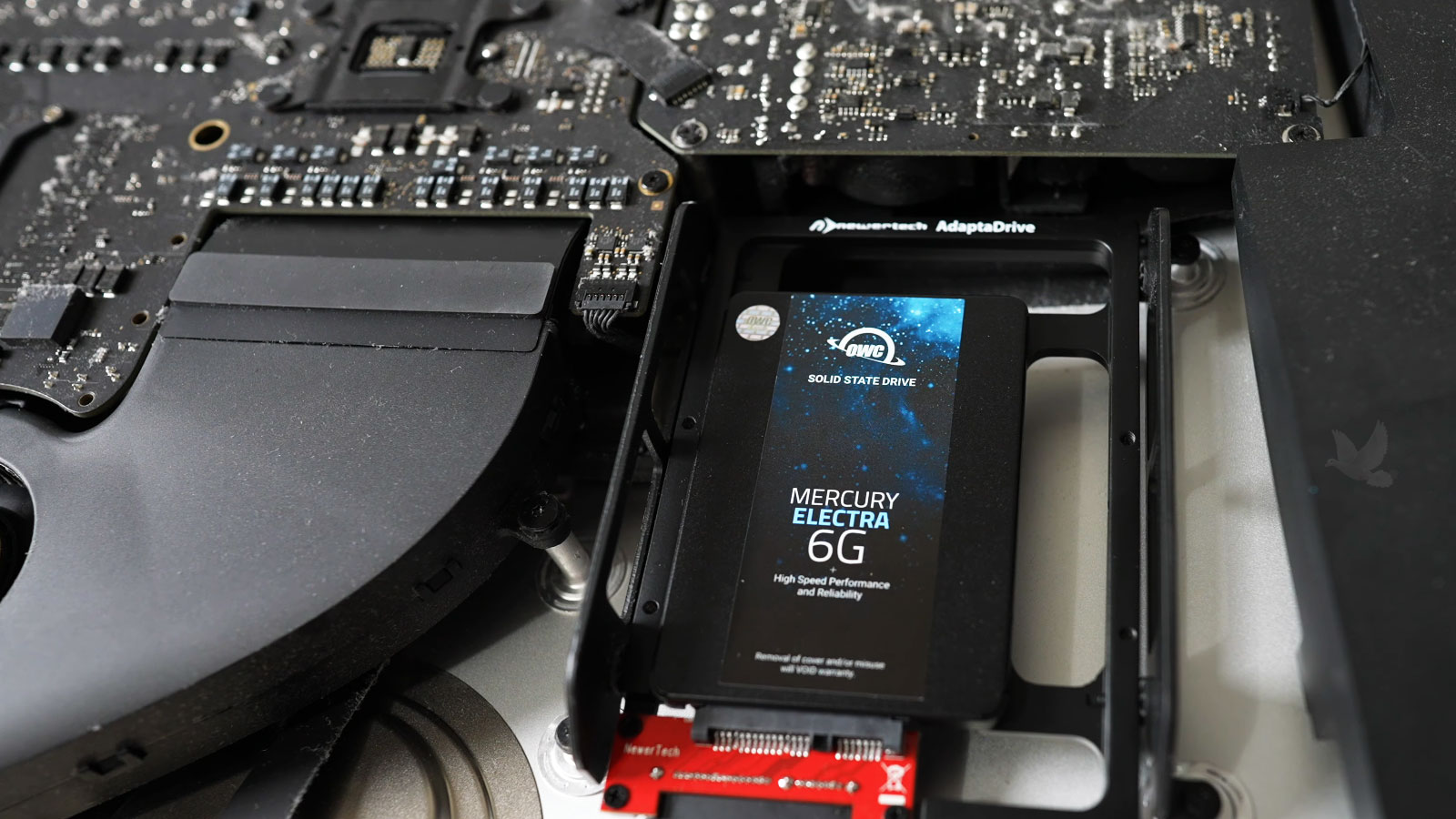
External symptoms and software testing can narrow an investigation, but some problems require direct examination of the internal hardware. With the display removed, the logic board, storage installation, cooling system, connections, and surrounding components become accessible for closer inspection and targeted testing.
Visible condition is only one part of that examination. Diagnostic work may also involve checking how components behave electrically, thermally, or under operating conditions so that an internal area is not considered faulty simply because it happens to be close to where a symptom appears.
Thermal Behavior
Heat can reveal faults that remain hidden when an iMac is first powered on. Temperatures can be observed while the system moves through different workloads to determine whether instability develops alongside abnormal heating or inadequate cooling.
Fan behavior also provides useful information. A fan that runs unusually fast, fails to respond appropriately, or accompanies increasing temperatures can help direct attention toward cooling performance, sensor information, airflow, or the hardware producing excessive heat.
Electrical Stability
Power-related problems do not always produce a completely dead iMac. Unstable supply rails or circuitry can contribute to unexpected shutdowns, failed startups, intermittent operation, or behavior that changes as different components begin drawing power.
Measurements taken at appropriate points can help determine whether expected electrical conditions remain stable while the symptom occurs. That provides stronger evidence than replacing a power-related component simply because the computer occasionally shuts down.
Component Response
Storage, memory, internal communication, and other hardware can be examined according to the symptom being investigated. Errors that appear repeatedly under the same conditions can help distinguish a component-level problem from a one-time software event.
The useful result is not merely that a test passed or failed. Comparing test behavior with the original symptom helps determine whether the component being examined can reasonably explain what the iMac is actually doing.
A Useful Diagnosis Should Lead to a Clear Decision
Finding something unusual inside an iMac is not enough by itself. The result becomes useful when the evidence explains the reported behavior well enough to determine what should happen next, whether that means addressing a specific fault, correcting a software condition, investigating further, or deciding that a repair is not justified.
Good diagnostics do not need to produce the most complicated answer. They need to produce an answer that accounts for the actual behavior of the iMac and provides a sensible basis for whatever decision follows.
When the Cause Is Still Unclear
An iMac that continues to freeze, restart, fail to start, lose its display, behave intermittently, or show another unexplained symptom may need more than a quick assumption based on what appears to be wrong from the outside. iMac diagnostic service is available in Miami for situations where the source of the problem needs to be identified before deciding what should be repaired.
Testing can be directed by the actual behavior of the computer and expanded where the evidence leads, including hardware, storage, memory, thermal behavior, power, software conditions, connectivity, and internal electronics when appropriate. The objective is to narrow the problem far enough for the next decision to be based on what the iMac is actually doing.
Before Replacing Parts
A component that appears related to a symptom is not necessarily the component causing it. Establishing the fault first can help avoid unnecessary replacement and keep the repair decision focused on the evidence found during testing.