
When the Hardware Inside an iMac No Longer Fits the Job
An iMac does not necessarily become obsolete simply because its original hardware begins to feel restrictive. The computer may still be dependable while a particular component limits the work being done, creating an opportunity to improve the machine without automatically replacing the entire system.
The useful question is not how many parts can be changed, but which change would solve an actual limitation. An upgrade intended for heavier applications, larger projects, additional storage demands, or a different workload should be considered in relation to the specific iMac and the hardware it can realistically support.
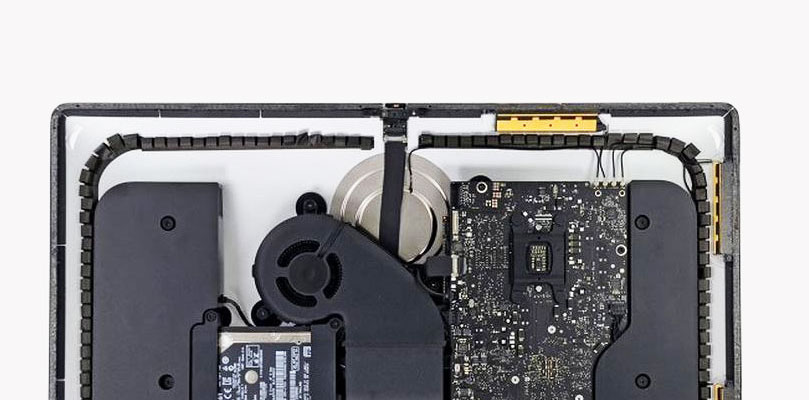
What can be upgraded depends on how that generation of iMac was designed. Component access, interfaces, physical space, firmware support, and compatibility can all determine whether a proposed change is practical before the computer is opened.
An Upgrade Should Begin With the Limitation
Different hardware limitations produce different kinds of frustration. Identifying what is actually holding the iMac back helps narrow the upgrade toward a component that can make a practical difference instead of changing hardware without a clear purpose.
Model
The exact iMac generation establishes the starting point because machines that look similar externally can have very different internal hardware and upgrade possibilities.
Compatibility Comes Before the Component
A component can have better specifications and still be the wrong upgrade for a particular iMac. Hardware has to communicate through the interfaces available in that machine, fit within its physical design, operate within appropriate electrical and thermal conditions, and remain compatible with the system that controls it.
This matters especially when comparing iMac generations. Apple changed internal layouts, storage interfaces, memory configurations, processor families, connectors, and component accessibility over the years. An upgrade that is straightforward in one model may require a completely different approach in another, while some components may not be realistically upgradeable at all.
Checking those limitations before choosing hardware prevents the upgrade from being driven only by specifications on a replacement part. The useful target is hardware that the particular iMac can support and that addresses the limitation identified in the first place.
Fit
Physical dimensions, mounting points, connectors, available space, and surrounding components all matter when new hardware has to occupy a location designed around the original configuration.
Before Adding Hardware, Find What Is Actually Holding the iMac Back
Slow or restrictive behavior does not automatically identify the component responsible for it. Looking at how the iMac behaves under the workload that causes the problem can help distinguish between limitations involving memory, storage, and processing resources before an upgrade is selected.
Memory
Heavy multitasking can make limited RAM look like an overall performance problem.Look at the Workload
If available memory is repeatedly exhausted while several applications or large projects are active, increasing RAM may address a genuine constraint. If memory remains available during the slowdown, adding more may provide little noticeable benefit.
Storage
Waiting on the drive can make an otherwise capable iMac feel much slower than its other hardware suggests.Watch Disk Activity
Long delays during startup, application loading, file access, or other storage-intensive operations can point toward the storage configuration as the restriction. That is different from a computer that slows primarily during computational work.
Processing
Some demanding tasks remain limited by computation even when memory and storage are adequate.Separate Speed From Capacity
Rendering, encoding, calculations, and other sustained workloads can expose processing limitations that additional RAM or storage would not solve. Identifying that distinction prevents an unrelated upgrade from being mistaken for the solution.
Opening the iMac Is Part of the Upgrade
Many internal upgrades require access behind the display, where the logic board, cooling system, storage hardware, memory configuration, and internal connections vary according to the model. Reaching the component is therefore part of the upgrade itself, not merely a step that happens before the work begins.
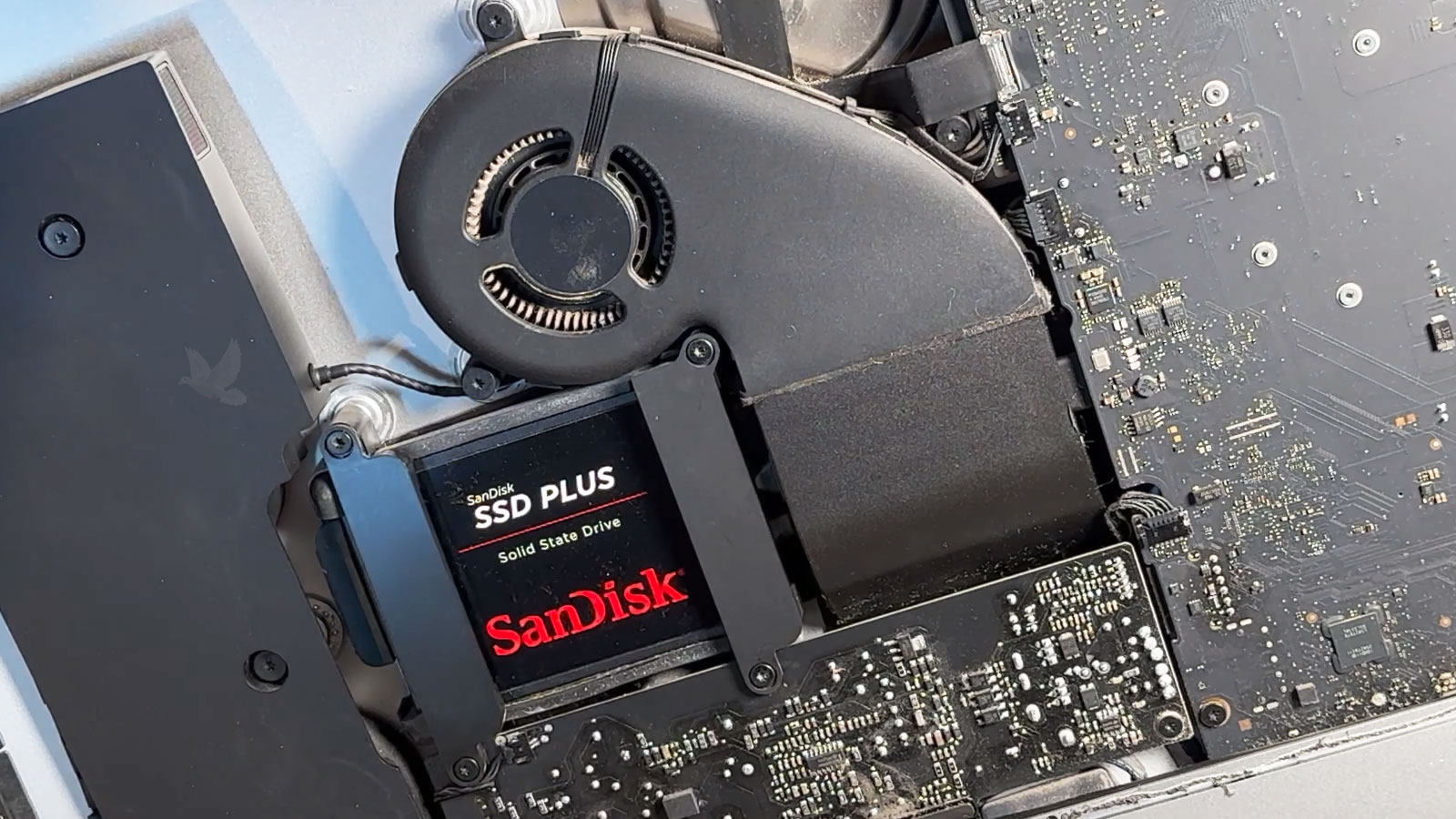
Once inside, surrounding hardware also matters. Cables, sensors, mounting points, cooling components, and nearby circuitry may need to remain undisturbed while the intended part is accessed. The physical procedure should follow the internal design of that particular iMac rather than assuming every generation opens and upgrades in the same way.
New Hardware Still Has to Work With the Rest of the iMac
An upgrade becomes part of an existing system rather than operating in isolation. The replacement component has to coexist with the hardware, software, power, and cooling conditions already present inside the iMac.
Recognize
The iMac should consistently detect the upgraded component and report it appropriately. This establishes that the new hardware is communicating with the system rather than merely being physically installed.
Exercise
The type of activity that motivated the upgrade should be tested again. Memory-heavy applications, storage-intensive work, or another relevant workload can show whether the changed hardware remains stable when it is actually being used.
Compare
The result should be judged against the limitation that existed before the upgrade. A meaningful improvement is not simply that the new component works, but that it addresses the reason the hardware change was considered in the first place.
Make the Upgrade Fit the iMac
Whether the goal is to give demanding applications more working room, increase internal storage, improve storage responsiveness, or address another upgradeable hardware limitation, the starting point can be the iMac itself and what you need it to handle differently.