
When an iMac Graphics Failure Goes Beyond the Display
An iMac can power on normally while the graphics system prevents it from producing a usable picture. Distorted colors, vertical lines, blocks across the screen, flickering, sudden black screens, graphical artifacts, freezing during visually demanding work, or a display that disappears after the computer warms up can all indicate a problem somewhere in the graphics path.
The important distinction is that a visible screen problem does not automatically mean the LCD panel has failed. The GPU, graphics memory, logic board circuitry, internal display connections, power delivery, and thermal conditions can produce symptoms that appear remarkably similar from the outside. Separating those possibilities is what prevents a graphics-related failure from turning into an unnecessary display replacement.
The GPU Is Only One Part of the Graphics Path
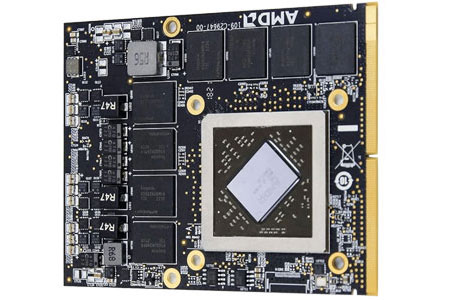
Graphics output depends on several systems working together. Before repair reaches the component level, the failure needs to be narrowed far enough to determine whether the GPU itself, its supporting circuitry, video memory, or another part of the display path is responsible for what appears on the screen.
Graphics Problems Can Change as the iMac Heats Up
A graphics problem that appears only after several minutes of operation can behave very differently from one that is present immediately at startup. The iMac may initially display a normal picture and then develop artifacts, freeze, lose video, or become unstable as internal temperatures rise.
That change matters because the GPU and the components supporting it operate through repeated heating and cooling cycles. A failure that follows temperature can therefore provide useful evidence when examining the graphics processor, its connections, surrounding circuitry, cooling contact, and other conditions capable of affecting graphics stability.
The opposite behavior can also be informative. Some faults are most apparent during a cold startup and become less noticeable after the hardware warms. Recording when the symptom begins, how long the iMac has been operating, and whether graphics workload changes the behavior can make an intermittent failure much easier to isolate.
What the Picture Is Doing Can Provide Important Clues
Graphics failures do not always result in a completely blank display. The type of corruption, when it appears, and whether the rest of the iMac continues operating can help determine which parts of the graphics system deserve closer examination.
| Observed behavior | What it can contribute to the investigation |
|---|---|
| Lines, blocks, or corrupted patterns | Repeating visual artifacts can provide evidence that the graphics data is being processed or stored incorrectly. Whether the pattern appears during startup, inside macOS, or only under heavier graphics activity can further narrow the conditions associated with it. |
| Video disappears while the iMac remains active | If the computer continues running after the picture is lost, the failure can be examined separately from a complete system shutdown. This helps keep attention on the graphics and display path rather than treating the symptom as a general loss of power. |
| Freezing during graphics-intensive activity | Instability that becomes repeatable when graphics demand increases can provide a useful testing condition. The GPU, graphics memory, temperature, power delivery, and supporting circuitry can then be evaluated while the failure is being reproduced. |
| Artifacts appear before the desktop loads | Corruption visible during the startup sequence provides a different clue from a symptom that begins only after macOS and user software are running. This can help determine how early in the operating process the graphics problem becomes present. |
| The symptom changes after warming or cooling | A consistent relationship with temperature can make an intermittent graphics fault easier to reproduce and can direct closer attention toward components, connections, cooling conditions, or circuitry whose behavior changes thermally. |
Heat
A GPU that becomes unstable only after the iMac warms can provide a repeatable condition for testing. Cooling performance and the relationship between temperature and the graphics symptom become particularly important when the failure changes during operation.
A Stable Graphics System Depends on More Than the GPU
The graphics processor cannot operate independently of the circuitry around it. It needs appropriate power, communication with the logic board, functioning graphics memory, effective cooling, and reliable electrical connections. A problem in any of those supporting areas can produce behavior that appears to originate directly from the GPU.
This distinction becomes especially important with component-level work. If the graphics processor is receiving unstable power, for example, replacing or working on the GPU itself would not correct the condition responsible for the failure. The same principle applies when another component in the graphics circuit is preventing an otherwise functional processor from operating normally.
The repair path should therefore follow the fault rather than the name of the symptom. Once the affected part of the graphics system has been isolated, attention can remain on that area instead of disturbing components that are still functioning correctly.
Power
Graphics circuitry depends on regulated electrical conditions. Measurements that reveal an absent, unstable, or abnormal supply can redirect the investigation toward the circuitry responsible for powering the GPU rather than treating the processor itself as the automatic failure point.
Component-Level Work Begins After the Fault Is Isolated
Once testing points toward a specific area of the graphics circuitry, the iMac can be approached at the board level with a much narrower objective. The purpose is no longer to investigate every possible graphics symptom, but to examine the components and connections associated with the evidence already found.
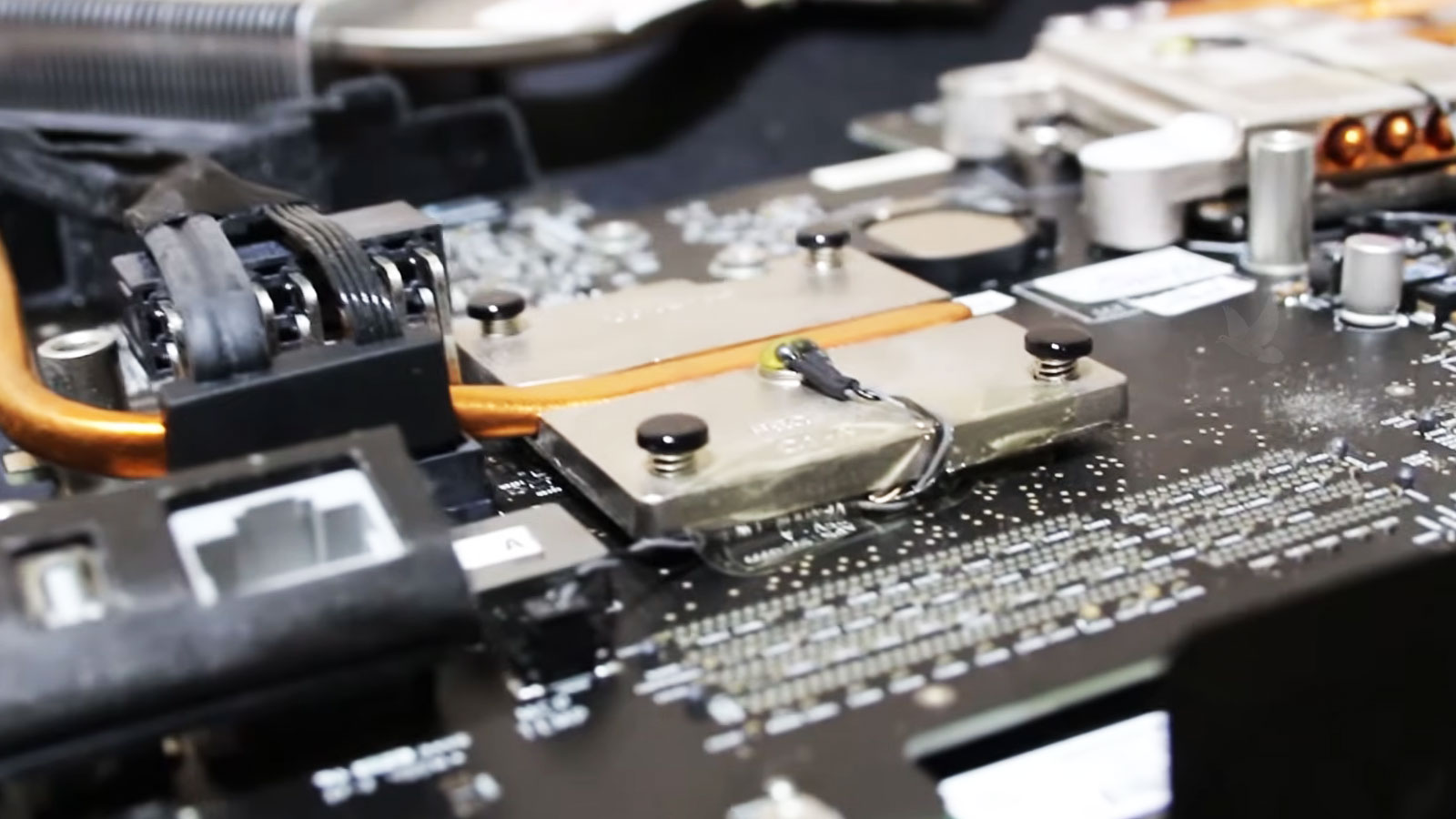
Depending on what testing reveals, component-level attention may involve the graphics processor, supporting power circuitry, memory-related components, damaged connections, or another part of the logic board associated with the failure. The value of reaching this stage through diagnosis is precision: the work can remain concentrated on the area supported by the evidence instead of treating the entire logic board as one replaceable unit.
Startup
A repaired graphics system should produce stable video through startup rather than simply reaching the desktop once. Behavior during initialization can be compared with symptoms that previously appeared before macOS fully loaded.
Temperature
The iMac can remain operating long enough to move beyond a cold-start test. If the original graphics failure appeared after warming, reaching operating temperature becomes an important part of confirming that the same behavior does not return.
Graphics Load
Visual activity can place greater demand on the graphics system than ordinary idle operation. Appropriate graphics workloads help determine whether the repaired area remains stable when the GPU and its supporting circuitry are doing more work.
Repeatability
One successful test is useful, but repeating the conditions associated with the original failure provides stronger confirmation. A repair is more meaningful when the iMac remains stable through repeated operation rather than passing only a brief check.