
When Important Files Become Trapped Inside an iMac
An iMac that no longer starts normally can leave years of documents, photographs, project files, financial records, and other irreplaceable data seemingly out of reach. The files may still exist even when macOS will not load, the internal drive is no longer detected correctly, or the computer stops during startup.
Recovering that information requires separating the condition of the computer from the condition of its storage. A failed iMac does not automatically mean a failed drive, while a drive that appears accessible can still have underlying problems that make continued use risky. Identifying which situation is present helps determine how the data should be approached before unnecessary reading, writing, or repeated startup attempts place additional stress on the storage device.
Different generations of iMac also store data differently. Depending on the model and configuration, the system may contain a mechanical hard drive, solid-state storage, a Fusion Drive arrangement, or storage integrated more closely with the logic board. Those differences matter because the safest path to the files can change substantially from one machine to another.
Protecting the Recoverable Data Comes Before Repairing the Computer
When valuable files are the priority, getting the iMac operational again is not necessarily the first objective. A computer can sometimes be made to boot temporarily while its storage is deteriorating, but every additional startup, scan, update, repair attempt, or file-system operation may require more activity from the same device holding the data. The safer approach is to consider preservation first and computer repair separately.
The goal at this stage is to preserve as much of the original state as possible until the storage can be evaluated appropriately. Once the important information has been secured, or the safest recovery path has been established, the iMac itself can be addressed without making the files compete with the repair process for priority.
The Storage Inside the iMac Changes the Recovery Path
The familiar aluminum exterior can hide very different storage arrangements. Before deciding how files should be accessed, it is important to determine what is actually storing them and whether multiple devices depend on one another. The correct recovery path for one generation of iMac may be inappropriate for another.
Mechanical Hard Drives
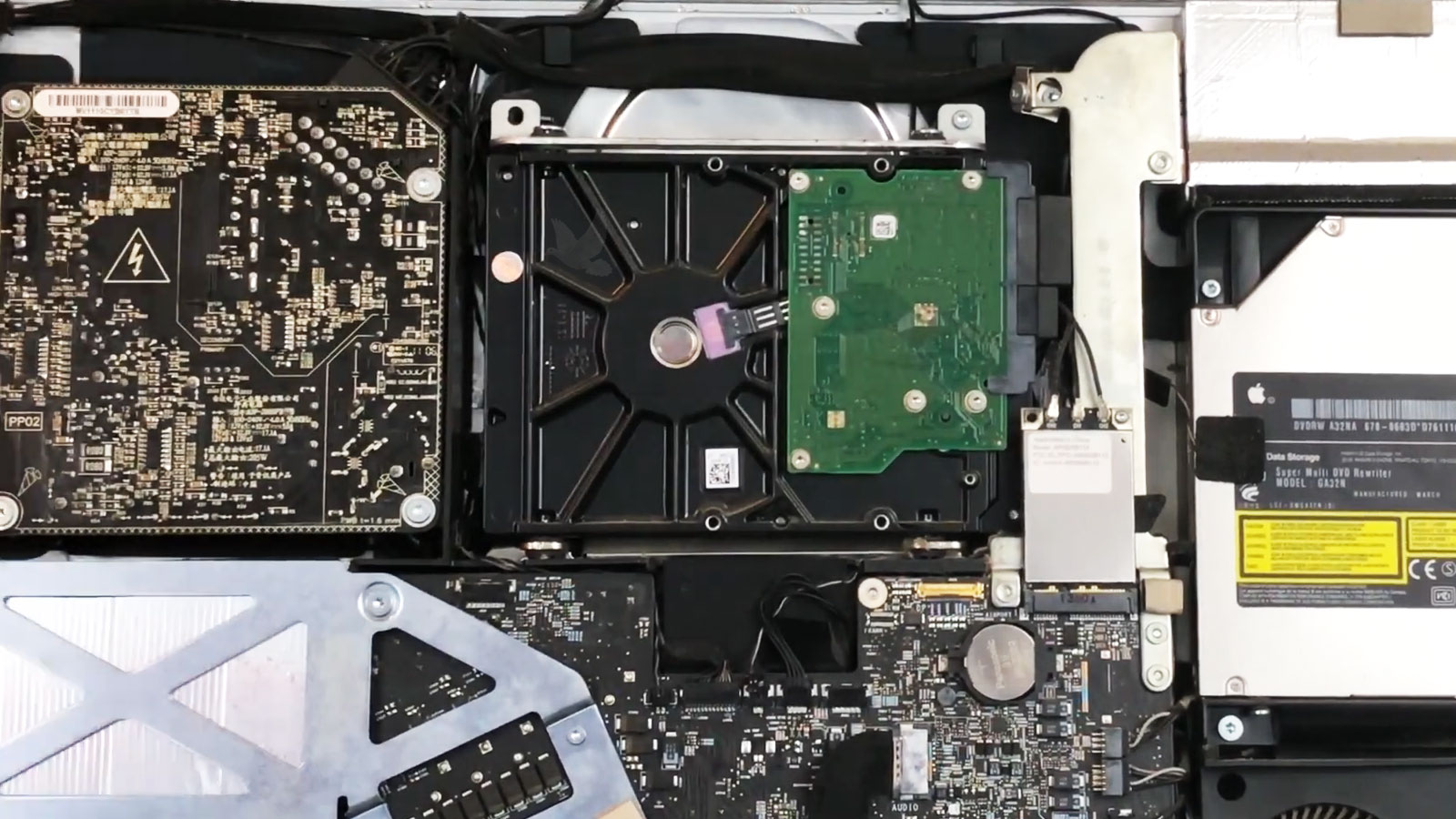
Traditional 3.5-inch hard drives store information on rotating platters and depend on precision mechanical components to read it. Clicking, unusually slow access, repeated disconnections, or failure to identify consistently can point to problems that require more caution than an ordinary file transfer.
Solid-State Storage
An SSD has no moving parts, but that does not make lost data automatically easier to retrieve. Controller faults, failing memory, corrupted translation data, or an electrical problem can make the storage inaccessible even though there are no mechanical symptoms.
Fusion Drive Configurations
A Fusion Drive combines separate storage devices into one logical volume. The files are managed across both parts rather than existing as two ordinary independent drives. Preserving the relationship between those components can therefore be essential when attempting to reconstruct and recover the original data.
A Dead iMac Does Not Always Mean Dead Storage
An iMac can become completely unusable for reasons that have little to do with the condition of its files. Determining where the failure originates helps distinguish a computer problem from a storage problem and prevents the recovery process from being based solely on what appears on the screen.
The distinction matters because data recovery should respond to the component that has actually failed. Treating every nonworking iMac as a failed drive can lead to unnecessary procedures, while assuming the storage is healthy can expose important files to avoidable risk.
Not Every Data Loss Situation Should Be Approached the Same Way
What happened immediately before the files became inaccessible can be just as important as the current condition of the iMac. A machine that suddenly stopped powering on presents a different recovery situation from one that was erased, reformatted, physically damaged, or gradually became unable to read its storage.
If the computer stopped powering on or can no longer complete its startup sequence, the first question is whether the storage participated in the failure at all. Power supply, logic board, display, and other hardware faults can make the files inaccessible through the computer while leaving the internal drive unaffected. In that situation, accessing the storage independently may avoid unnecessary changes to the data.
Deletion is a different problem because the storage itself may still operate normally. What happens afterward becomes particularly important. Continued use of the iMac can create new data that occupies space previously associated with deleted files, reducing what remains available for recovery. Minimizing further writes can therefore be more important than repairing anything physically.
Formatting can alter the structures that previously described where files and folders were located. Recovery then depends on factors such as the type of storage, the formatting operation performed, subsequent use, and how much of the original information remains intact. The absence of the former directory structure does not by itself establish what can or cannot still be recovered.
Impact, liquid intrusion, electrical damage, or another physical event can affect several parts of an iMac simultaneously. Powering the machine repeatedly after such an event can complicate the situation if damaged circuitry or storage is involved. The condition of the storage needs to be considered independently before ordinary startup attempts become the recovery strategy.
What Happens After Data Loss Can Change the Situation
Two iMacs with similar symptoms can arrive with very different recovery possibilities because the events that followed the original problem matter. Storage type, physical condition, continued use, and previous recovery attempts can all influence what remains accessible.
For that reason, a recovery result should not be predicted from a single symptom. The condition of the actual storage and the history of what happened to it provide a much more meaningful picture.
These levels are not a prediction of whether particular files can be recovered. They illustrate why some circumstances require greater caution than others. A recently deleted folder on otherwise healthy storage is fundamentally different from information trapped on a device that disconnects during reads or has suffered electrical damage.
The useful question is therefore not simply whether data recovery is possible. It is what has happened to the storage since the information became inaccessible and what can be done next without unnecessarily changing its present condition.
The Most Valuable Files Should Set the Priority
Data recovery does not always need to begin with the goal of recreating every byte that once existed on an iMac. When the storage is compromised, identifying the information that matters most can help establish sensible priorities and avoid treating replaceable system data the same way as unique personal or business files.
Clear priorities become especially useful when storage is unstable or only partially readable. Knowing what is truly irreplaceable helps keep the recovery process centered on the information that matters rather than on restoring software, macOS components, caches, and other material that can simply be replaced later.