
Recovering Important Files When a Laptop Can No Longer Provide Access
A laptop does not have to be completely dead for its files to become inaccessible. Windows may stop loading, the system may repeatedly fail during startup, or the storage device may no longer appear normally even though important documents, photos, business records, and other files remain on the drive.
Data recovery begins by separating the condition of the laptop from the condition of its storage. The goal is to determine what is preventing access and choose a recovery approach that protects the information rather than placing additional stress on the device.
When the Data Matters More Than Getting the Laptop to Boot
In these situations, preserving the recoverable data becomes the priority before attempts are made to return the computer itself to normal operation.
The First Response to Lost Data Can Affect What Happens Next
When important files suddenly disappear or a laptop stops providing normal access to its storage, repeated attempts to make the computer work again can change the condition of the device before recovery begins. The appropriate response depends on whether the failure involves the operating system, the storage interface, the SSD itself, or another part of the laptop.
When the files are the priority, preserving the current state of the storage device can be more important than immediately trying to restore normal operation.
The Laptop and Its Storage Do Not Always Fail Together
A laptop can become unusable while the storage device holding its files remains accessible. A failed motherboard, damaged power circuit, broken display, corrupted operating system, or another system-level problem may prevent normal access without necessarily meaning that the information stored on the SSD has been lost.
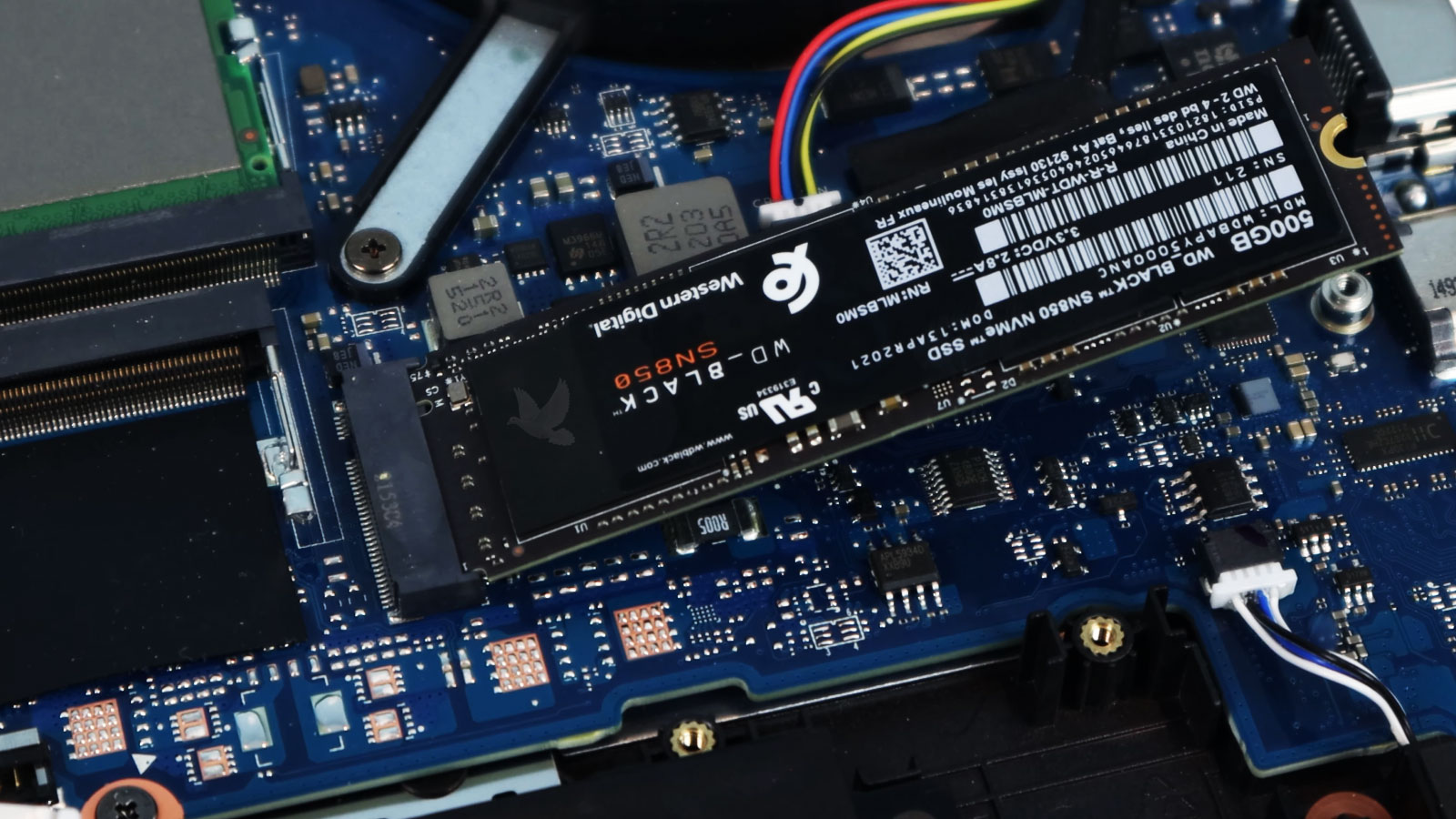
When the situation allows it, accessing the storage device independently can remove the rest of the laptop from the recovery path. An M.2 SSD, for example, may be physically removed from its internal slot so its condition can be evaluated separately rather than relying on the damaged or malfunctioning computer to communicate with it.
That distinction is important because the recovery path should follow the condition of the storage itself. If the SSD communicates normally outside the laptop, attention can move toward safely extracting the needed files. If it is unstable, intermittently detected, unreadable, or otherwise abnormal, the approach has to change so that unnecessary access does not become part of the problem.
The objective is not simply to make a drive appear in another computer. It is to establish the safest practical way to reach the information while making as few unnecessary changes to the source device as possible.
The Condition of the SSD Changes the Recovery Approach
Two laptops can show almost identical symptoms while requiring very different recovery methods. What matters is not only whether the files are inaccessible, but what the storage device does when an attempt is made to communicate with it.
The SSD Responds Normally
The drive is detected and communicates consistently, but files may be missing, inaccessible, or affected by damage to the file system. In this situation, the storage hardware can still provide a working path to the information it contains.Recovery Can Focus on the Data
When communication with the SSD remains stable, attention can shift toward deleted files, damaged partitions, corrupted file-system structures, or other logical conditions. The objective is to recover the needed information without making unnecessary changes to the original storage.
The SSD Behaves Unpredictably
The drive may appear normally at first and then disconnect, become extremely slow, produce read errors, or disappear during access. Those changes indicate that ordinary file browsing may not be the best way to continue working with the device.Access Needs Greater Control
An unstable SSD calls for a more cautious approach that prioritizes accessible areas while limiting unnecessary interaction with problematic ones. Repeatedly requesting unreadable data can consume time and place additional demand on storage that is already behaving abnormally.
The SSD Does Not Respond
Sometimes the storage device cannot establish normal communication at all. It may remain undetected even when accessed independently from the laptop, placing the problem beyond missing files or ordinary file-system corruption.The Failure May Be Inside the Device
Loss of communication can point toward controller, firmware, power, or other device-level conditions that must be considered before the stored information can become accessible. At this stage, the recovery path depends on identifying what is preventing the SSD from responding normally.
Recovery Is More Useful When the Important Data Is Identified First
A storage device can contain hundreds of thousands of files, but they rarely have equal value to the person who needs them back. Family photographs, accounting records, active projects, client documents, databases, or years of personal files may matter far more than applications and operating-system files that can simply be installed again.
Establishing those priorities helps keep the recovery focused on information that is difficult or impossible to replace, particularly when access to the source storage is limited or unreliable.
| Data Type | Typical Priority | Why It Matters |
|---|---|---|
| Personal files | High | Photos, videos, correspondence, and personal records may have no replacement elsewhere. |
| Business data | High | Documents, accounting files, databases, customer records, and current projects may be necessary for ongoing work. |
| Specialized files | Varies | Design projects, source files, research, application-specific databases, or other uncommon formats may require particular attention. |
| Applications | Usually lower | Most installed programs can be downloaded or installed again if their original data and configuration are not required. |
| Operating-system files | Usually lower | Windows system files are generally replaceable and normally have less recovery value than unique user-created information. |
The best recovery result is not necessarily the largest number of files. It is the return of the information that actually matters, organized in a form that can be reviewed and transferred to healthy storage.
What Happens to the Data After It Is Extracted
Recovering data is not finished the moment files can be copied from the original storage. The extracted information still needs a safe destination, a practical way to be reviewed, and enough protection to keep the recovery from becoming another single point of failure.
Why Some Data Survives While Other Data Does Not
Data recovery is rarely an all-or-nothing situation. One folder may be recovered completely while another contains damaged files, and a drive that still provides access to thousands of documents may have other areas that can no longer be read reliably. The outcome depends heavily on what happened to the storage before recovery began.
With an SSD, deleted information presents a particular challenge because solid-state storage manages unused space differently from older mechanical drives. Internal processes can make previously deleted data unavailable even though the SSD itself continues to operate normally. For that reason, a file that disappeared yesterday and a file that became inaccessible because of file-system damage are not necessarily the same recovery problem.
Physical or electronic failure introduces another variable. If portions of the storage cannot be accessed consistently, the information contained in readable areas may survive while data associated with inaccessible areas remains incomplete or unavailable. The condition can therefore affect individual files differently rather than producing one uniform result across the entire drive.
This is why a recovery result is better judged by the condition and usability of the important files than by expecting every item that ever existed on the storage device to return intact.
When the Files Are the Priority
A laptop can be replaced. Important photographs, business records, projects, and other unique files may not be. When normal access is gone, the next decision should protect the information that matters rather than focus only on getting the computer to start again.