
Fixing the Symptom Is Not the Same as Solving the Cause
A repair can restore normal operation while leaving an important question unanswered: what caused the problem in the first place?
Some Failures Are the Result of Something Else
A damaged file, failed component, unstable operating system, or computer that suddenly will not start may appear to identify the problem clearly. But the condition that finally becomes visible can sometimes be the result of another fault that developed earlier.
For example, corrupted system files can follow repeated improper shutdowns. A battery that no longer charges normally may be affected by the charging circuit rather than the battery alone. Repeated overheating can eventually contribute to instability that continues even after the computer has cooled down.
That difference matters because replacing or repairing only the part showing the final symptom may produce an incomplete result if the underlying condition remains.
A useful repair should address what failed and, when possible, explain why it failed.
What Happened Before the Failure May Still Leave Clues
A computer does not always provide a clear explanation after something goes wrong. By the time it is examined, it may simply refuse to start, display an error, freeze repeatedly, or behave differently from before.
The sequence leading up to that condition can be more informative. A change in sound, temperature, startup behavior, charging, performance, or system messages may help reconstruct how the problem developed.
A useful diagnosis does not begin only with what the computer is doing now. It can also consider how the machine arrived at that condition.
Movement Can Reveal a Problem That Stays Hidden at Rest
A laptop that works normally on a desk but loses power when repositioned is providing a useful clue. The same is true when moving a screen changes the display, touching a cable interrupts a connection, or relocating a computer causes a previously stable problem to appear.
Movement can place slight mechanical stress on connectors, cables, solder joints, hinges, ports, and other physical connections. A part does not have to be completely broken for that movement to affect electrical contact.
The location of the movement can be particularly informative. A display that changes when the laptop lid moves suggests a different area of investigation from a machine that shuts off when the power connector is disturbed.
The objective is not to keep moving a damaged connection until it fails completely. Once a repeatable relationship is noticed, that relationship itself becomes diagnostic information.

A Part Does Not Have to Stop Working Completely to Be Failing
Electronic and mechanical components can deteriorate gradually. A function may continue working under some conditions while becoming unreliable under others, creating symptoms that seem inconsistent until the circumstances are compared.
That partial operation is important because “it still works” and “it is working correctly” are not necessarily the same thing.
A Port Still Connects
But only when the cable sits a certain way.The Connection May Be Unstable
Wear, physical damage, contamination, or a weakened internal connection can allow a port to function intermittently before it stops working altogether.
The Battery Still Charges
But charging has become inconsistent.Charging Involves More Than the Battery
The adapter, connector, battery, charging circuitry, and communication between components can each affect whether charging begins and remains stable.
The Fan Still Spins
But temperature continues to rise.Movement Does Not Guarantee Effective Cooling
A fan may rotate without moving enough air, while restricted airflow or poor heat transfer elsewhere in the cooling system can still allow temperatures to become excessive.
The Drive Still Opens Files
But access has become unpredictable.Availability Does Not Prove Reliability
A storage device may remain accessible while developing read errors, delays, or other instability. Continued access alone does not establish that the device is healthy.
Partial operation can be one of the reasons a developing fault is easy to overlook. What matters is not only whether a function works, but whether it continues working normally and consistently.
A Part That Fits Is Not Necessarily the Right Part
Replacement components are not always interchangeable simply because they have the same general purpose or appear physically similar. Computers can depend on specific electrical characteristics, firmware support, connector configurations, capacities, speeds, and other requirements.
A mismatched component may be rejected immediately, but incompatibility can also appear less obviously. The computer might start normally while a particular feature stops working, performance changes, charging behaves differently, or instability appears only under certain conditions.
| What Appears Compatible | What Still Needs to Match |
|---|---|
| Memory | Type, generation, capacity support, speed, configuration, and system requirements |
| Storage | Interface, physical format, connector, supported protocol, and system compatibility |
| Power Adapter | Voltage, available power, connector, polarity where applicable, and device requirements |
| Display Component | Connector, resolution, signaling, physical mounting, and model-specific configuration |
| Battery | Physical design, electrical specifications, connector, control electronics, and system compatibility |
Compatibility should be established from the requirements of the computer and the component, not from appearance alone.
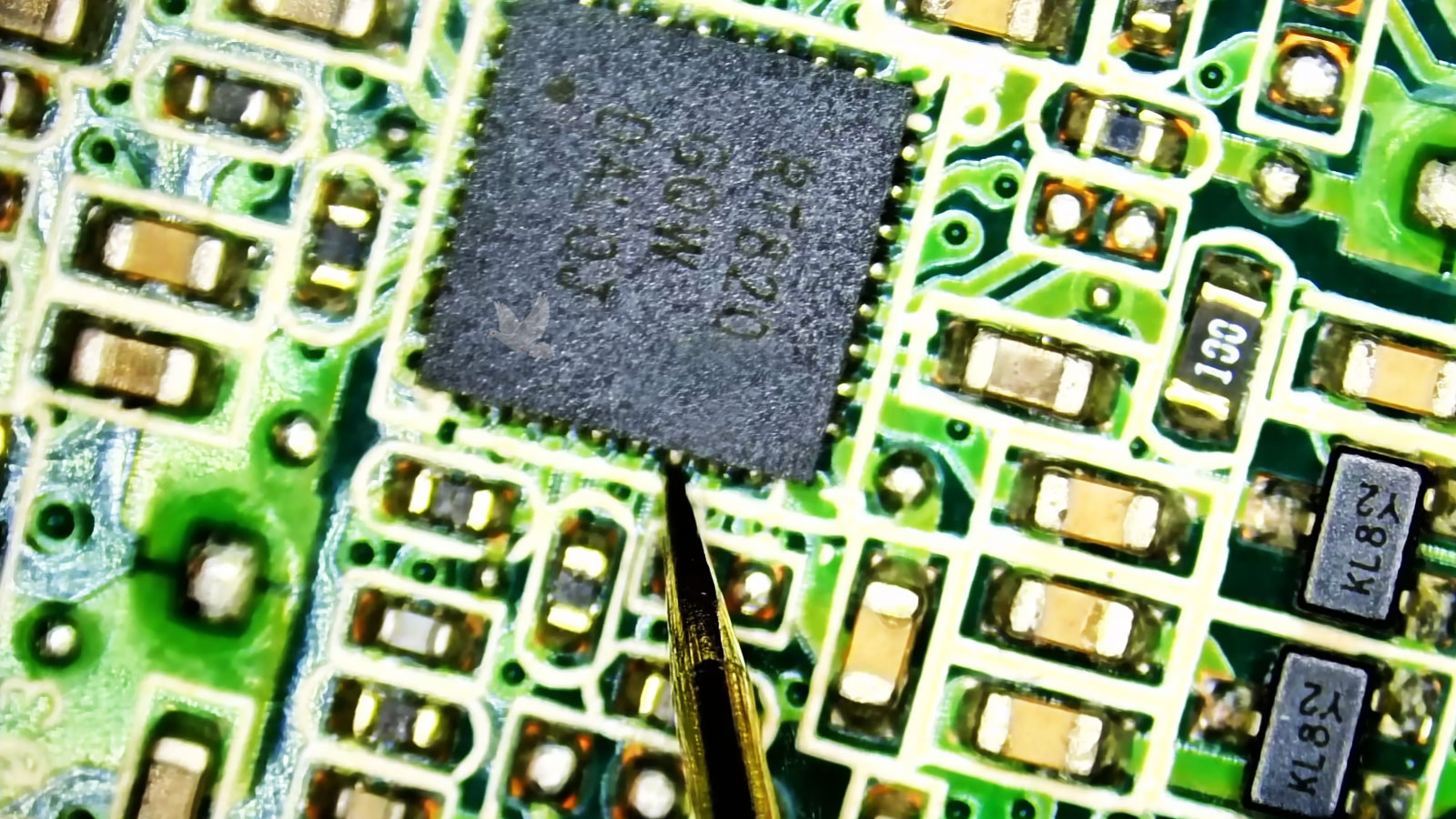
The Failed Component May Be Only One Part of the Circuit
When a problem reaches the motherboard or another electronic circuit, finding a damaged component does not automatically explain the entire failure. The component may have failed on its own, or another condition in the circuit may have caused it to fail.
Voltage regulation, power delivery, short circuits, damaged connections, and surrounding components can all affect how a section of a board operates. Testing the electrical behavior around the fault can therefore be just as important as identifying the part that appears damaged.
Component level repair can involve microsoldering, circuit testing, damaged component replacement, connector repair, and other work performed directly on the board when the diagnosis supports that approach.
Replacing a failed component without understanding the surrounding circuit can leave the original cause unresolved and potentially place the replacement at risk.
The Value of a Repair Is Not Determined by the Computer Alone
Age and replacement cost are useful considerations, but they do not tell the entire story. The importance of a computer can also depend on what is installed on it, what information it contains, how frequently it is needed, and what would be involved in replacing the existing setup.
Easily Replaced Setup
A computer used for common applications with information already stored elsewhere may be relatively straightforward to replace.
- Replacement cost
- Current hardware condition
- Availability of another computer
- Ease of restoring applications and files
Established Personal Computer
Years of files, applications, preferences, accounts, and familiar settings can make replacement more involved than purchasing another machine.
- Personal files
- Installed applications
- Existing configuration
- Time required to rebuild the setup
Important Working System
A computer used for business, specialized applications, equipment control, or another important function may have value that is not reflected by its resale price.
- Operational importance
- Specialized software
- Configuration requirements
- Interruption caused by replacement
Repair and replacement decisions make more sense when the computer is considered together with the role it serves.
Getting the Computer Working May Not Restore Everything Around It
A repaired computer can start normally and still require attention before the complete working environment is back in place. Email accounts, cloud storage, encrypted files, licensed applications, network resources, and other services may depend on information that is not stored entirely within the machine.
This becomes especially important when a repair involves replacing storage, reinstalling an operating system, recovering from severe corruption, or moving information to another installation. The computer and the services used through it are related, but they are not necessarily restored by the same process.
account accessKnowing which accounts, applications, and external resources matter before major changes are made can help avoid reaching the end of a successful hardware repair only to discover that something important cannot be accessed.
Information the Computer May Not Control
A complete recovery can involve both the condition of the computer and access to the systems that the computer was used to reach.
Sometimes the Best First Step Is to Leave the Evidence Intact
Repeated restarts, unnecessary part changes, operating system resets, and continued use can sometimes alter the very symptoms that help explain a computer problem. When a fault is unusual, intermittent, or becoming progressively worse, preserving what the machine is doing can make the diagnostic process more informative.
For Biscayne Park residents, computer repair is available for problems that require hands on diagnosis, including hardware faults, motherboard and component level problems, startup failures, damaged connections, storage issues, and other conditions that need the computer itself to be examined.
Free pickup and return is available within Miami when the computer needs to come in for service. Problems that can be handled without physical access to the machine may instead be suitable for remote assistance.