
Upgrade the Hardware That Is Holding Your Gaming PC Back
A gaming PC does not always need to be replaced when performance begins falling behind. The right hardware change can extend the useful life of an existing system, improve gaming capability, or prepare the computer for workloads its original configuration was never designed to handle.
The important part is determining which upgrade makes sense within the current platform. Processor support, graphics requirements, memory compatibility, available power, cooling, storage connections, and physical clearance can determine whether a component is a practical improvement or the beginning of several additional changes.
More Performance
CPU and GPU upgrades can change gaming capability substantially when the existing hardware has become the limiting factor.
The surrounding platform still needs to support the performance, power, cooling, and physical requirements of the new component.
More Capability
Memory and storage upgrades can provide additional working capacity, faster access to data, or room for a growing game library without rebuilding the entire computer.
Available slots, interfaces, supported specifications, and the existing configuration determine which options are appropriate.
The Best Upgrade Depends on What the Current System Cannot Keep Up With
A gaming PC can feel slow or outdated for very different reasons. One system may be limited by graphics performance at the desired resolution, while another may struggle because the processor cannot maintain the expected frame rate. Limited memory, slow storage, or an older platform can create entirely different restrictions.
That distinction matters because upgrading the wrong component can produce surprisingly little improvement. Installing a powerful graphics card does not solve every processor limitation, just as adding more memory provides little benefit when the existing capacity is already sufficient for the workload.
Evaluating the current hardware together with the games being played, resolution, performance goals, and existing limitations helps establish where an upgrade can make a meaningful difference.
Where Is the System Reaching Its Limit?
A New Component Has to Fit the Rest of the System
Hardware compatibility involves more than determining whether a component can connect to the motherboard. An upgrade can change power requirements, physical clearance, cooling demands, firmware needs, memory support, or the usefulness of other hardware already installed.
Looking at those relationships before installation helps reveal when a straightforward upgrade can remain straightforward and when one change may require additional hardware to support it properly.
Graphics Card Upgrade
A new GPU may need more power, different connectors, additional case clearance, or stronger cooling while also needing to make sense alongside the existing processor.
Processor Upgrade
CPU compatibility can depend on the motherboard platform, socket, chipset, BIOS support, memory configuration, cooling hardware, and the practical limits of the existing generation.
Memory and Storage
RAM and storage upgrades depend on supported specifications, available slots or connections, existing hardware, capacity requirements, and how the system is currently configured.
The component being upgraded is only one part of the compatibility decision.
A Faster Graphics Card Can Change More Than Frame Rates
Graphics upgrades can provide one of the most noticeable improvements in a gaming PC, particularly when the existing GPU is limiting the resolution, visual settings, or frame rates the system can reasonably maintain.
The replacement still has to work within the computer around it. Physical dimensions can affect case clearance, increased power requirements may place new demands on the power supply, and additional heat can change what the existing airflow and cooling arrangement must handle.
Processor capability also matters. A substantial graphics upgrade can shift the system toward a different limitation, especially when high frame rates depend heavily on an older CPU or platform.
The goal is therefore not simply to install the fastest graphics card that fits the budget. It is to choose an upgrade the rest of the system can support and use effectively.
Physical Fit
Card length, thickness, and surrounding hardware determine available clearance.
Power Requirements
Capacity and the required power connections must suit the replacement GPU.
Cooling Requirements
Additional heat may change what the case airflow needs to manage.
System Balance
The processor and platform influence how effectively additional graphics performance can be used.
Sometimes the Existing Platform Sets the Limit
An older gaming PC may reach a point where the desired upgrade cannot be considered independently.
Processor generation, motherboard support, memory standards, available interfaces, and other platform limitations can turn what initially appears to be a single-component upgrade into a broader hardware decision.
What Else Could Need to Change?
Memory Upgrades Should Solve a Capacity Need
Additional RAM can help when the current memory capacity is being exhausted by games, background applications, streaming software, content creation, or other workloads running alongside gaming.
Capacity alone is not the entire decision. The motherboard and processor determine supported memory specifications, while the existing modules influence whether additional memory can be added sensibly or whether replacing the current configuration is more appropriate.
Installing more memory than the system is likely to use does not automatically make it faster. The useful upgrade is the amount and configuration that addresses the actual workload while remaining appropriate for the platform.
Capacity + Speed
Storage Upgrades Can Improve Space and Responsiveness
A storage upgrade may provide additional room for a growing game library, replace an older or slower drive, or improve how quickly the system accesses data where storage performance is contributing to delays.
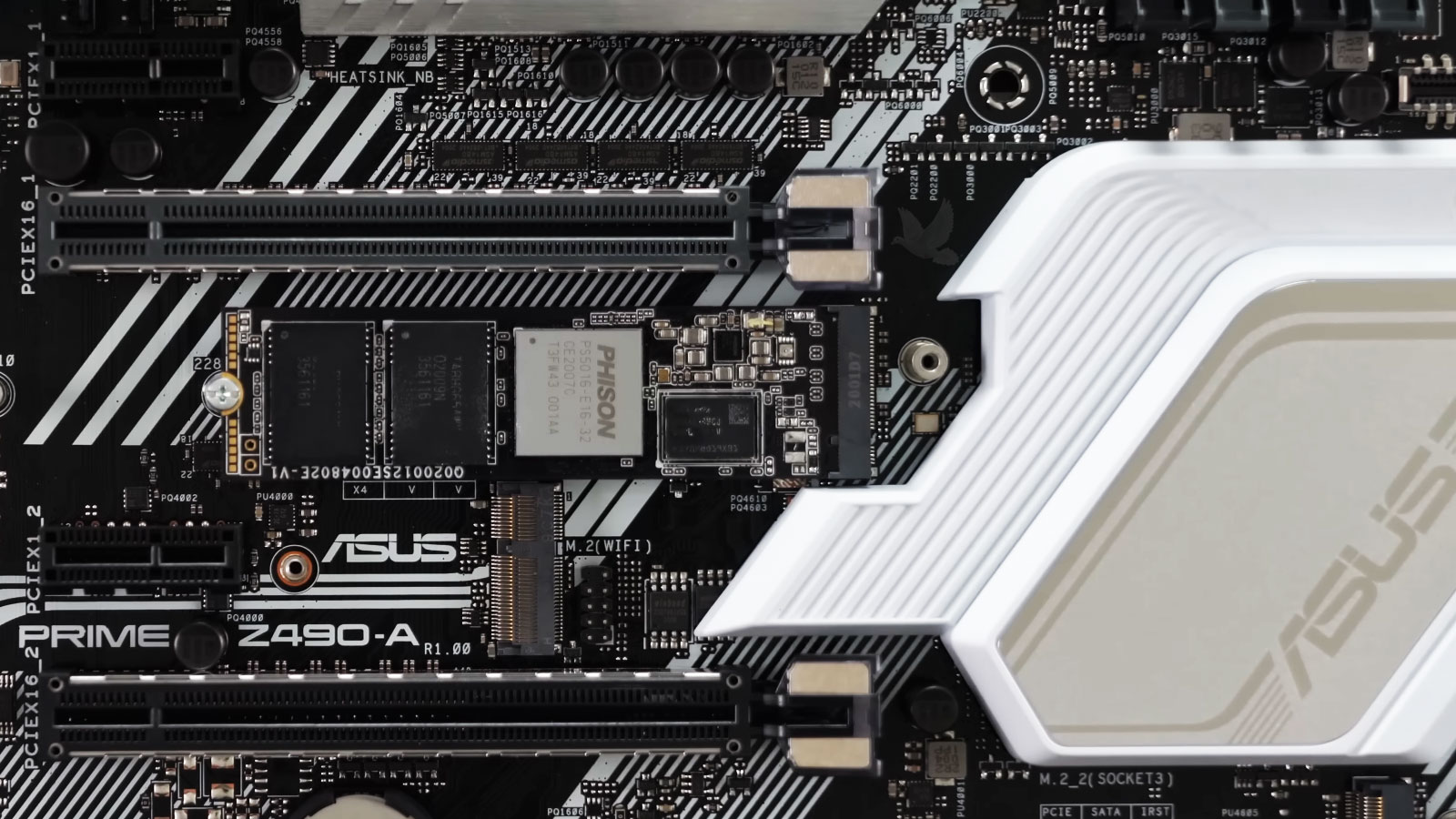
The available options depend on the motherboard interfaces, supported drive types, physical installation points, existing storage configuration, and whether the objective is greater capacity, improved performance, or both.
A faster drive does not replace the role of the processor, graphics card, or memory, but it can remove storage-related limitations and make the overall configuration more practical for current use.
New Hardware Should Be Verified as Part of the System
A component can be physically installed and still require additional attention before the upgrade is considered complete. Detection, configuration, firmware or driver requirements, temperatures, and stability can all affect whether the new hardware operates as intended.
Verification also provides an opportunity to confirm that the upgrade actually addresses the limitation it was selected to improve rather than introducing a different problem elsewhere in the system.
Recognition
Confirm that the new hardware is detected correctly and that the system recognizes the expected capacity, device, or configuration.
Configuration
Relevant BIOS settings, firmware, drivers, or operating-system configuration may need attention depending on the hardware that was changed.
Stability
Temperatures and system behavior under appropriate workloads can reveal whether the upgraded configuration remains stable when placed under demand.
Result
The final behavior should be compared with the original upgrade goal to confirm that the hardware change produced the improvement it was intended to provide.
Improve the System Without Replacing What Still Works
Gaming PC hardware upgrade service is available in Miami for systems that need greater graphics performance, a processor or platform change, additional memory, faster or larger storage, or other component improvements.
The existing configuration can be considered alongside the intended upgrade so that compatibility, power requirements, cooling, physical fit, and the hardware that can remain in service are taken into account before changes are made.
Whether the goal is to improve an aging gaming PC or expand a system for more demanding use, the upgrade can focus on the hardware that provides a practical benefit while preserving components that still fit the purpose.
Keep What Makes Sense. Upgrade What Matters.
A useful hardware upgrade builds on the parts that still serve the system instead of treating every existing component as something that needs replacement.