
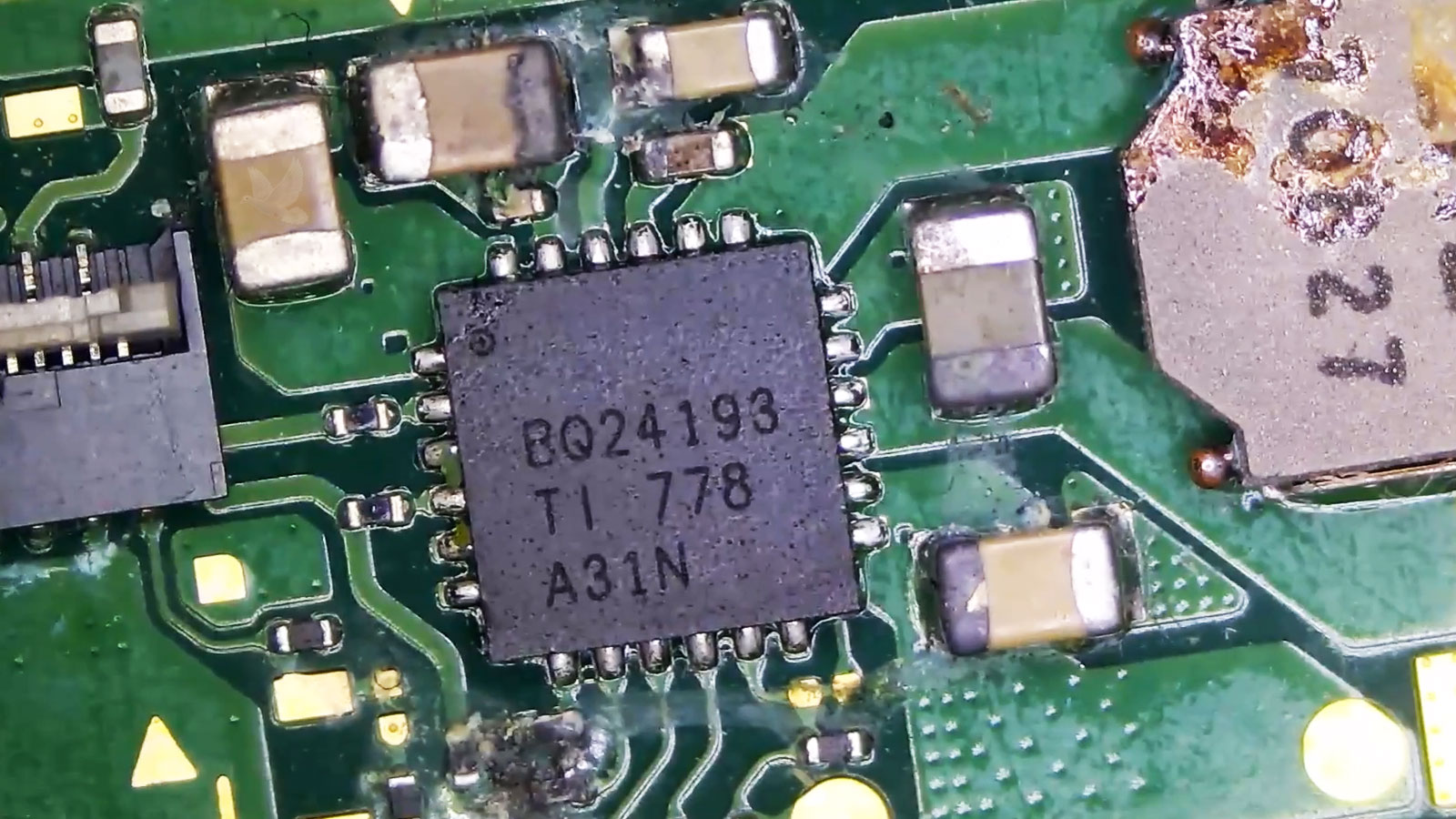
When Liquid Reaches the Components Inside a Laptop
Liquid exposure can affect much more than the keyboard or the area where a spill first occurred. Once moisture travels inside a laptop, it can reach connectors, power circuits, motherboard components, and other electrical areas that were never designed to come into contact with liquid.
The immediate symptoms can vary considerably. A laptop may stop powering on, shut down unexpectedly, lose keyboard or touchpad functions, develop charging problems, or continue operating while corrosion gradually develops around affected components and connections.
Laptop liquid damage repair in Miami begins with determining where the liquid traveled and what it affected. Internal inspection can reveal residue, corrosion, damaged connections, or board-level problems that help determine what needs attention.
Liquid Damage Can Continue After the Surface Looks Dry
Visible moisture is only one part of a spill. Liquid that reaches the inside of a laptop can remain around connectors, beneath components, and across small areas of the motherboard where the damage may continue developing even after the exterior appears completely dry.
What Was Spilled Can Change What Remains Inside
Water and Moisture
Even a spill that appears clean can carry dissolved minerals and contaminants into small spaces around motherboard components and electrical connections.Dry Does Not Always Mean Clean
After the moisture evaporates, deposits can remain on the board and around affected contacts. Internal inspection helps determine whether residue or early corrosion is present in areas that appeared to have simply dried.
Coffee, Soda, and Sweet Drinks
Sugars, flavorings, and other ingredients can make these spills particularly troublesome because evaporation does not remove everything the liquid carried inside.Sticky Residue Can Remain
Deposits can remain across connectors, component leads, and surrounding circuitry after the visible liquid disappears. Cleaning the contaminated areas becomes important before the condition of the underlying hardware can be properly evaluated.
Corrosion and Heavy Contamination
Liquid that remains inside long enough can leave more than surface residue, especially when electrical activity and contamination have already affected exposed metal and connections.Damage May Be Hiding Underneath
Once contamination is removed, damaged pads, component leads, connectors, or other board-level problems may become visible. Those findings help determine whether cleaning was sufficient or localized electronic repair is also required.
The Spill Location Does Not Define the Damage Area
Liquid can travel beneath shields, connectors, cables, and components before settling somewhere different from the original spill. A wet keyboard or palm rest may therefore provide only the starting point for determining which internal areas need attention.
Liquid and residue around ribbon connectors or cable contacts can interfere with communication between components. Discoloration, contamination, or corrosion in these areas can help explain failures involving the keyboard, touchpad, display, or other connected hardware.
Charging and power-related sections of the motherboard can be particularly important when a liquid-damaged laptop no longer starts, charges incorrectly, or behaves unpredictably when power is connected. Inspection can reveal contaminated or damaged components along those circuits.
Not all contamination remains visible on the surface. Residue can reach beneath chips and other board-mounted components, where the condition may require closer examination when symptoms or measurements point toward an affected area.
Board-Level Damage Does Not Always Look the Same
Removing Contamination Is Only One Part of the Work
Cleaning can remove residue and expose the condition of the affected area, but it cannot restore a component, connection, or conductive path that has already been damaged. Once the board is clean enough to evaluate properly, the remaining faults become easier to separate from contamination alone.
A clean motherboard and a repaired motherboard are not necessarily the same thing.
| Cleaning Can Address | Repair May Still Be Needed For |
|---|---|
| Liquid residue | Failed components |
| Sticky contamination | Corroded connections |
| Deposits around components | Damaged pads or traces |
| Contaminated connectors | Electrical faults that remain after cleaning |
Still Powers On
Normal startup after a spill does not show whether contamination remains elsewhere inside the laptop.
Delayed Symptoms Are Part of the Liquid-Damage Picture
Some liquid-related failures appear immediately, while others develop after the laptop has continued operating for hours, days, or longer. A charging problem, intermittent keyboard behavior, unexpected shutdown, missing device, or eventual no-power condition can emerge after the original spill seems to have passed.
That delay is one reason the condition inside the laptop matters more than whether it happened to turn on successfully immediately afterward.
Working Now Does Not Confirm the Board Is Unaffected
Internal residue and corrosion can exist while the laptop continues to perform many of its normal functions.
Fails Later
A symptom that appears later can still trace back to contamination or corrosion left behind by the earlier exposure.
When Liquid Damage Reaches Beyond the Surface
Laptop liquid damage repair is available in Miami for systems affected by spills, internal contamination, corrosion, charging problems, no-power conditions, and board-level damage. The condition of the affected areas can be evaluated to determine whether cleaning is sufficient or whether damaged components, connections, or circuitry also require repair.
The fact that a laptop still turns on does not have to be the deciding factor. What matters is what the liquid reached, what it left behind, and whether the affected hardware continues to operate correctly after the contaminated areas are addressed.