
When a Graphics Problem Needs More Than a Guess
Display artifacts, crashes, black screens, driver failures, unstable performance, or a computer that stops producing video can all point toward the graphics subsystem, but they do not automatically prove that the GPU itself has failed.
A graphics card operates as part of a larger chain that includes power delivery, the PCIe connection, motherboard behavior, drivers, firmware, cooling, memory, and the display path. A fault elsewhere in that chain can create symptoms that closely resemble a defective GPU.
GPU diagnostics in Miami can therefore begin by separating the visible symptom from its actual source, rather than replacing an expensive graphics card based only on what appears on the screen.
What Can Look Like GPU Failure?
What Appears on the Screen Is Only Part of the Evidence
A graphics-related symptom can identify where an investigation should begin without identifying the failed component by itself. The same black screen, crash, artifact, or performance problem can develop under very different electrical, thermal, hardware, or software conditions.
Comparing the symptom with what happens before, during, and after the failure can help determine which part of the graphics path deserves closer examination.
No Video Output
The computer powers on, but the display remains black or video disappears unexpectedly.More Than the GPU
Power delivery, PCIe communication, motherboard behavior, cabling, display connections, or the graphics card itself may need to be distinguished from one another.
Artifacts and Corruption
Lines, blocks, unusual colors, flickering, or distorted graphics appear during startup, gaming, or normal use.Follow the Conditions
GPU processing, video memory, temperatures, drivers, clock behavior, or instability under load can produce different forms of visible corruption.
Crashes Under Load
The system works normally at light use but freezes, resets, loses video, or fails when graphics demand increases.Test What Changes
Power demand, temperature, GPU load, memory activity, and software behavior can be compared as the system moves from light use into heavier graphics workloads.
Stable Graphics Operation Depends on Stable Power
A graphics card can place substantially different demands on the system as it moves from idle operation into gaming or other GPU-intensive workloads.
If power delivery becomes unstable under those conditions, the resulting crashes, black screens, resets, or loss of video can resemble a graphics-card failure even when the visible symptom does not identify where the electrical problem originates.
What Power-Related Testing Can Help Separate
| Area | What It Can Reveal |
|---|---|
| Power Supply | Whether available capacity and power behavior remain appropriate as graphics demand increases. |
| GPU Power Connections | Whether the card is receiving power through the required connections without an obvious connection problem. |
| Load Behavior | Whether instability begins specifically when GPU activity and electrical demand increase. |
| System Resets | Whether the entire computer loses stability rather than only the graphics output being affected. |
| Power Changes | Whether changing the conditions surrounding GPU demand also changes the failure pattern. |
Temperature Can Reveal Problems That Are Invisible at Idle
A graphics card may behave normally while the system is sitting at the desktop, then become unstable as gaming raises GPU temperature and sustained load changes the conditions inside the card.
Cooling performance depends on more than the temperature reported by a single sensor. Heatsink contact, thermal interface materials, fan operation, airflow, accumulated contamination, and the thermal behavior of surrounding components can all influence how the graphics card responds as heat builds.
When artifacts, crashes, throttling, or video loss appear only after the GPU has been working for a period of time, comparing that behavior with changing thermal conditions can provide an important diagnostic clue.
GPU Temperature
Temperature behavior under load can help establish whether instability develops as the graphics processor becomes hotter.
Cooling Performance
Fan operation and heatsink effectiveness influence how successfully heat is removed during sustained graphics activity.
Thermal Contact
Interface materials and physical contact affect how efficiently heat moves from critical components into the cooling assembly.
Behavior Under Load
Changes in clocks, stability, or video output as demand continues can help connect the symptom with thermal conditions.
Video Memory Problems Can Affect What the GPU Produces
A graphics card depends on its video memory to hold and move data used during rendering. Problems involving VRAM can therefore appear as visible corruption, instability, application failures, or behavior that changes as graphics memory use increases.
The pattern matters. A problem that appears during particular workloads, memory demands, temperatures, or operating conditions can provide more useful evidence than assuming every graphical artifact originates from the GPU core itself.
Blocks, unusual patterns, flashing textures, distorted colors, or other forms of corruption can justify closer examination of the graphics card and its memory subsystem.
The appearance of an artifact alone does not prove which component has failed, but when and how the corruption develops can help establish a useful testing direction.
Some problems become visible only when a workload uses more graphics memory or repeatedly accesses particular portions of it.
Comparing behavior across different workloads can help determine whether increasing VRAM activity corresponds with the appearance or severity of the fault.
Video memory and the surrounding board operate under changing thermal conditions as GPU activity continues.
If corruption or instability develops after the graphics card becomes warmer, temperature can become another variable to compare during diagnosis rather than treating the failure as completely random.
Finding behavior consistent with a memory-related fault is only part of the diagnostic process. Testing should provide enough evidence to distinguish the suspected VRAM problem from GPU-core instability, software behavior, power conditions, or another fault producing similar symptoms.
That distinction becomes especially important before component-level work is considered.
Some GPU Failures Begin at Board Level
Once external conditions and broader system causes have been narrowed, the evidence may begin pointing toward circuitry or components located directly on the graphics card.
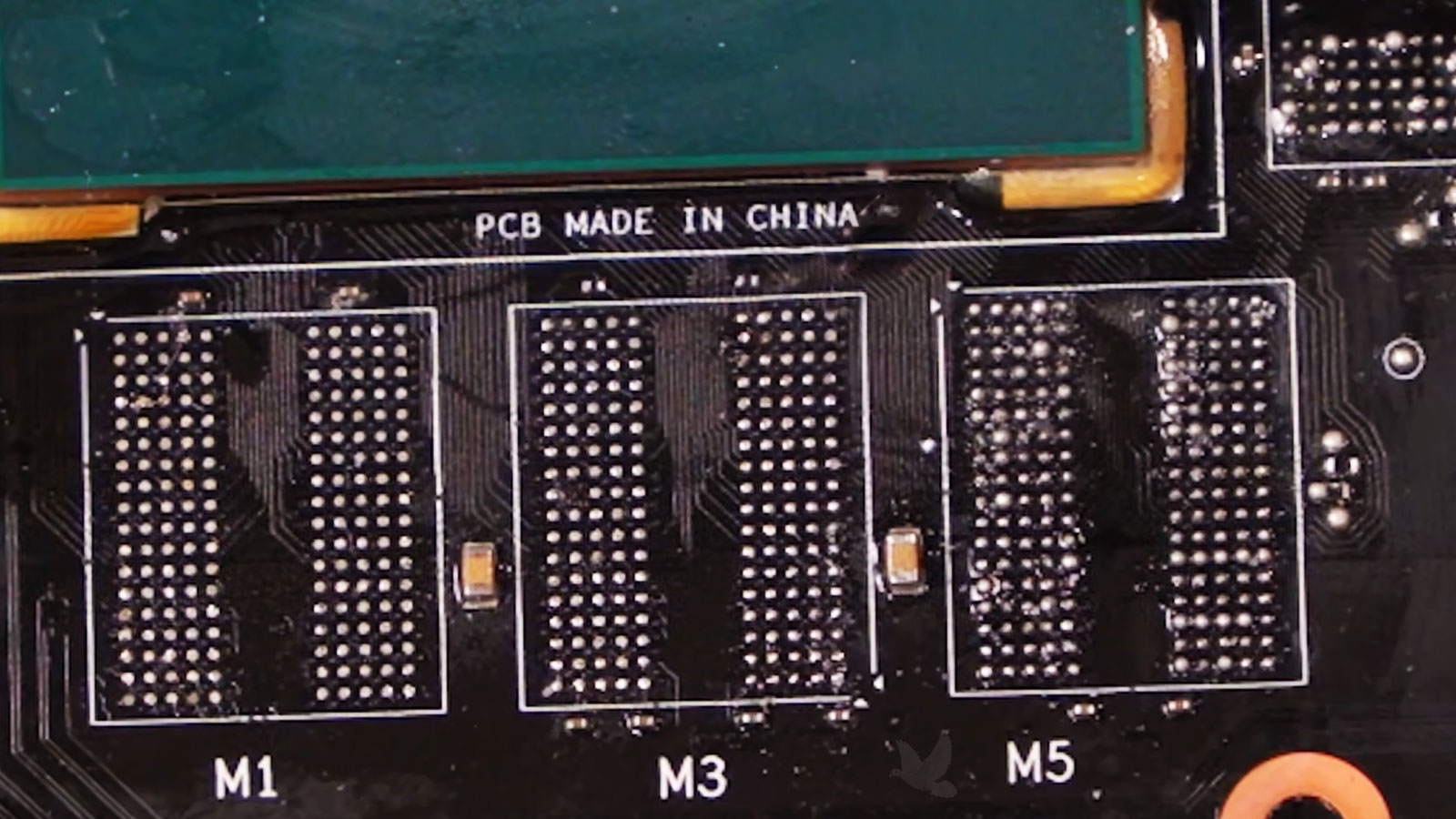
Power regulation, memory circuitry, damaged components, electrical shorts, physical damage, or other board-level conditions can prevent the card from initializing correctly or remaining stable during operation.
At that stage, diagnosis becomes less about interpreting the visible symptom and more about examining how the card itself is behaving electrically.
Clues That Can Move Testing Toward the Board
A Suspected GPU Fault Still Has to Explain the Original Problem
Finding an abnormal condition on a graphics card is important, but a diagnostic conclusion becomes stronger when that finding can be connected to the behavior that originally brought the system in.
The objective is not simply to locate something unusual. Testing should help determine whether changing the suspected condition also changes the artifacts, crashes, loss of video, instability, or other symptoms being investigated.
The Finding Determines What Comes Next
GPU diagnostics can end in very different places. Testing may show that the graphics card is functioning correctly and that the original symptom comes from another part of the system. It may reveal a software, connection, power, or thermal condition that can be addressed without repairing the card itself.
In other cases, the evidence may support a fault within the graphics card, including conditions involving power circuitry, video memory, damaged components, or other board-level hardware.
The important result is not simply declaring a GPU good or bad. It is understanding what the testing supports strongly enough to decide what should happen next.