
Moving Your Files Should Leave the New Setup Ready to Use
A data transfer is often needed when replacing an all in one computer, installing a new storage drive, upgrading an existing system, or moving important information to another computer. The objective is not simply to create another copy of the files. It is to move the information that matters to the correct destination while keeping it organized and accessible.
Documents, photographs, videos, business records, project folders, and other personal files may be spread across different locations on the original system. Understanding what needs to move before the transfer begins helps prevent important information from being overlooked.
Before the Transfer Begins
Not Everything on the Computer Moves the Same Way
An all in one computer can contain ordinary personal files alongside application data, locally stored email, browser information, and other items connected to the way the system has been used. Some information can be copied directly, while other information may require additional attention before it is available on the destination computer.
Documents, photographs, videos, music, project folders, and similar files can usually be transferred while preserving their existing folder organization. Before copying begins, it is useful to identify any files stored outside the locations the user normally works with.
Installed programs generally cannot be transferred simply by copying their program folders to another computer. Applications may need to be installed again on the destination system, with licenses, accounts, preferences, or associated data handled separately when applicable.
Locally stored email, browser bookmarks, profiles, and similar information can depend on the application and how the account was originally configured. Some information may already synchronize through an online account, while other data may exist only on the original computer.
Accounting files, databases, design projects, application libraries, and other specialized information may depend on particular folder structures or supporting software. These files should be identified before the original computer or storage device is retired.
Separating these categories before the transfer helps determine what can be copied directly, what may already exist elsewhere, and what will require additional setup on the destination system.
Where the Data Goes Matters as Much as What Gets Moved
A useful transfer should leave important information in locations that make sense on the destination computer. Preserving familiar organization where practical can make the transition easier and reduce the chance of files becoming difficult to find afterward.
Preserve Useful Organization
Existing folders can provide valuable context, especially when they contain years of documents, photographs, projects, or business information. Keeping useful folder relationships intact can be better than placing everything into one large transfer folder.
Avoid Unnecessary Clutter
Temporary files, downloads that are no longer needed, duplicate copies, and other accumulated material do not automatically need to follow the user to the new system. A transfer can be selective without disturbing the original data.
Make Important Files Easy to Find
After the transfer, frequently used information should be accessible from sensible locations on the destination computer. Clear placement is especially useful when the new system has a different drive arrangement or storage capacity than the original.
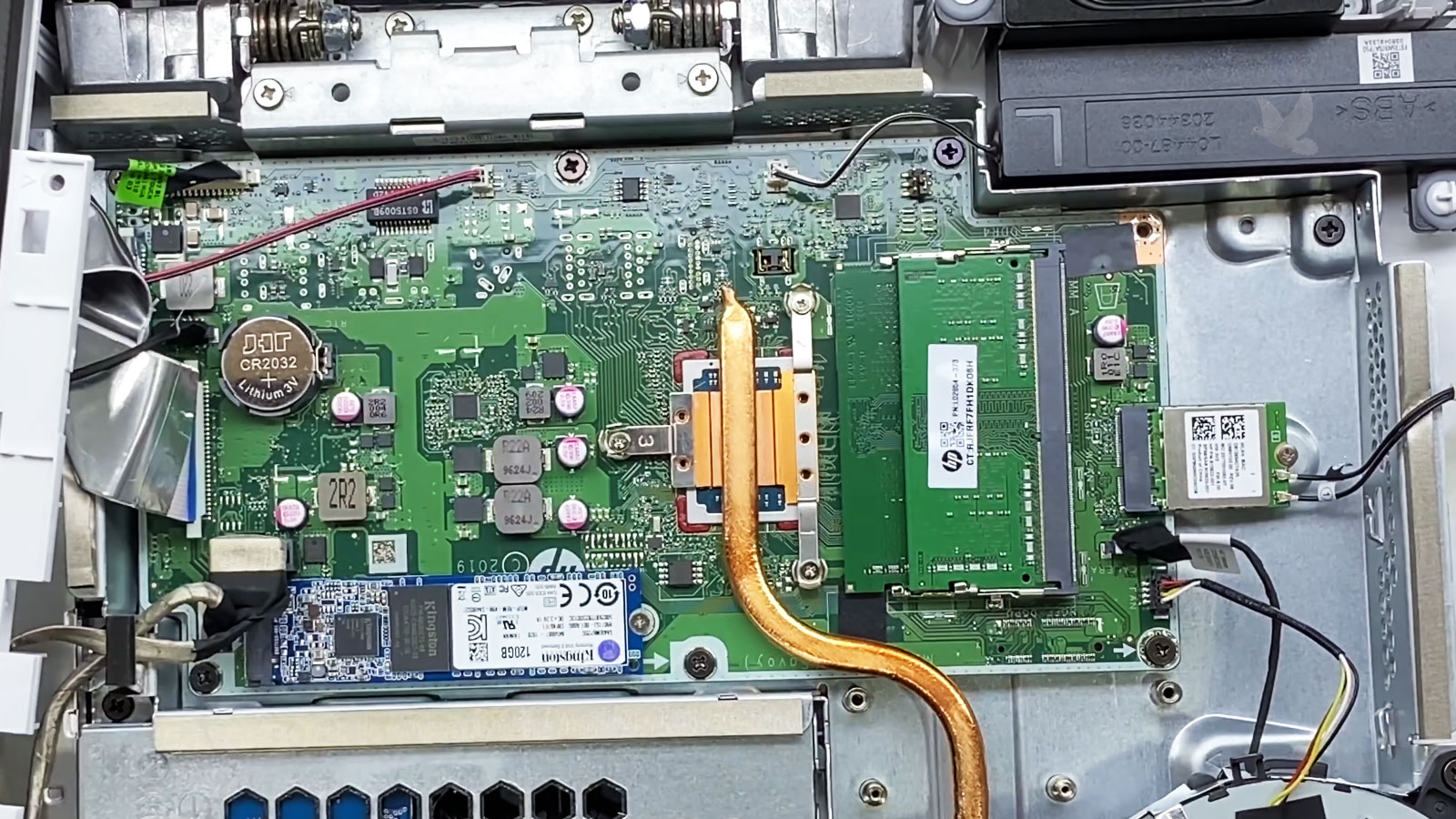
A New Drive Does Not Have to Match the Old One
Data can be transferred between storage devices of different sizes, types, and configurations. What matters is whether the information selected for transfer will fit comfortably on the destination and whether that destination is appropriate for how the computer will be used afterward.
This becomes particularly relevant when an older all in one computer contains a large hard drive but the replacement system uses a smaller solid-state drive. The original drive may have substantial capacity occupied by applications, temporary data, old downloads, or files that do not need to move.
A transfer can therefore be based on the actual information that needs to follow the user rather than the total capacity of the original drive. When the destination has more space, the same planning still helps keep unnecessary material from becoming part of the new setup.
The Original Computer Does Not Always Need to Be Working
A computer can have a damaged Windows installation, startup problem, or another system failure while the files stored on its drive remain accessible. In those situations, getting the original computer back into normal operation may not be necessary just to transfer the data.
The storage device can sometimes be accessed separately from the operating system, allowing the needed files to be transferred without depending on Windows to start or function correctly.
Access the Storage, Not the Failed System
A Completed Copy Is Not the Same as a Verified Transfer
After the files have been moved, the destination should be checked before the original data is erased, reformatted, or otherwise treated as no longer necessary. A transfer can appear to finish normally while individual folders, files, or specialized information still need attention.
| What to Check | Why It Matters |
|---|---|
| Important folders are present | Confirms that the main locations selected for transfer reached the destination rather than relying only on the total amount of data copied. |
| Key files can be opened | A file appearing on the destination does not by itself confirm that its contents are usable. Opening a selection of important files provides a more meaningful check. |
| Folder organization makes sense | Reviewing the destination helps catch misplaced folders or information that ended up somewhere the user would not normally expect to find it. |
| Specialized data is accounted for | Application-related files, databases, archives, and other less obvious information may need to be checked separately from ordinary documents and media. |
| The original data remains available | Keeping the source intact until the transferred information has been reviewed provides an additional safeguard if something was missed. |
Only after the important information has been located and checked on the destination does it make sense to decide what should happen to the original computer or storage device.
When the Data Needs to Move, the Transfer Can Be Handled for You
Data transfer service is available in Miami for all in one computers when files need to be moved to another computer, replacement drive, or separate storage device.
The transfer can be planned around the information that needs to remain available rather than treating every file on the original system as equally important.
The Transfer Is Finished When the Important Data Is Where It Belongs
Moving data from an all in one computer should leave the information needed for everyday use accessible on the destination, with important folders accounted for and the original source preserved until the results have been checked.
Whether the transfer begins from a working computer or requires direct access to its internal storage, the same principle applies: identify what matters, move it carefully, and verify the destination before making decisions about the old system or drive.