
One Symptom Does Not Always Mean One Problem
A computer can develop several faults without presenting them separately. A machine that shuts down unexpectedly may also have a storage device beginning to fail. A laptop with charging problems may contain battery damage as well as a worn power connector. A desktop that will not start reliably may have one electrical problem and a second issue that only becomes visible after the first is corrected.
That possibility changes the way a repair should be approached. Finding one defective part does not automatically explain every symptom the computer has been producing, especially when the equipment has been operating in a degraded condition for some time. Once an obvious failure is located, the remaining behavior still has to make sense.
Computer repair in Florida City can therefore involve separating related symptoms from independent faults and determining which problems actually need attention. The goal is not simply to find something wrong, but to establish whether the complete condition of the machine has been explained before the repair is considered finished.
Liquid Damage Can Continue After the Surface Is Dry
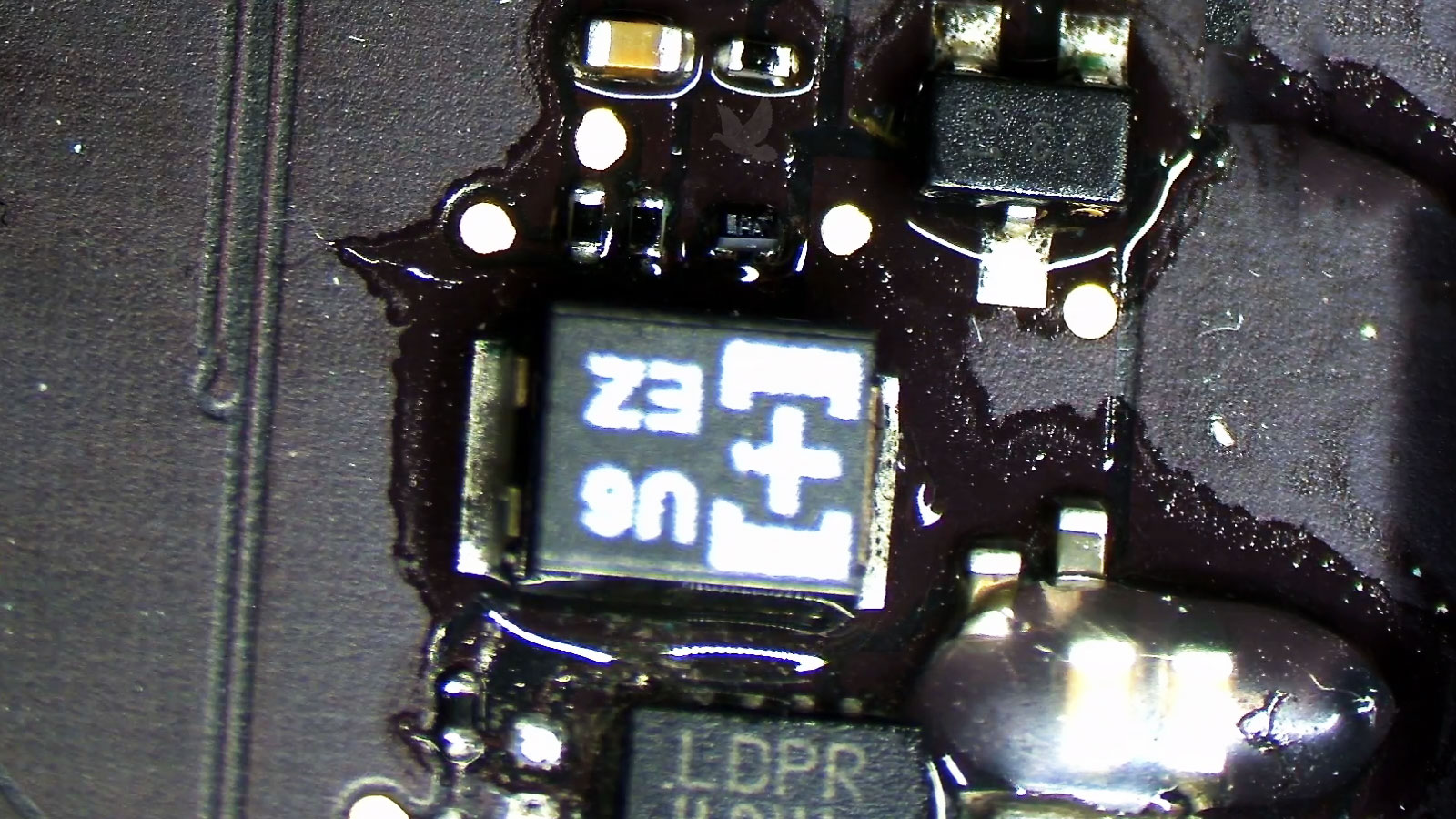
A spill does not have to leave a computer visibly wet for damage to continue developing. Liquid can travel beneath connectors, components, shields, sockets, and other areas that are difficult to inspect from the surface. Once moisture evaporates, conductive residue and corrosion may remain behind.
The resulting problems are not always immediate. Equipment can continue operating after an incident and begin showing symptoms later as contaminated connections deteriorate or corrosion changes the electrical characteristics of a circuit. Charging problems, unreliable keyboards, intermittent ports, unexpected shutdowns, and sections of a board that stop functioning can develop progressively.
Examining liquid-damaged equipment therefore involves more than allowing it to dry or cleaning the areas that are easy to reach. The extent of contamination, the circuits affected, and any components or connections already damaged have to be considered before determining what can reasonably be repaired.
Memory Problems Can Look Like Problems Somewhere Else
System memory is involved continuously while a computer is operating, but a memory fault does not necessarily prevent the machine from starting. Some failures appear only when particular areas of memory are used, when several modules are installed together, or when the computer is placed under a heavier workload.
The symptoms can therefore be misleading. Applications may close unexpectedly, files can become corrupted while being processed, installations may fail repeatedly, the operating system can freeze or restart, and apparently unrelated errors may occur at different times. Because those symptoms involve software, storage, and the operating system, defective or unstable memory is not always the first suspect.
Testing also has to consider more than whether an individual module can pass a quick check. Module combinations, memory slots, operating frequency, timing, voltage, and the motherboard or processor memory controller can influence stability.
Electrical Damage Does Not Always Stop at the First Failed Part
When abnormal voltage reaches a computer, the component that fails visibly may only indicate where the damage became severe enough to interrupt operation. Power moves through multiple stages before reaching processors, memory, storage devices, ports, and other circuitry, and a damaging event can affect more than one point along that path.
A burned component, failed protection device, or damaged power circuit may be obvious during inspection. Other affected components can remain electrically weakened or produce symptoms only after the initial failure has been repaired. That is one reason replacing the first visibly damaged part does not always restore dependable operation.
Determining how far an electrical failure traveled can require examining the circuits downstream from the original damage rather than treating the first casualty as the complete diagnosis.
A Black Screen Does Not Identify What Failed
A computer that appears to start without displaying an image leaves several possibilities open. The machine may be operating normally behind a failed screen, or the problem may involve graphics hardware, display circuitry, a cable or connector, backlighting, external video output, or a system that never completed the startup process at all.
The absence of an image is therefore a symptom rather than a diagnosis. Establishing how far the computer progresses before video disappears helps narrow down which part of the display path actually requires attention.
Mechanical Damage Can Become an Electrical Problem
A cracked case, loose hinge, damaged mounting point, or displaced internal assembly may initially seem like a structural problem. Inside a laptop, however, those parts often sit beside cables, connectors, antennas, circuit boards, and other components that depend on the chassis remaining properly aligned.
A hinge pulling away from its mounting points can place increasing tension on a display cable. A damaged enclosure can allow a charging connector or USB port to move against the motherboard. Impact damage can shift internal components or deform the areas that hold them in position. Continuing to open, close, carry, or connect equipment in that condition can turn repairable mechanical damage into additional electrical damage.

The Computer May Be Part of Something Larger
Replacing the Computer Can Create a Different Problem
Some computers exist primarily to operate another piece of equipment. They may run measurement instruments, production hardware, diagnostic devices, access systems, specialized controllers, older peripherals, or software developed for a particular working environment.
In these situations, replacing a malfunctioning computer with a newer machine is not necessarily a direct substitute. The required expansion card may no longer fit current hardware, an interface may have disappeared from modern systems, a peripheral may depend on an older driver, or essential software may not operate correctly on a newer operating system.
Repairing the existing computer can therefore involve understanding what must remain compatible around it. The machine is only one part of the working system, and a technically newer replacement has little value if the equipment it is supposed to operate can no longer communicate with it.