

What Happened Before the Failure Can Matter as Much as the Failure
A computer arriving for repair is rarely a machine without a history. Memory may have been added years earlier, a storage drive may have been replaced, the operating system may have been migrated from another installation, internal cables may have been disturbed during previous work, or an earlier repair may have changed the condition in which the system was originally built.
That history becomes important when a new problem appears. A symptom that seems unrelated to previous work can sometimes be traced to an incompatible replacement part, an incomplete repair, physical damage left behind during disassembly, an incorrect configuration, or a modification that operated acceptably until another change exposed the weakness.
For computer repair in Homestead, understanding what changed before the failure provides useful context, but the current condition of the equipment still has to support the conclusion. Previous repairs, upgrades, and modifications can be examined alongside the present symptoms so that the next repair is based on what the machine is actually doing rather than simply on what was done to it before.
A Working Component Can Still Have a Broken Connection
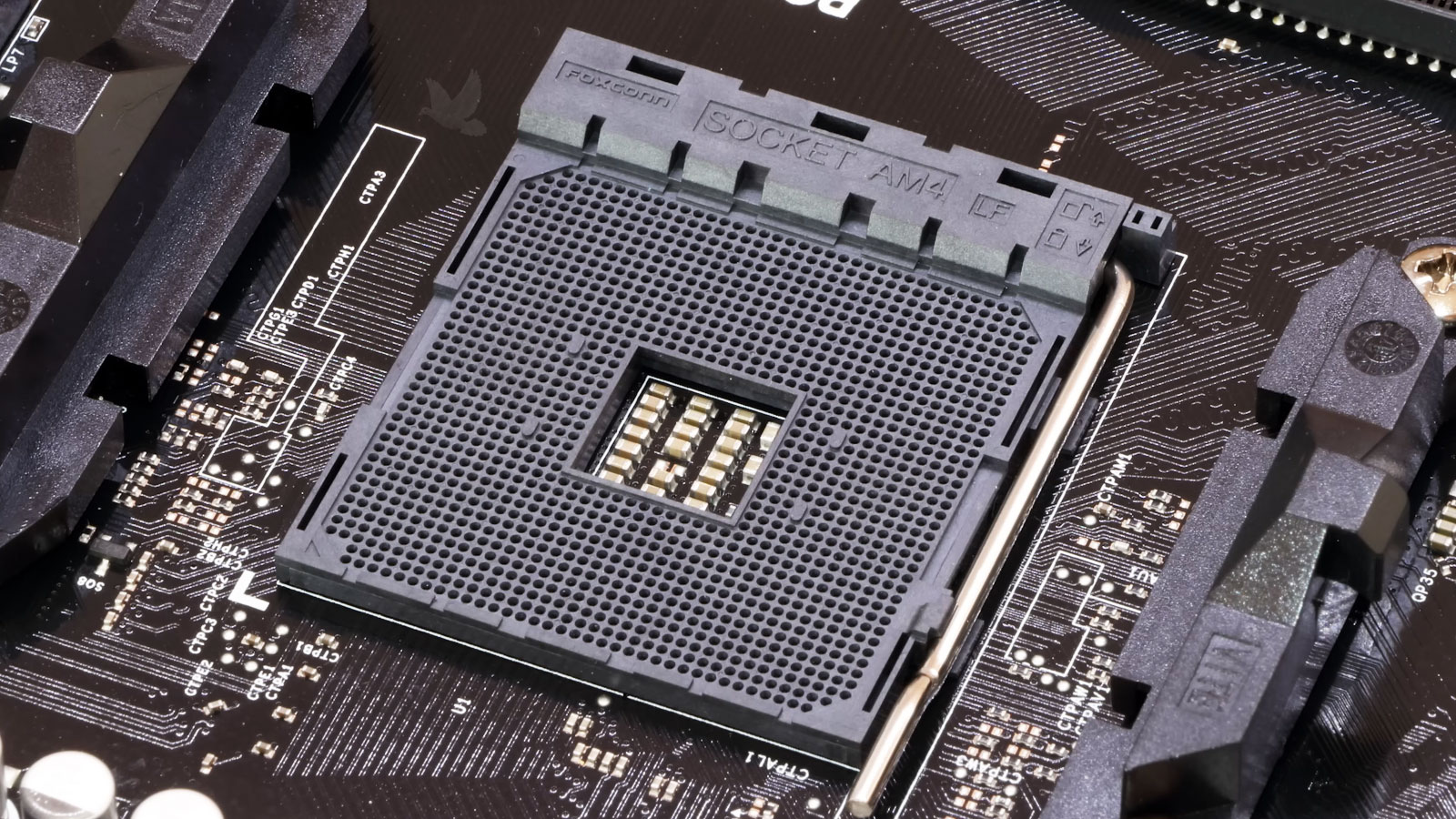
Not every hardware failure originates inside the component that appears to be malfunctioning. Connectors, sockets, solder joints, traces, ribbon cables, wiring, and contact surfaces form the electrical and physical paths that allow individual parts of a computer to communicate and receive power. Damage anywhere along that path can produce symptoms that incorrectly point toward the device at the other end.
A display that disappears intermittently, a storage device that is detected only occasionally, a fan that stops responding, a USB port that works when pressure is applied, or an internal device that repeatedly connects and disconnects can require examination of the connection itself rather than immediate replacement of the attached hardware.
Mechanical stress, corrosion, excessive heat, previous disassembly, damaged pins, cracked solder joints, and burned contacts can all change the integrity of these connections. Locating the actual interruption helps distinguish a defective component from a component that simply cannot communicate reliably with the system.
Storage Problems Do Not Always Begin With a Dead Drive
A hard drive or solid-state drive can begin developing problems while the computer still starts and the files remain accessible. Slow reads, unusually long startup times, applications that hesitate while loading data, recurring file-system errors, disappearing storage devices, or failures that occur during large transfers can provide clues that the storage path deserves closer examination.
The important distinction is whether the problem originates with the drive itself, its connection to the computer, the file system, or another part of the system that is producing similar symptoms.
Some Startup Problems Begin Before the Operating System
Before Windows, macOS, or another operating system can load, the computer has already performed a series of hardware initialization and firmware-controlled operations. The BIOS or UEFI identifies essential components, establishes hardware settings, selects how the system will start, and provides the transition between the motherboard and the software stored on the boot device.
When that process is disrupted, the symptoms can easily be mistaken for a defective motherboard, processor, memory module, or storage device. A computer may power on without completing startup, repeatedly restart before reaching the operating system, lose configuration settings, stop recognizing previously installed hardware, or fail after an interrupted or unsuccessful firmware update.
Firmware problems are not limited to changing settings inside a BIOS menu. Certain repairs can involve recovering damaged firmware, programming a BIOS chip, correcting configuration or compatibility problems, or determining whether the failure actually originates elsewhere on the board.
Being able to examine that layer separately from the operating system is important because replacing otherwise functional hardware does not correct a startup process that is failing before the software environment ever has an opportunity to run.
Custom Computers Create Their Own Diagnostic Variables
A custom-built computer can combine hardware from several manufacturers, each with its own electrical requirements, firmware, drivers, physical dimensions, and operating characteristics. That flexibility makes it possible to build systems for gaming, content production, engineering, specialized software, or other demanding work, but it also creates combinations that do not exist in standardized factory configurations.
When one of these systems becomes unstable, identifying the responsible part may require looking at how the components interact. Memory can operate correctly at one configuration and become unreliable at another. A graphics card may introduce power or physical-clearance requirements that affect other hardware. Motherboard firmware can determine processor or memory compatibility, while expansion devices may compete for available interfaces or bandwidth.
Troubleshooting therefore has to consider the configuration as a complete system rather than assuming that every installed component is operating independently.
Configuration Details Worth Examining
The Problem May Be Outside the Computer
A computer rarely operates by itself. Displays, docking stations, external drives, audio equipment, scanners, specialized USB devices, adapters, hubs, and other peripherals depend on physical interfaces and communication standards that have to work correctly on both sides of the connection.
When attached equipment stops working, the computer is not automatically the defective device. The same symptom can originate with the peripheral, its cable or adapter, an external power source, a damaged port, an incompatible interface, or the way the operating system is communicating with the hardware. Substituting parts can provide clues, but a useful diagnosis also considers where communication actually stops.
This becomes particularly important with equipment that is expensive, specialized, or difficult to replace. Determining whether the fault belongs to the computer, the connection, or the external device can prevent an unnecessary repair or replacement on the wrong side of the cable.
Age Alone Does Not Decide Whether a Computer Is Worth Repairing
An older computer is not automatically at the end of its useful life, just as a newer computer is not automatically worth an expensive repair. The better decision depends on what has failed, the condition of the remaining hardware, what the machine is used for, and what would have to be replaced if the existing system were retired.
That distinction can matter when a computer runs specialized applications, controls other equipment, contains a configuration that would be difficult to reproduce, or continues to perform its intended work without requiring modern hardware. In those situations, maintaining an established system may have practical value beyond the market price of the computer itself.
Other failures can make replacement the more sensible direction. Identifying the actual problem first provides a better basis for that decision than using the age of the machine as the deciding factor.
Bring the Symptoms, Not the Diagnosis
You do not need to determine which component has failed before requesting computer repair in Homestead. Describe what the equipment is doing, when the problem occurs, and anything that changed before it began.
From an intermittent hardware fault to a system that no longer starts, that information is enough to begin determining what needs to be examined.