
Every Component Can Work and the Computer Can Still Fail
A computer is a collection of systems that have to communicate correctly with one another. The processor, memory, storage, graphics hardware, motherboard, and connected devices can each be functional on their own while the complete machine remains unstable, refuses to start properly, or behaves unpredictably.
This can happen when the problem exists in the relationship between components rather than inside one obvious failed part. Timing, communication errors, electrical requirements, configuration, and the way hardware is initialized can all affect whether individually functional components operate reliably together.
That distinction changes the diagnostic process. Testing parts independently may establish that they work, but it does not necessarily prove that they work correctly in that particular system and under the conditions in which the failure occurs. Sometimes the important question is not simply which component is defective, but which interaction is breaking down.

Timing Has to Be Stable
Digital circuits depend on precisely timed signals. When that timing becomes unstable or disappears, hardware that is otherwise functional may no longer communicate correctly.
A Computer Depends on Signals You Never See
Inside a computer, components do not simply exchange information whenever they choose. Digital activity depends on clock and timing signals that coordinate when circuits operate, when data is transferred, and when different parts of the system are expected to respond.
If one of those signals is missing, distorted, or unstable, the resulting symptoms can be difficult to interpret. The machine may fail during startup, repeatedly attempt to initialize, recognize hardware inconsistently, or behave differently from one power cycle to another even though the major components appear functional.
Investigating this type of failure can require looking beyond ordinary voltage measurements. Oscillator circuits, clock-generating components, supporting circuitry, and the signals reaching different areas of the motherboard may need to be examined to determine whether the system is receiving the timing information required to operate.
A motherboard can therefore have power throughout the board and still remain unable to complete initialization. Having voltage available is only part of what allows digital hardware to function; the right signals also have to arrive at the right time.
Some Information Has to Survive After the Power Is Off
A computer does not forget everything when it is unplugged. Motherboards maintain certain information independently of the main power supply, including the real-time clock and configuration data needed when the machine starts again.
When that part of the system is no longer functioning correctly, the symptoms can extend beyond an incorrect date on the screen. Settings may repeatedly return to defaults, hardware configuration can change between startups, or the computer may behave differently after being disconnected from power for an extended period.
Not Every Short Is a Dead Short
A circuit can draw current where it should not without measuring as a complete short. Finding that unwanted path can require examining what changes when the circuit is energized.
A Small Electrical Leak Can Create a Large Problem
Electronic circuits are designed so current follows specific paths. When a damaged component, contamination, deteriorated insulation, or another electrical defect creates an unintended path, some current can begin flowing where it does not belong without producing the obvious symptoms of a direct short circuit.
The effect depends on where that leakage occurs. A voltage rail may measure correctly with little activity and fall when the circuit begins working. A battery may discharge unusually quickly. A component can remain partially powered when it should be inactive, or a control signal may be pulled far enough from its expected level to prevent another circuit from responding correctly.
These faults can be especially deceptive because ordinary resistance or continuity checks may not immediately expose them. Measurements taken while the circuit is operating, comparison of current consumption, voltage-drop testing, and isolating sections of the circuit can help determine where electrical behavior begins to depart from normal.
The important distinction is that electricity does not need a complete short circuit to take the wrong path. A comparatively small abnormal current can be enough to interfere with a sensitive electronic system.
A Connection Can Exist Without Carrying a Clean Signal
Modern computers move enormous amounts of information through motherboard traces, sockets, connectors, and interfaces operating at very high speeds. At those frequencies, simply establishing electrical continuity from one point to another does not guarantee that the information traveling across that path will arrive correctly.
A damaged trace, marginal contact, contamination, physical stress around a socket, or deterioration in supporting components can alter the electrical characteristics of a signal path. The connection may still test as continuous with a meter while high-speed communication becomes unreliable during actual operation.
The symptoms depend on which path is affected and can appear far removed from the physical defect.
Installing the Heatsink Is Only Half of the Job
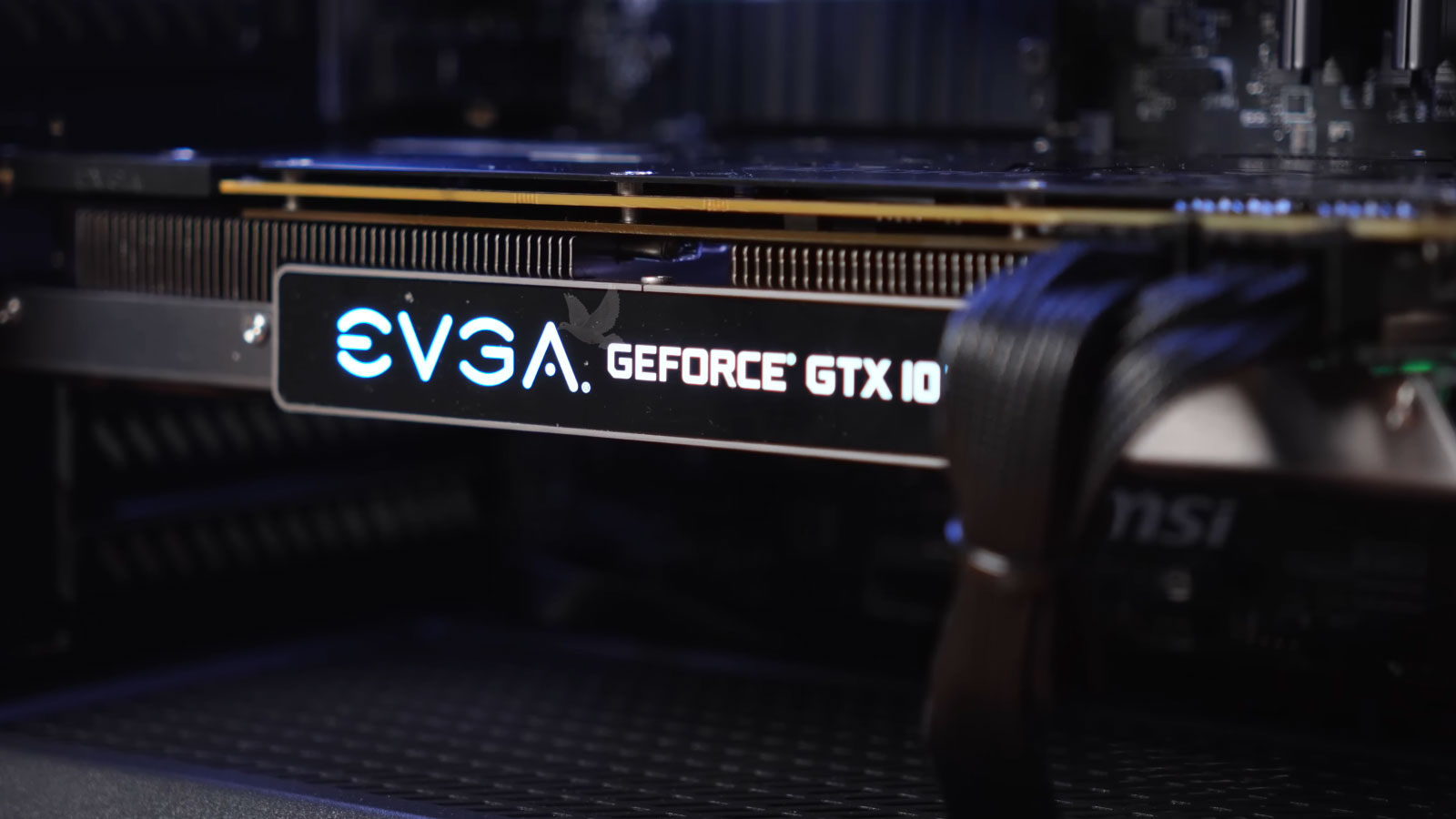
Processors, graphics chips, and other high-power components transfer heat through extremely small contact areas. Thermal compound or thermal pads fill microscopic irregularities between surfaces, but they cannot compensate for every installation problem.
Uneven mounting pressure, an incorrectly positioned thermal pad, contamination between surfaces, damaged mounting hardware, or a heatsink that is no longer sitting flat can create areas where heat is transferred poorly. The computer may initially appear normal because nothing is electrically disconnected.
The difference becomes apparent as the component begins producing more heat. Temperatures can rise much faster than expected, performance may be reduced automatically to protect the hardware, or the machine may shut down during demanding operation.
This is particularly important after a system has been disassembled. A component that was repaired correctly can still operate incorrectly if its thermal interface was not restored correctly during reassembly.
The objective is therefore not simply to see whether a fan operates. Temperature behavior under load, mounting pressure, contact surfaces, thermal-material placement, and the physical condition of the cooling assembly can reveal whether heat is actually moving out of the component as intended.
Electronics Can Be Affected by the Room Around Them
Electronic equipment does not operate independently of its environment. Humidity becomes particularly important when equipment moves between substantially different temperatures or operates in spaces where moisture can accumulate.
A computer brought from a cold air-conditioned environment into warm, humid air can develop condensation on surfaces that may not be immediately visible. Similar conditions can occur with equipment stored near exterior walls, in poorly controlled rooms, or in locations where temperature and humidity fluctuate considerably.
Unlike a liquid spill, there may be no single event that identifies when the problem began.
Repeated moisture exposure can affect connectors, contacts, component leads, and exposed metal surfaces. Early changes may be subtle enough that the equipment continues operating while oxidation or corrosion gradually increases electrical resistance or compromises a connection.
The evidence discovered during inspection can therefore matter even when the computer is completely dry by the time it reaches the bench. Discoloration, residue, oxidation, and corrosion patterns can reveal environmental exposure that is no longer physically present.
When the Symptoms Are Only Part of the Story
There comes a point when continuing to use an unreliable computer becomes more inconvenient than having it properly examined. Unexpected behavior can interrupt work, leave important tasks unfinished, and make it difficult to know whether the system can still be depended on.
Our Miami Lakes repair service gives you a place to bring that uncertainty. We can examine the computer and establish what deserves attention, whether the appropriate next step is a repair, a correction, or simply confirming the condition of the system.
Scheduling a diagnostic assessment is the first step toward having a definite answer and deciding what makes sense from there.