
Computer Help for Homes and Businesses in Hialeah
A computer problem can be as straightforward as a failing drive or damaged screen, or it can involve software, networking, data, hardware, and other systems that need to be examined together. The important part is determining what is actually wrong before deciding what should be repaired, replaced, recovered, or reconfigured.
For homes and businesses in Hialeah, that can involve desktops and laptops, Macs and PCs, custom-built systems, workstations, and the equipment connected to them. Some problems require hands-on repair, while others can be resolved through configuration, troubleshooting, or remote assistance without moving the equipment at all.
One Symptom Can Have Several Causes
A computer that suddenly becomes slow does not necessarily need a faster processor or more memory. Storage problems, excessive background activity, damaged system files, overheating, unwanted software, or a drive beginning to fail can produce very similar symptoms. Replacing parts before identifying the cause can add expense without solving the original problem.
The same applies when a computer freezes, restarts, loses its internet connection, displays errors, or refuses to start normally. What appears to be one problem may actually be the result of another component or process failing somewhere else in the system.
Intermittent problems can be particularly deceptive. A machine may operate normally for hours and fail only under a particular workload, temperature, or combination of applications. Those situations require looking beyond the moment when the computer happens to be working.
A useful diagnosis therefore starts with the behavior of the machine and follows the evidence from there. Hardware can be tested, software behavior examined, temperatures and storage health checked, and recent changes considered before deciding what actually needs attention.
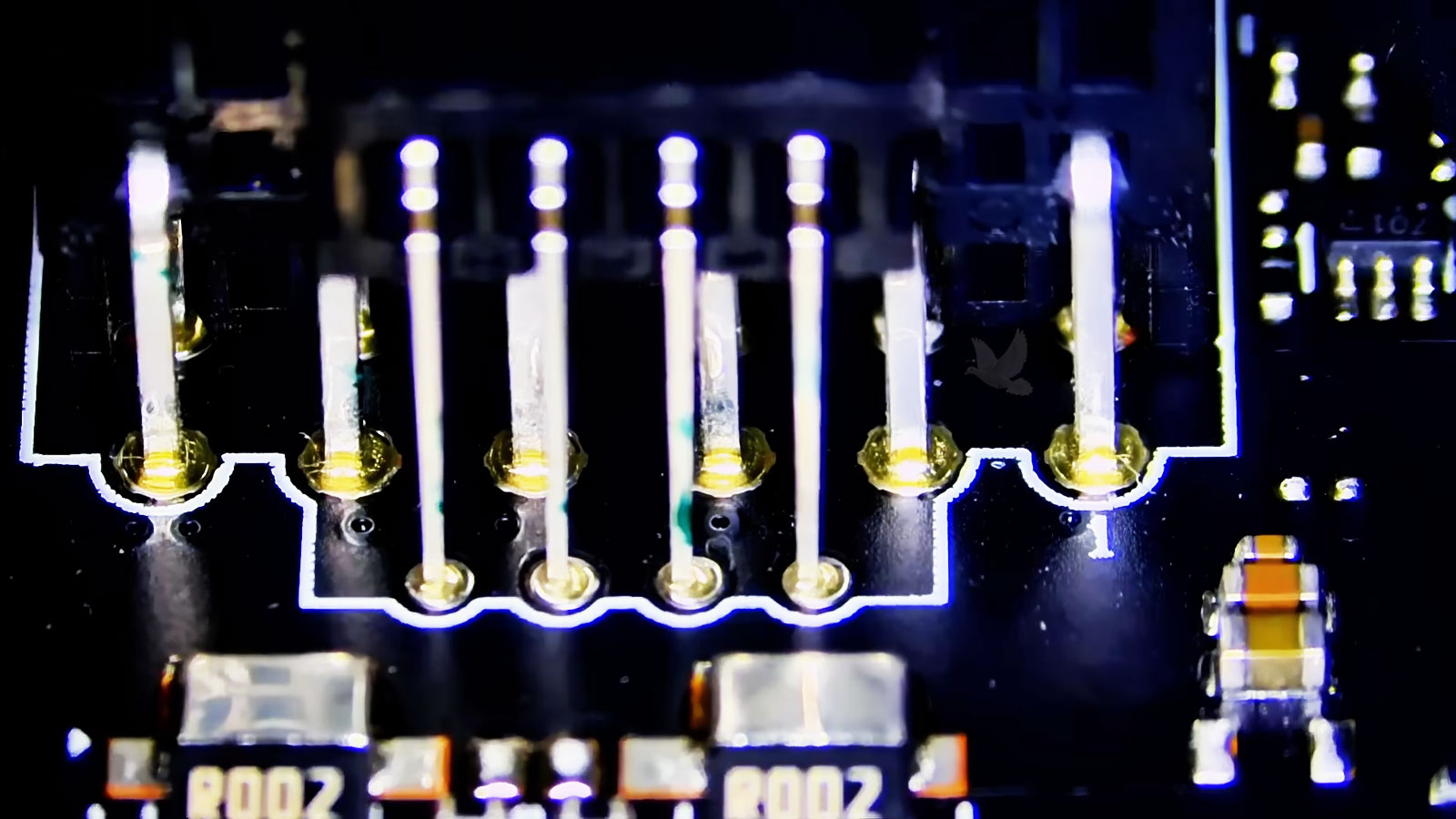
Diagnosis Before Replacement
Finding the source of a failure can prevent unnecessary parts from being changed and helps distinguish a repairable problem from equipment that genuinely needs replacement. It also provides a clearer picture of the condition of the computer before work moves forward.
Different Failures Call for Different Levels of Repair
Not every computer problem belongs at the same level. Some can be corrected through software or configuration, others require replacing a physical component, and certain failures lead much deeper into the electronics themselves.
When One Technical Problem Affects an Entire Business
A malfunctioning office computer is inconvenient. A problem involving a server, shared resource, company email, network connection, or website can interrupt the work of many people at once.
Those situations have a different priority because the individual device may be only one part of the problem. Restoring normal operation can mean finding where the interruption begins and determining which systems depend on it.
Some Problems Can Be Solved Without a Trip
When the computer starts normally and maintains an internet connection, many software and configuration problems can be examined remotely. That can make sense for application errors, email configuration, operating-system settings, account problems, software installation, and other situations where physical access to the hardware adds no practical benefit.
Remote access allows the problem to be worked on while the computer stays where it is. It can eliminate unnecessary transportation and often reduces the time and cost involved when the issue exists entirely within the software or configuration.
The computer still needs to be capable of running well enough to establish a secure remote session. If it cannot start, cannot connect, or shows signs of a physical failure, another approach is necessary.
Hardware failures cannot be repaired through an internet connection. A damaged screen, failed storage device, defective keyboard, overheating system, power problem, or electronic-board fault requires physical access to the equipment.
Hands-on service also becomes appropriate when testing requires components to be disconnected, measurements to be taken, parts to be substituted, or the machine to be opened for inspection.
The practical choice is simply the one that fits the problem. There is little reason to transport equipment for work that can be completed remotely, just as there is little value in attempting remote troubleshooting when the failure clearly requires a workbench.
Electronics Do Not Always Need to Be Disposable
A failed electronic board can make an otherwise useful piece of equipment appear finished. Sometimes the practical question is not whether the entire device can be replaced, but whether the fault on the board itself can be located and repaired.
That type of work extends well beyond conventional computers and opens the possibility of recovering equipment for which complete replacement may be expensive, difficult, or unnecessary.
Automotive Electronics
Vehicle modules and electronic boards can fail because of damaged components, poor connections, power problems, or heat-related wear.Repairing the Board Itself
When the fault is limited to a serviceable part of the circuit, component-level repair may restore the module without replacing the complete electronic assembly.
Marine Equipment
Electronic controls used on boats can be exposed to moisture, corrosion, vibration, and electrical conditions that gradually damage boards and connections.Finding the Actual Failure
A malfunctioning marine system does not always mean the entire unit is beyond repair. The problem may be isolated to a damaged circuit, connector, or component that can be examined individually.
Audio & Specialized Equipment
Music equipment and other specialized electronics often rely on dedicated circuit boards that can develop power, connector, component, or signal-related failures.Extending Useful Equipment Life
When the board remains repairable, correcting the failed area can make more sense than discarding equipment that is otherwise still useful and difficult to replace.
Household & Other Electronics
Control boards inside televisions, refrigerators, water heaters, and other electronic equipment can develop faults while the rest of the device remains functional.Before Replacing the Entire Unit
Board condition, parts availability, the nature of the failure, and the value of the equipment can determine whether repairing the electronics is a practical alternative to complete replacement.

Technical Help That Fits the Situation
Getting equipment where it needs to go should not become another problem on top of the original one. For customers in Hialeah, the practical arrangement can depend on the equipment involved, the type of failure, and whether the work requires a bench, can be handled remotely, or makes more sense at the location where the system is installed.
Smaller computers and devices can usually be transported without much difficulty. Business systems, larger equipment, and certain technical situations may require a different arrangement, particularly when disconnecting everything would create additional disruption.
Pickup and delivery can also simplify the process when distance and circumstances make it practical. Nearby service can qualify for free delivery, while locations farther outside the immediate Miami area may involve a reasonable transportation charge based on the additional travel required.
The objective is not to force every problem through the same process. The method should fit the equipment and the situation, whether that means bringing a device in, arranging transportation, connecting remotely, or addressing an appropriate business system on-site.
A Repair Should End With a Clear Answer
Whether the equipment arrives with an obvious failure or an unexplained problem, the useful outcome is knowing what needs attention and what makes sense to do about it. Repair is not automatically the right decision simply because something can technically be fixed.
A good technical result is not measured by how many parts were replaced. It is measured by whether the solution makes practical sense when the equipment is returned to use.