
AC IN → DC OUT
The power supply converts incoming electricity into the voltages the motherboard, storage, cooling system, display electronics, and other internal components need to operate.
Stable Power Has to Reach Every Part of the Computer
An all in one computer can appear completely dead when its power supply stops working, but power problems are not always that obvious. A failing supply can also cause intermittent shutdowns, unsuccessful startup attempts, unstable operation, or a computer that receives some power without functioning normally.
Because the power supply feeds several parts of the system, the symptoms can overlap with motherboard, display, storage, or other hardware problems. Testing the power source and the voltages it provides helps determine whether the failure actually begins there before parts are replaced.
Power Problems Can Show Up in Different Ways
A failed power supply does not always mean a computer with no lights and no response. The way the system behaves can provide useful clues about whether power is missing completely, dropping under load, or reaching only part of the computer.
No Power at All
Pressing the power button produces no normal startup response. There may be no fan movement, no display activity, and no indication that the internal components are receiving usable power.
Power Starts, Then Drops
The computer may begin to turn on and then shut down, restart unexpectedly, or lose power when the system begins drawing more current. A weak or unstable supply can sometimes behave normally until additional load is placed on it.
Some Parts Respond, Others Do Not
Lights, fans, or other components may receive power while the computer still fails to start correctly. Partial voltage output or a problem affecting one power rail can create symptoms that resemble a motherboard or other hardware failure.
Testing the Power Supply Means Checking More Than the Power Button
A computer that does not start normally still needs to be separated into possible causes. The incoming power, the power supply itself, the output voltages, and the hardware receiving those voltages can all affect what happens when the power button is pressed.
Testing helps determine whether the supply is producing the expected output and whether that output remains stable while the computer attempts to start.
POWER SOURCE
The Same Symptom Can Begin in More Than One Place
A computer that will not turn on, shuts down unexpectedly, or behaves as though it is losing power may have a defective power supply, but similar symptoms can also originate on the motherboard or from another component affecting the power system.
The difference matters because replacing a working power supply will not correct a fault elsewhere in the computer. Power testing is most useful when it separates the source of the problem from the hardware that depends on it.
Once the supply has been tested independently and its output is understood, the diagnosis can move in the correct direction instead of treating every power-related symptom as the same failure.
POWER LOAD
Not Every All-in-One Uses the Same Power Design
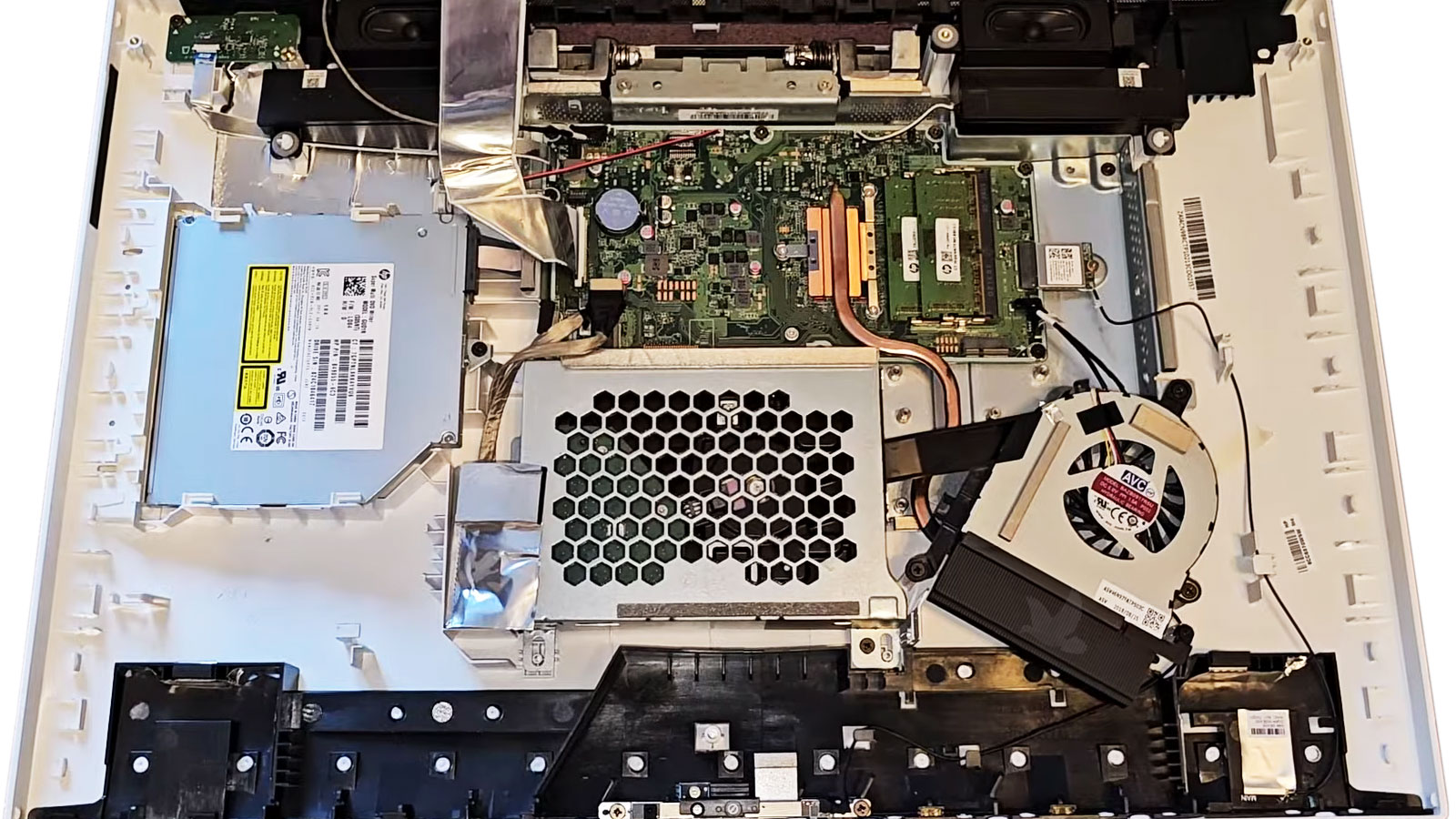
Depending on the model, power conversion may take place inside the computer or through an external adapter before power reaches the internal electronics. Identifying which design the computer uses changes what needs to be tested and what can reasonably be repaired or replaced.
Internal Power Supplies
Some all in one computers contain a dedicated power-supply board inside the enclosure. When accessible, the board can be inspected and tested for failed components, damaged connections, heat-related problems, and other faults affecting its output.
External Power Adapters
Other systems rely on an external adapter that converts the incoming AC power before it reaches the computer. In those designs, the adapter, cable, connector, and the computer’s internal power-input circuitry can each become part of the diagnosis.
An Internal Power Supply May Be Repairable Without Replacing the Whole Board
Internal power-supply boards contain components responsible for converting, filtering, regulating, and distributing electrical power. A fault may involve a specific component or connection rather than every part of the board.
Component-level work is appropriate only after the defective area has been identified. Replacing parts without establishing why the supply failed can leave the original problem unresolved or expose replacement components to the same condition.
Repair and Replacement Do Not Fit Every Power Supply the Same Way
Once the power problem has been isolated, the next decision depends on the construction of the supply, the extent of the failure, the condition of the board, and whether a suitable replacement is available. The most appropriate direction can differ considerably from one all in one computer to another.
| Consideration | Repair May Make Sense When | Replacement May Make Sense When |
|---|---|---|
| Type of failure | The fault is localized to identifiable components, connections, or a repairable section of the power-supply board. | Damage affects a large portion of the supply or makes reliable board-level correction impractical. |
| Board condition | The surrounding circuitry remains in good physical condition without extensive heat, corrosion, or electrical damage. | The board has widespread damage, burned areas, deteriorated connections, or multiple unrelated faults. |
| Parts and supply availability | The failed components can be identified and suitable replacements are available. | A compatible complete power supply is readily available and replacing it is the more practical approach. |
| Computer design | Access to the internal supply and its construction allow the affected area to be serviced appropriately. | The power system is constructed in a way that makes component-level work impractical or unnecessarily involved. |
Once the power problem has been isolated, the next decision depends on the construction of the supply, the extent of the failure, the condition of the board, and whether a suitable replacement is available. The most appropriate direction can differ considerably from one all in one computer to another.
Find Out Where the Power Failure Actually Begins
When an all in one computer will not power on normally, shuts down unexpectedly, or shows other signs of unstable power, the cause can be evaluated before deciding whether the supply needs component-level repair, complete replacement, or whether the problem originates somewhere else in the computer.
If the symptoms point toward the power system, the computer can be checked to identify the failure and determine an appropriate repair direction.