
When a MacBook Pro Cannot Establish a Reliable Charging Connection
A charging problem does not always begin with the battery or power adapter. The connection between the charger and the MacBook Pro has its own hardware path, and damage or deterioration at that point can prevent power from reaching the computer consistently.
The symptoms can vary with the MacBook Pro generation and connector design. A MagSafe connection may stop responding, work only when positioned a certain way, or repeatedly disconnect. USB-C models can develop similar charging problems even though the physical port and internal arrangement are very different.
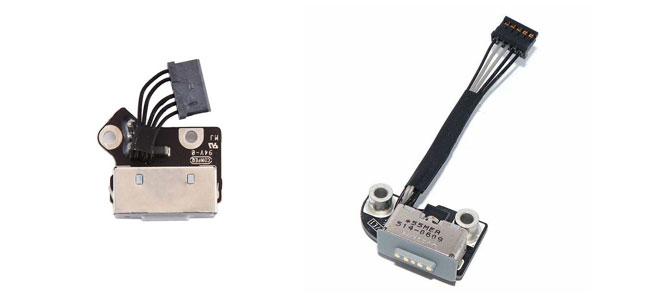
Different MacBook Pro generations can use different charging hardware.
MagSafe May Look Simple From the Outside, but the Connection Continues Inside
On MacBook Pro models that use MagSafe, the visible connector is only the external meeting point between the power adapter and the computer. Behind it is internal hardware that carries the charging connection toward the logic board.
That matters when diagnosing a failed DC jack. A damaged or unreliable connection at this stage can interrupt charging even when the adapter itself is working properly. The exact internal part also varies between MacBook Pro generations, so identifying the model and connector design comes before deciding what needs to be repaired or replaced.
A Charging Failure Has to Be Traced to the Right Point
Replacing the DC jack simply because a MacBook Pro will not charge can solve the wrong problem. Power has to pass through several points before the computer can use it, and a failure elsewhere in that path can produce a symptom that looks very similar to a defective connector.
Testing can separate a problem at the charging connection from an adapter issue, an internal connection fault, or a problem farther into the power circuitry. The condition of the port itself also matters. Physical looseness, damaged contacts, abnormal movement, or evidence of heat can provide useful clues, but those observations still need to agree with the electrical behavior of the MacBook Pro.
The purpose of diagnosis is therefore not merely to confirm that charging has stopped. It is to determine whether the DC jack is actually where the charging path is being interrupted.
Adapter
A known-working compatible charger helps separate an adapter failure from a problem inside the MacBook Pro.
DC Jack
The charging connection can be examined for physical damage and tested for reliable power passing through the port.
Power Circuit
If power reaches the internal circuitry but charging still fails, the fault may continue beyond the DC jack itself.
Years of Connecting and Disconnecting Can Affect the Port Itself
The charging connection is one of the areas of a MacBook Pro that is repeatedly handled throughout its life. Cables are inserted, removed, pulled sideways, and sometimes struck while connected. Over time, that mechanical activity can affect the connector, its contacts, or the hardware securing it inside the computer.
When the damage is physical, the way the charging connection behaves can provide useful clues about what has changed.
Loose Connection
Charging changes when the cable or connector moves.Movement Should Not Control Charging
If power appears and disappears as the connector is moved, the port may no longer maintain a consistent connection. Wear or physical damage can allow movement to affect electrical contact where the charger meets the MacBook Pro.
Damaged Contacts
The connection no longer meets the charger cleanly.Contact Condition Matters
Bent, worn, contaminated, or damaged contact surfaces can interfere with the electrical connection. Inspection helps determine whether the affected area can be corrected or whether the charging hardware should be replaced.
Port Damage
The connector has suffered visible or internal physical stress.Damage Can Extend Inside
A pull, impact, or repeated strain can affect more than the opening visible from outside the MacBook Pro. The connector and its internal attachment need to be considered together when determining the appropriate repair.
Newer MacBook Pro Models Changed the Charging Connection
The familiar MagSafe DC-in board is not the charging arrangement found in every MacBook Pro generation. USB-C introduced a different physical connector and a different way of approaching problems at the charging port.
One obvious difference is flexibility. A USB-C MacBook Pro may provide more than one port capable of accepting power. That creates useful diagnostic information because the behavior of one port can be compared with another rather than treating every charging failure as a single connection problem.
The connector may have changed, but the objective remains the same: determine whether the charging interface is responsible for interrupting reliable power to the MacBook Pro.
If the MacBook Pro charges normally through another compatible USB-C port but consistently fails through one particular connection, the difference between those ports provides useful evidence. The affected port and its associated hardware can then receive more focused attention.
When none of the available charging connections behaves normally, replacing one USB-C port without further diagnosis may miss the actual fault. The adapter, cable, and circuitry involved in accepting and managing power need to remain part of the investigation.
A USB-C cable that must be repositioned, loses connection with slight movement, or does not seat normally can point attention toward the physical condition of the port. Inspection can determine whether contamination, wear, deformation, or other damage is interfering with a consistent connection.
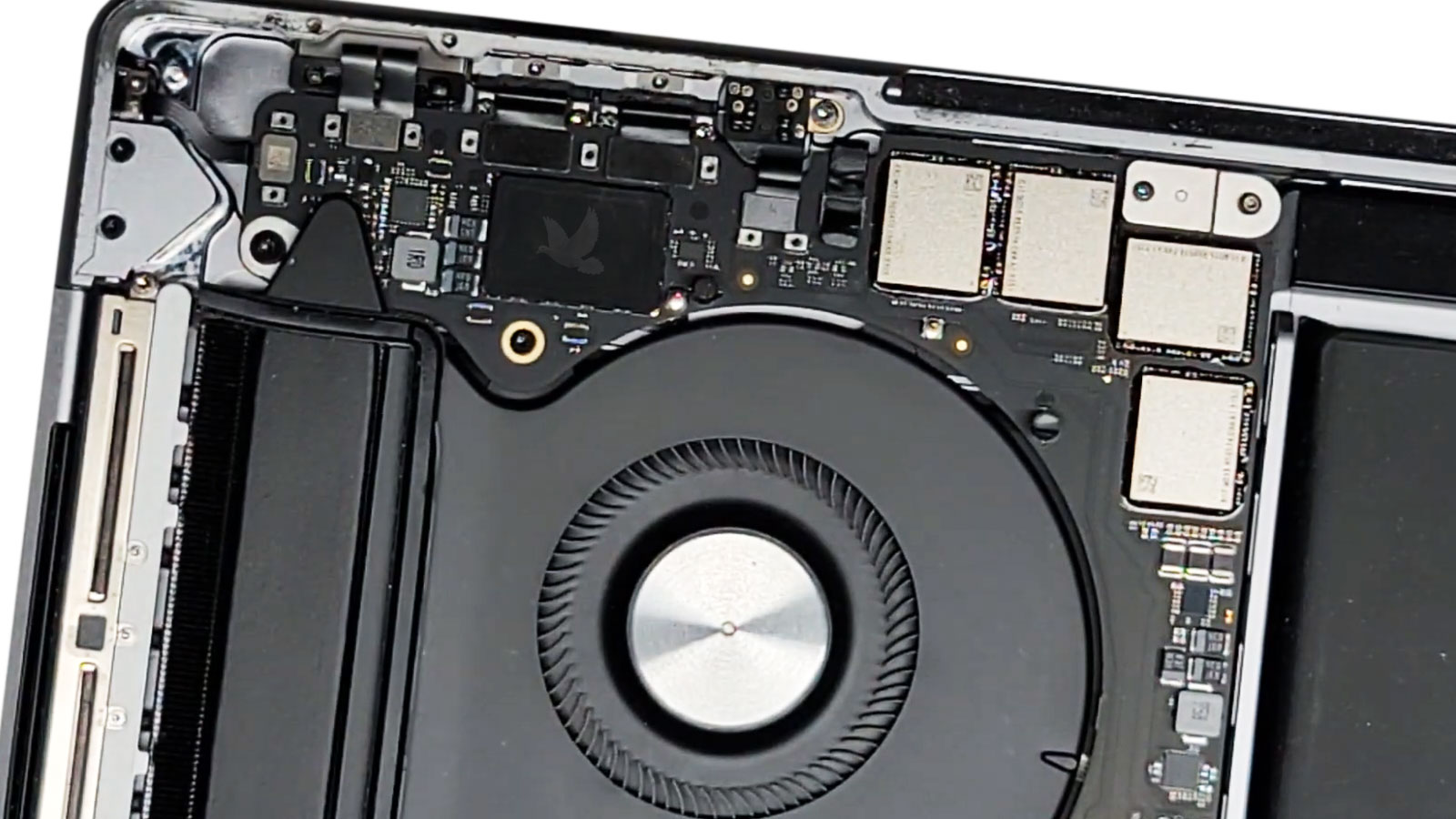
A charging port should provide a stable connection without depending on cable position.
A Small Connector Can Develop a Very Specific Problem
USB-C ports are compact, and the electrical connection depends on the cable seating correctly against the contacts inside the port. When wear, contamination, or physical damage changes that relationship, charging can become inconsistent even though the connector still appears usable from the outside.
The behavior of the connection can help distinguish a physical port problem from a broader charging failure. Instead of judging the port only by appearance, attention can be given to how consistently it responds when a compatible cable is connected.
Stable Connection
The repaired charging connection should respond consistently when the compatible adapter is attached, without requiring the plug or cable to be held in a particular position.
The Repair Is Finished Only When Charging Becomes Predictable Again
Installing or repairing the affected charging hardware addresses the physical fault, but the result still needs to be checked through normal operation. A connector that works once and then becomes intermittent again has not restored the dependable connection the MacBook Pro requires.
Testing after the repair can confirm that power is recognized consistently, that charging remains active without manipulating the connector, and that the repaired area behaves normally as the cable is connected and removed.
For USB-C models with multiple charging-capable ports, the repaired connection can also be compared with the behavior of the other ports. On MagSafe models, attention can return to the adapter connection and the internal DC-in hardware that was serviced.
The objective is straightforward: the MacBook Pro should accept power through the repaired connection without the original symptom returning.
Consistent Charging
Charging should remain active during observation rather than repeatedly connecting and disconnecting after the MacBook Pro has begun receiving power reliably.
Bring Back a Charging Connection You Can Depend On
An unreliable MagSafe connection, a damaged USB-C port, or a MacBook Pro that responds only when the charging cable is positioned a certain way deserves a diagnosis focused on the actual power connection. The objective is to identify where that connection is failing and repair the affected hardware rather than replacing parts based only on the symptom.
MacBook Pro DC jack repair is available in Miami for charging-port problems involving older MagSafe designs and newer USB-C connections. Once the affected area has been serviced, the charging behavior can be checked again to confirm that the MacBook Pro accepts power consistently through the repaired connection.
Free pickup and delivery are available within Miami when bringing the MacBook Pro in for service is inconvenient.