
When MacBook Air Keyboard Problems Require Hardware Replacement
A MacBook Air keyboard can reach the point where individual key problems are no longer isolated annoyances. Keys may stop responding, register inconsistently, repeat characters, feel physically damaged, or fail across a larger section of the keyboard.
The cause matters before replacement is considered. A damaged keycap or minor mechanical issue is different from a keyboard with multiple failed keys, a damaged internal connection, or deterioration affecting the keyboard assembly itself. Establishing what has actually failed helps determine whether replacing the keyboard is the appropriate repair.
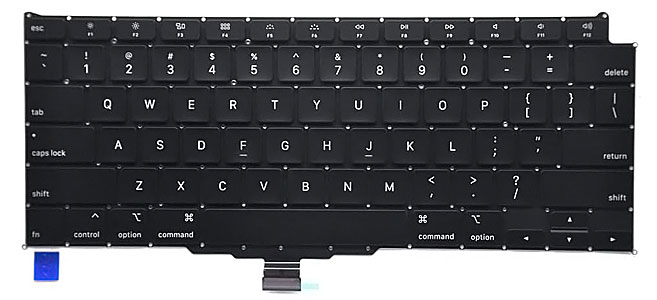
A new replacement keyboard includes more than the visible keys. The assembly also has the connection needed to communicate with the MacBook Air, so installation requires access inside the computer and proper connection to the logic board before keyboard operation can be verified.
Replacement may become appropriate when:
✓ Multiple keys no longer respond correctly
✓ Physical or internal keyboard damage affects normal typing
✓ The keyboard assembly has been identified as the source of the problem
Similar Symptoms Do Not Always Mean the Same Failure
A key that does not respond can point toward a very different problem than an entire group of keys failing together. Before replacing the keyboard, the pattern of the malfunction helps narrow down what is actually happening.
Physical behavior matters too. A key that feels mechanically abnormal, a keyboard that produces incorrect input, and one that intermittently disappears electrically should not automatically lead to the same conclusion.
One troublesome key does not necessarily mean that the entire keyboard assembly has failed. The keycap, its underlying mechanism, contamination around the key, or physical damage in that particular area may be responsible.
The condition becomes more suggestive of a broader keyboard problem when additional keys begin behaving incorrectly or the malfunction cannot be isolated to the visible key mechanism.
Several nonresponsive keys, particularly when they fail in a recognizable area or pattern, can indicate a problem extending beyond one individual key. The keyboard circuitry and its connection to the MacBook Air become more relevant when multiple inputs are affected together.
Testing the pattern helps distinguish a keyboard assembly problem from an isolated mechanical defect before the computer is opened for replacement.
A failing keyboard does not always produce completely dead keys. Characters may repeat unexpectedly, certain inputs may appear only after several presses, or keyboard response may come and go.
Those symptoms need to be separated from software behavior and other input-related problems. Once the malfunction follows the internal keyboard itself, replacing the affected assembly becomes a hardware solution rather than an attempt to correct the problem through macOS.
Keyboard Assembly
Each key is part of a larger input assembly rather than an independent electrical switch connected directly to the logic board.
A New Keyboard Still Has to Communicate With the MacBook Air
The keys are the part of the replacement that can be seen from above, but the electrical connection underneath is equally important. The keyboard assembly communicates with the MacBook Air through its flex connection, which must be properly positioned and connected during installation.
That distinction becomes useful when diagnosing keyboard symptoms. A problem involving the keyboard assembly itself and a problem affecting its connection can produce similar results at the keys, even though the underlying cause is different.
Replacing the keyboard therefore involves more than positioning a new set of keys beneath the top surface. Internal access is required to remove the affected hardware, install the replacement assembly, route its connection correctly, and reconnect it without damaging the surrounding components.
After installation, the keyboard should be checked across the complete key layout rather than testing only the keys that originally appeared defective. The purpose is to confirm that the replacement assembly and its connection are functioning together as intended.
Flex Connection
The keyboard’s flex connection carries its input to the MacBook Air, making proper seating and condition of the connection part of the repair.
Reaching the Keyboard Requires Work Below the Surface
A MacBook Air keyboard may look like a simple external component, but replacing it requires access inside the computer. The old assembly must be removed carefully, the new keyboard connected and positioned correctly, and the complete key layout tested after installation.
Internal Access
Open the MacBook Air and reach the keyboard assembly without disturbing surrounding hardware unnecessarily.
Keyboard Installation
Remove the affected assembly and position the compatible replacement with its connection correctly routed.
Complete Key Test
Verify keyboard response across the full layout after the MacBook Air has been reassembled.
Good Keyboard Operation Is More Than Keys That Type
After replacement, the keyboard should respond consistently across the complete layout. Each key should register when expected without requiring excessive pressure, producing repeated characters, or behaving differently from neighboring keys.
Physical operation matters as well. Keys should sit properly within the keyboard layout and provide a consistent typing experience rather than leaving one area feeling noticeably different from the rest.
Testing should extend beyond the keys that originally failed. Letters, numbers, modifiers, function keys, navigation controls, and combinations used for shortcuts all provide opportunities to confirm that the new assembly is communicating correctly with the MacBook Air.
A Damaged Keyboard Can Be Only Part of the Story
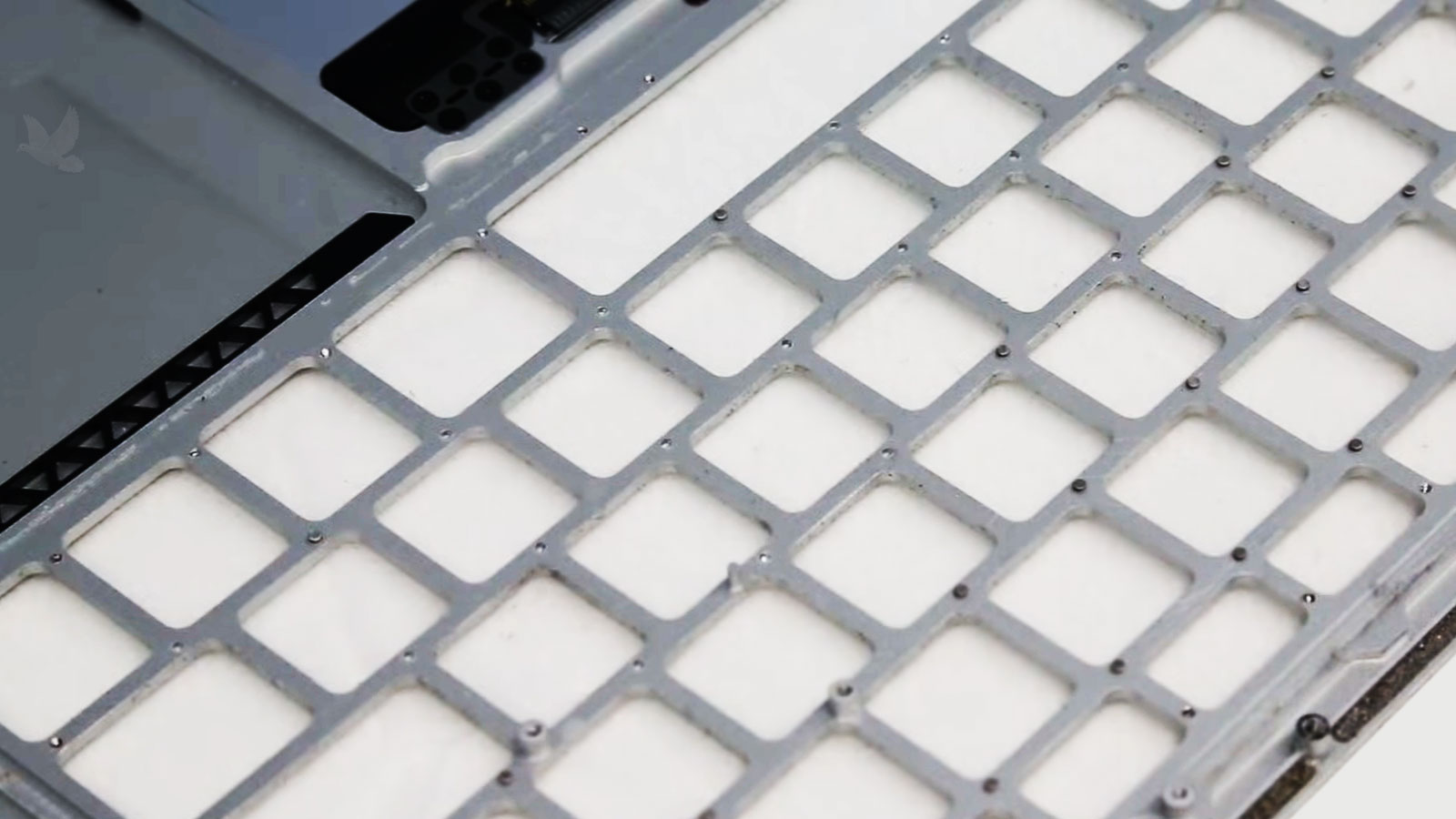
Liquid entering through the keyboard can affect more than the keys that first show symptoms. A spill may leave certain keys unresponsive or erratic while moisture continues farther into the MacBook Air, where connectors and nearby electronic components can also be exposed.
That makes the history of the failure important. When keyboard problems begin after a spill, replacing the keyboard may correct the damaged input assembly, but the surrounding area should not automatically be assumed to be unaffected.
Evidence found internally can help distinguish a keyboard that simply failed from one damaged as part of a broader liquid event. That distinction matters before the new keyboard is installed and the computer is reassembled.
When the Problem Followed a Spill
Replacing the keyboard addresses the failed keyboard assembly, but it does not remove corrosion or residue that may exist elsewhere inside the MacBook Air.
If liquid reached internal connections or electronic components, those areas may require attention independently of the keyboard itself.
Why the Distinction Matters
A new keyboard should not be used to disguise a deeper liquid-related condition. Identifying what the spill actually affected allows the keyboard replacement to remain one clearly defined part of the repair rather than assuming every symptom originated in the same component.
Consistent Input
Keys should register predictably without missed presses, unintended repeats, or intermittent response during normal typing.
The Repair Is Finished When the Keyboard Behaves Normally Again
The purpose of replacing a MacBook Air keyboard is not simply to install a new component. It is to restore dependable input so typing, shortcuts, modifier combinations, and everyday controls work without the user having to compensate for faulty keys.
A complete test after installation helps confirm that the replacement responds across the keyboard rather than correcting only the most obvious symptoms that existed beforehand.
Once the new assembly responds consistently and the MacBook Air has been reassembled correctly, attention can return to using the computer rather than working around its keyboard.
Complete Verification
The finished keyboard should be checked across the full layout, including keys and combinations that were not part of the original complaint.
Get the MacBook Air Keyboard Working Properly Again
When failed, damaged, or unreliable keys have been traced to the keyboard assembly, replacement can restore the dependable input the MacBook Air needs for everyday use. The work includes removing the affected keyboard, installing the appropriate replacement, reconnecting the assembly, and checking the complete key layout afterward.
MacBook Air keyboard replacement is available in Miami for computers with keyboard problems that require hardware replacement rather than a minor key-level correction.