
When the Trackpad Stops Responding the Way It Should
A laptop trackpad can become difficult to use when pointer movement becomes erratic, clicks stop registering, gestures respond inconsistently, or part of the touch surface no longer reacts normally. Because the trackpad is built into the laptop, even a relatively small problem can interfere with everyday navigation.
The cause is not always limited to the visible touch surface. Trackpad problems can involve the assembly itself, its flex cable or connection, physical damage, software settings, drivers, or conditions elsewhere inside the laptop that affect how the input device operates.
Laptop trackpad repair in Miami can begin by determining whether the problem comes from the trackpad hardware, its connection, or the software controlling it before deciding what needs to be repaired, adjusted, or replaced.
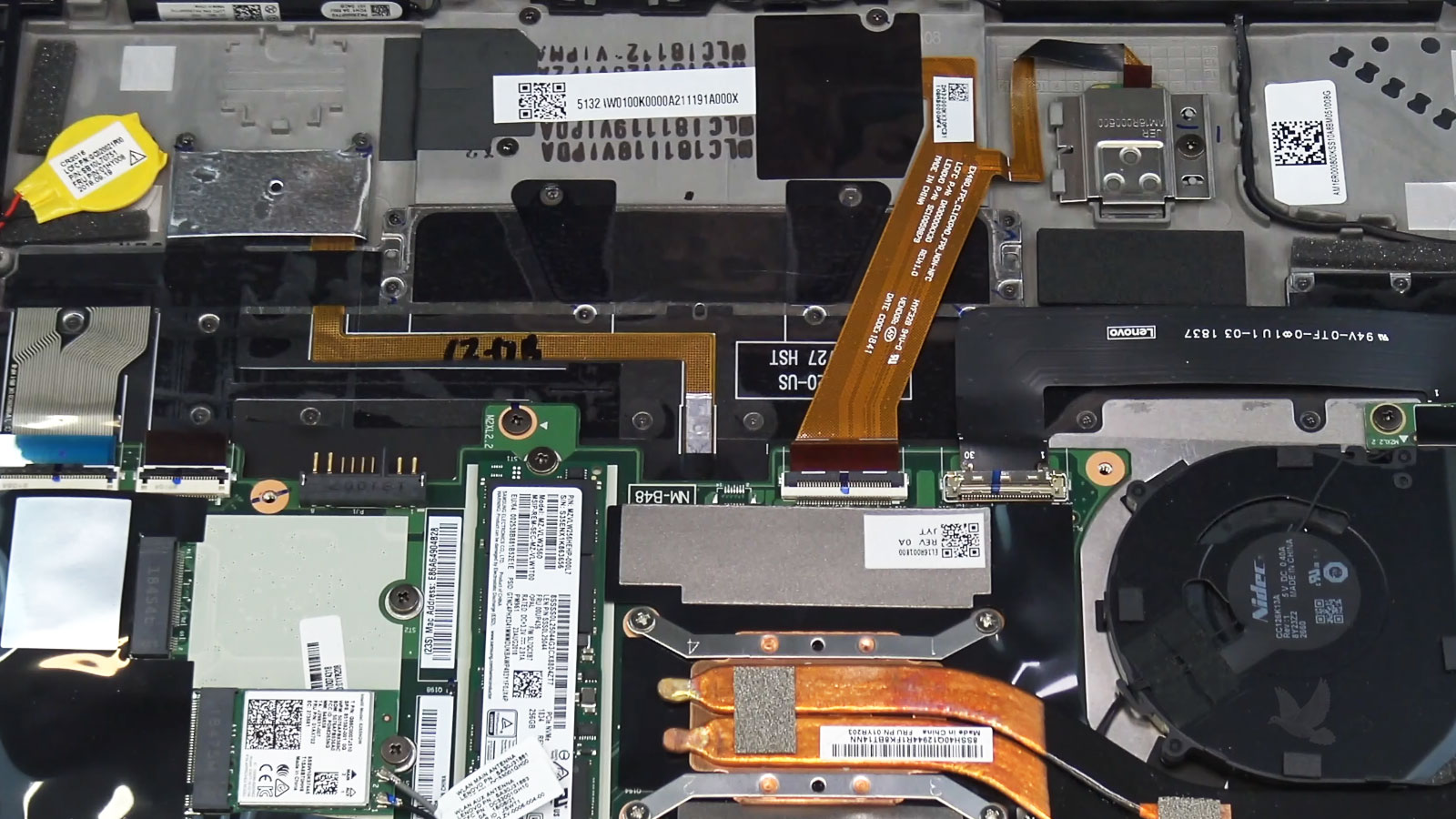
Trackpad Problems Are Not Limited to a Pointer That Will Not Move
Erratic Movement
The pointer may jump, drift, hesitate, or move unpredictably even when finger movement across the trackpad is controlled and consistent.
Unresponsive Areas
Part of the touch surface may stop detecting movement while another area continues to respond, making normal navigation increasingly difficult.
Click Problems
Physical or tap-to-click input can become inconsistent, require repeated attempts, or stop registering even though pointer movement still works.
Gesture Failure
Scrolling, zooming, multi-finger commands, and other gestures may stop responding correctly while basic pointer movement remains available.
A Trackpad Problem Can Involve the Assembly or Its Connection
The trackpad assembly communicates with the laptop through a thin flex cable and connector on the motherboard or an intermediate board. If that connection becomes loose, damaged, contaminated, or improperly seated, trackpad behavior can be affected even when the touch surface itself appears normal.
Physical problems can also develop within the trackpad assembly. Wear, impact damage, deformation, or failure of the clicking mechanism can change how the surface responds and may make replacement of the complete assembly more practical than attempting to correct only the visible symptom.
Inspection helps separate an assembly failure from a connection problem before parts are changed. That distinction matters because replacing a trackpad will not correct a damaged connector or flex-cable path elsewhere in the laptop.
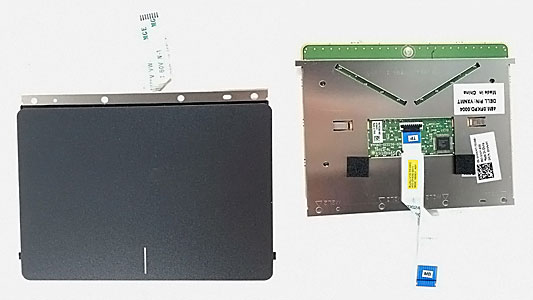
The replacement part includes more than the surface visible from the outside of the laptop.
Testing Helps Separate a Failed Trackpad From Other Causes
A trackpad that behaves incorrectly does not automatically need replacement. The symptom can come from the trackpad assembly, its flex cable or connector, software settings, drivers, or another condition affecting how the laptop receives and interprets input.
Checking those possibilities before replacing parts helps narrow the problem to the area actually responsible for the failure and reduces the chance of changing a working component unnecessarily.
The touch surface, clicking mechanism, and physical condition of the assembly can be examined for wear, deformation, damage, or behavior that indicates the trackpad itself is no longer operating correctly.
The flex cable and its connectors can be inspected for damage, poor seating, contamination, or other conditions that may interrupt communication between the trackpad and the laptop.
Trackpad settings, device recognition, and driver behavior can be reviewed when the hardware appears intact but clicking, movement, scrolling, or gesture functions are not responding as expected.
Some Trackpad Problems Begin With Physical Changes Inside the Laptop
Replacement Should Follow the Fault, Not Just the Symptom
Replacing the trackpad becomes appropriate when inspection and testing point to a problem within the assembly itself rather than a loose connection, software setting, driver issue, or another condition elsewhere in the laptop.
The replacement also needs to match the laptop correctly because trackpad assemblies can differ in dimensions, mounting points, cable layout, connectors, and other model-specific details.
Conditions That Can Point Toward Replacement
A Replacement Trackpad Still Has to Work Correctly With the Laptop
Installing the replacement assembly restores the physical part, but the job is not complete until its response can be checked after the laptop is reassembled. Pointer movement, clicking, scrolling, and supported gestures should behave normally without intermittent input or unresponsive areas.
The fit of the assembly also matters. A trackpad that sits incorrectly in the palm rest can affect clicking or leave the surface uneven, so physical alignment and operation should be considered together during final testing.
What Final Testing Can Confirm
Movement across the full touch surface can be checked along with left and right clicking, tap response, scrolling, and multi-finger functions supported by the laptop.
Testing can also reveal whether the replacement remains recognized consistently after startup and whether normal hand pressure produces the expected response without sticking, movement, or irregular clicking.
A replacement is complete when the new trackpad fits properly and its normal functions respond as expected.
A Working Trackpad Should Feel Normal Again
Laptop trackpad repair in Miami can address problems involving touch response, clicking, gestures, physical damage, flex-cable connections, or failure of the trackpad assembly itself. Identifying the source of the problem first helps determine whether adjustment, connection work, software correction, or replacement is appropriate.
When replacement is necessary, the new assembly needs to fit the laptop correctly, connect properly, and respond across the functions the computer supports. Final testing helps confirm that the trackpad is recognized consistently and that normal navigation can be performed without the original problem.