
When MacBook Pro Data Becomes Difficult to Reach
Important files can remain stored on a MacBook Pro even when macOS no longer starts normally or the computer itself has developed a serious hardware problem. Photos, documents, work files, and other information may still be present, but reaching that data depends heavily on what has failed and how the storage is designed inside the particular MacBook Pro.
The Storage Design Changes the Recovery Path
MacBook Pro models have not all handled storage the same way. Some generations use removable storage that provides additional options for accessing the data independently from the rest of the computer. On newer models, the storage is integrated directly with the logic board, making the condition of the board and its supporting circuitry much more important to the recovery process.
That difference means data recovery should begin by identifying the MacBook Pro model, the type of storage involved, and the failure preventing normal access. The objective is not simply to make the computer start again. It is to determine the safest practical path to the files while avoiding unnecessary changes to the original data.
A Startup Failure and a Data Failure Are Not the Same Thing
A MacBook Pro can lose the ability to start for reasons that do not necessarily erase the information stored inside it. The failure may prevent normal access to macOS while the underlying data remains recoverable.
That distinction matters because the next step should be based on preserving access to the files, not simply on trying increasingly aggressive ways to make the computer boot.
Soldered Storage Removes the Easy Way Around a Failed Logic Board
Storage Stays With the Board
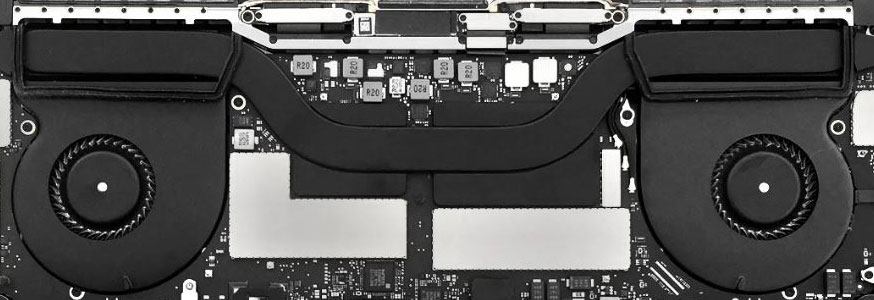
On MacBook Pro models with integrated storage, the storage components cannot simply be removed like a conventional SSD and connected independently to another computer.
When the logic board develops a failure, recovering the files may therefore depend on restoring enough of the original hardware to regain access to the data.
Board Condition Matters
With storage tied directly to the logic board, failures involving power delivery, liquid damage, damaged components, or other board-level problems can stand between the user and the files.
In some cases, the recovery path can involve diagnosing and repairing the electronics necessary to make the original system functional enough for the data to become accessible again.
Recovery Begins by Avoiding Unnecessary Changes
Data recovery has a different priority from ordinary troubleshooting. When a document, photo library, project, or other irreplaceable information is involved, preserving the existing state of the storage can be more important than immediately restoring normal computer operation.
That changes how the problem should be approached. Actions that might be reasonable when no important data is at stake deserve more consideration when the only accessible copy of valuable files may still be inside the MacBook Pro.
The safest recovery path depends on the failure, but the principle remains consistent: protect the source first, recover the data second, and make broader changes afterward.
Removable Storage Can Separate the Data From the Failed MacBook Pro
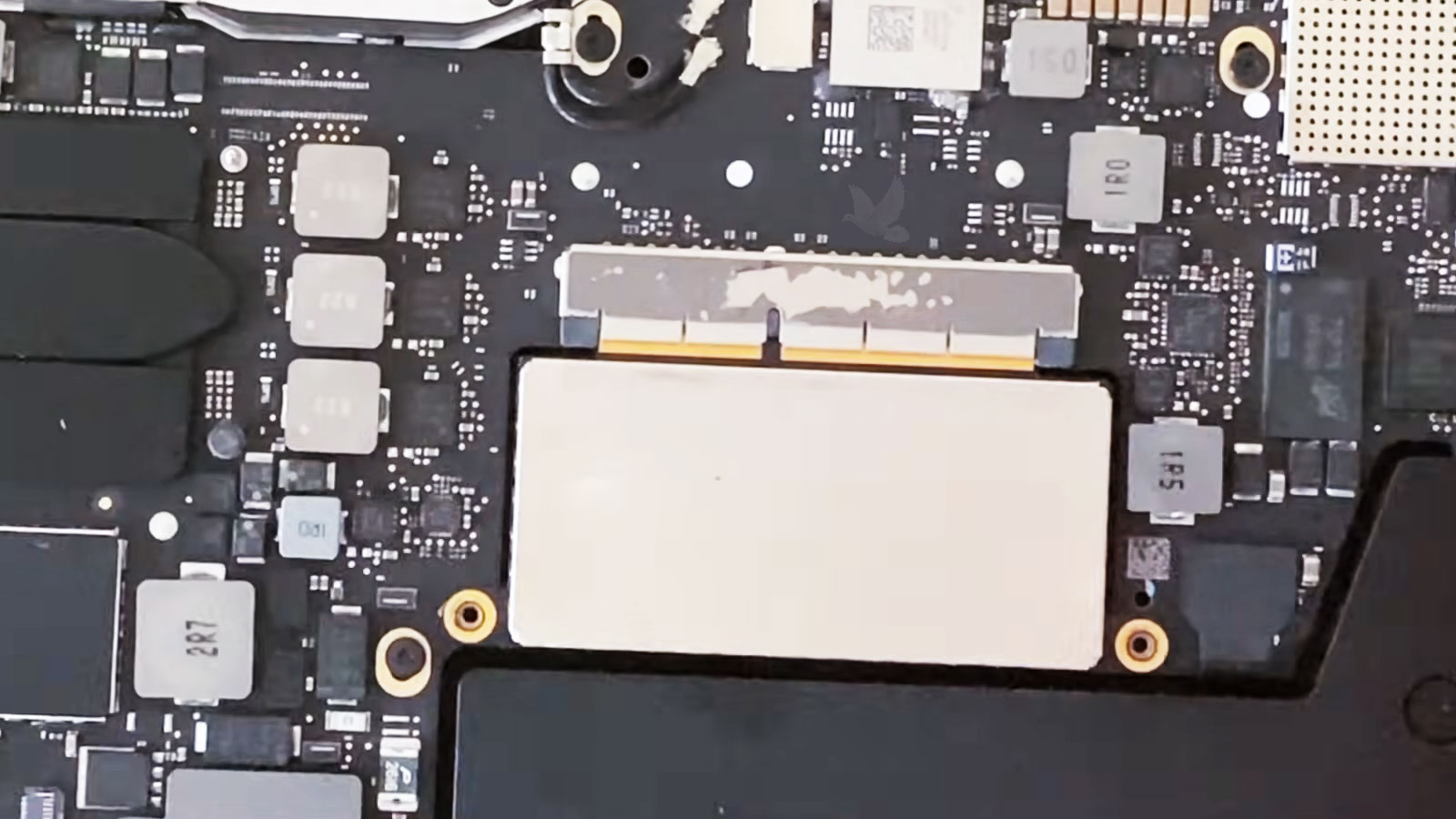
Some earlier MacBook Pro generations provide a useful advantage when the computer itself fails: the storage device can be physically separated from the rest of the system.
If the SSD remains functional, access to the files may not depend on repairing every problem preventing the original MacBook Pro from operating. The storage can be evaluated independently, creating recovery possibilities that simply do not exist in the same way when the storage is soldered directly to the logic board.
That distinction can significantly change the direction of a recovery. A failed MacBook Pro and a failed SSD are two different problems, and removable storage makes it possible to evaluate those conditions separately.
Recovered Data Needs Somewhere Safe to Go
Regaining access to the original storage is the breakthrough, but it is not where a recovery should stop. The accessible information still needs to be transferred away from the affected MacBook Pro and placed on separate storage so the recovered files are no longer dependent on the hardware that caused the problem.
Different Failures Put Different Obstacles Between You and the Files
Two MacBook Pros can arrive with the same apparent problem, neither provides normal access to the files, yet the reason can be completely different.
One may have working storage behind a failed computer. Another may have a logic-board problem preventing integrated storage from becoming accessible. In a different case, the storage itself may be the part that is damaged or no longer responding normally.
Identifying that distinction keeps the recovery focused on the actual obstacle rather than applying the same procedure to every MacBook Pro.
| Condition Found | How It Changes the Recovery |
|---|---|
| MacBook Pro fails but removable storage responds | The storage may be approached separately without depending on normal operation of the original computer |
| Logic board failure with soldered storage | Board-level diagnosis or repair may be necessary to restore access through the original hardware |
| Storage responds inconsistently | Reading the source cautiously becomes important because reliable access cannot be assumed |
| File system or macOS cannot provide normal access | The storage may be present while its contents require a different method of reaching the needed files |
| Physical or liquid damage affects several areas | The condition of the hardware must be evaluated before deciding which route creates the safest opportunity to reach the data |