
Computer Repair Services in Surfside
Surfside combines residential properties, condominium buildings, and businesses within a relatively compact community. Computers used in these environments can serve very different purposes from everyday household tasks and remote work to business operations and systems that remain in regular use throughout the day.
When one of those computers develops a problem, the symptoms do not always indicate whether the cause is software, hardware, or a combination of both. Slow operation may come from an overloaded operating system, failing storage, insufficient resources, excessive background activity, or hardware beginning to deteriorate. Connection problems can originate with the computer itself even when other devices continue working normally.
For that reason, the useful starting point is not simply whether a computer is “slow” or “not working.” How the problem appears, when it occurs, and which functions remain unaffected can help separate an operating-system problem from storage, memory, networking, thermal, or other hardware-related faults.
Software
Startup, operating-system, application, and configuration problems
Hardware
Storage, memory, cooling, power, and component failures
Connectivity
Wi-Fi, Ethernet, peripheral, and communication issues
Some Computer Problems Only Appear Under Certain Conditions
A computer may work normally for hours and then fail during a particular task, after warming up, or when specific hardware is connected. Those patterns can provide useful clues because they show not only what is going wrong, but also what conditions are present when the problem begins.
The Computer’s Environment Can Affect How It Behaves
Computers do not operate independently of their surroundings. Airflow, dust accumulation, humidity, placement, and the way equipment is used can influence temperatures and the long-term condition of internal components. A machine positioned in a confined cabinet, for example, may have very different cooling conditions from the same computer operating in an open workspace.
Surfside’s coastal setting also makes it reasonable to pay attention to signs of moisture or corrosion when they are actually present. That does not mean every hardware problem near the ocean is caused by the environment, but connectors, ports, exposed contacts, and circuitry can be examined for physical evidence rather than assuming environmental damage without proof.
These observations become useful when they correspond with the symptoms. Physical evidence can help explain a failure, while the absence of that evidence can prevent the diagnosis from being pushed in the wrong direction.
A Computer Can Still Work While Hardware Is Failing
Hardware failure is not always sudden. Some components continue operating while producing increasingly noticeable warning signs, giving the computer the appearance of still working even though reliability is beginning to decline.
Replacing a Failed Part Is Only Part of the Question
A component can fail because of age or an internal defect, but it can also be damaged by another problem elsewhere in the system. When the cause remains active, installing a replacement may not provide a lasting solution.
Not Every Hardware Repair Stops at Part Replacement
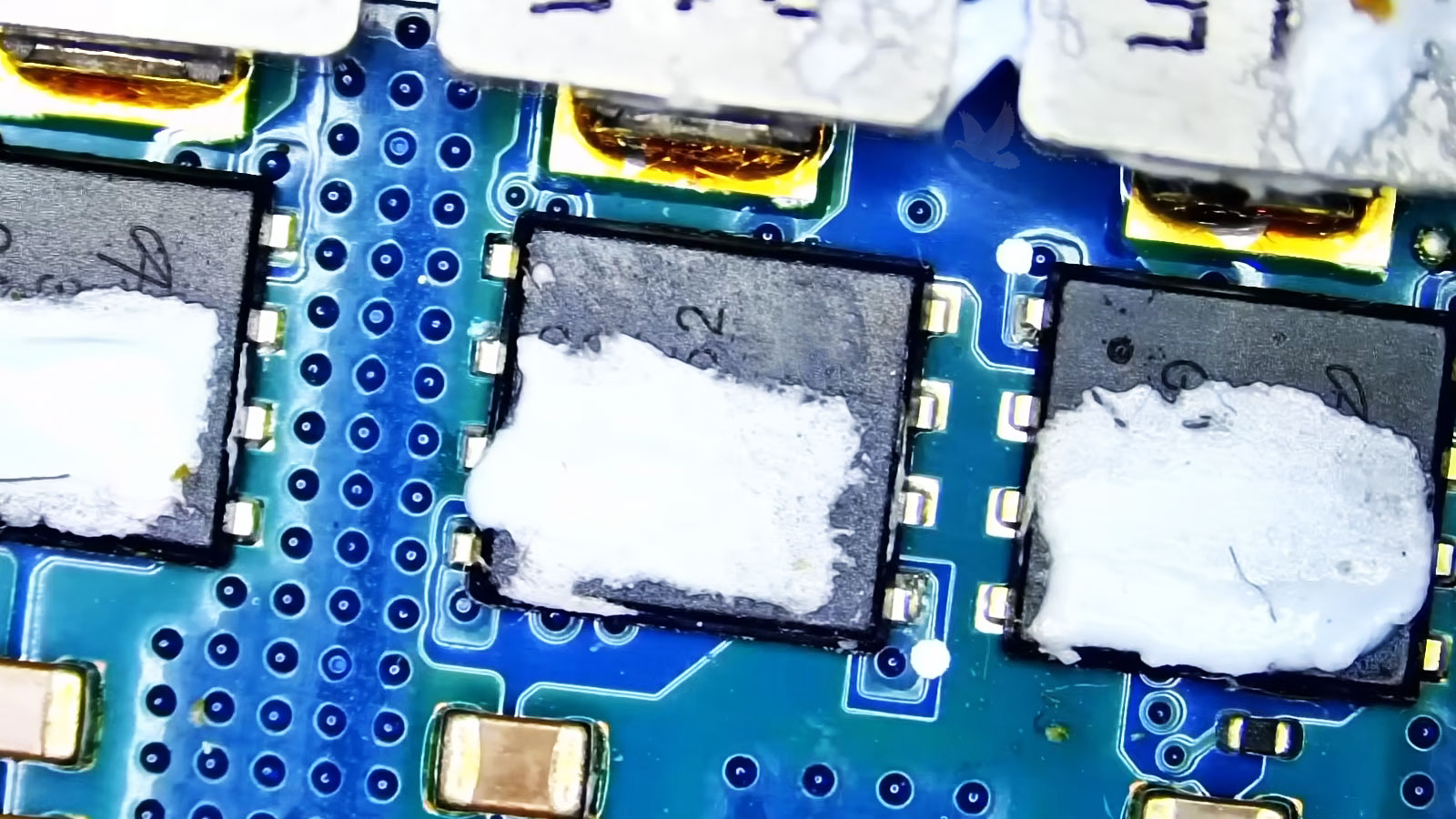
Some computer problems can be resolved by replacing a conventional component. Others reach connectors, power circuits, firmware, or components mounted directly to the motherboard, where replacing an entire assembly may not be the only available approach.
When It Makes Sense to Stop Using the Computer
Some computer problems are inconvenient but allow normal use to continue temporarily. Others can become more serious when the machine remains powered on, repeatedly restarts, or continues operating with a known physical or electrical problem.
| What You Notice | Why Continued Use May Matter |
|---|---|
| Burning smell or unusual electrical odor | Powering the computer down can prevent continued stress on an overheating or electrically damaged component. |
| Liquid entered the computer | Applying power while moisture remains present can increase electrical damage and accelerate corrosion. |
| Grinding or abnormal mechanical noise | Continued operation may place additional stress on a failing fan, drive, or another moving component. |
| Charging connector becomes excessively hot | Heat around the charging path can indicate a connection or power-delivery problem that deserves attention before continued use. |
| Important files become difficult to access | Repeated attempts to use unstable storage can complicate recovery if the device is physically deteriorating. |
The goal is not to shut down a computer for every minor symptom. It is to recognize situations where continued operation could increase the damage or place important data at greater risk.
Some Repairs Need the Computer in Front of the Technician
Remote troubleshooting can be useful when the problem can be reached through the operating system or handled through configuration and software. Physical failures are different. A damaged connector, overheating system, failed component, motherboard fault, or computer that no longer starts normally requires direct access to the equipment for testing and repair.
For Surfside residents, equipment that needs this type of hands-on attention can be picked up and returned within Miami at no additional charge. This allows a computer that requires bench testing or physical repair to be handled without requiring a separate trip simply to bring the machine in.
A Problem Is Easier to Address Before It Becomes the New Normal
It is easy to adapt to a computer that takes longer to start, disconnects occasionally, runs hotter than it used to, or needs a second attempt before something works. Once those behaviors become familiar, they can remain part of the daily routine for weeks or months even though the machine is clearly behaving differently.
There is no need to determine the technical cause before asking about it. A description of what has changed, how often it happens, and anything unusual that preceded it is enough to begin the conversation.