
MacBook Pro Display Problems Need the Right Repair Path
A damaged MacBook Pro screen can appear in several ways. The display may be visibly cracked, remain completely dark, show colored lines, develop flickering or distorted areas, or lose part of the image while the computer itself continues to operate. Because these symptoms do not all point to the same failure, the condition of the display needs to be considered before deciding what should be replaced.
When the screen assembly itself is damaged, replacing the complete display assembly can restore the LCD panel and the integrated parts surrounding it as a single unit. Other display problems may require further testing first, particularly when there is no obvious physical damage to the screen.
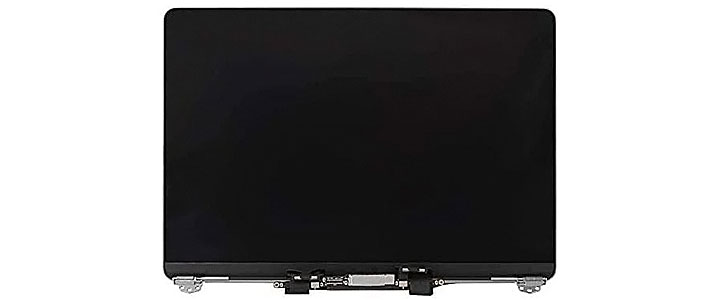
Complete display assembly ready for installation during a MacBook Pro screen replacement.
What Appears on the Screen Helps Narrow the Problem
Display symptoms provide useful clues about where a failure may be located. Physical damage can make the repair direction obvious, while a dark or unstable display may require testing before the screen assembly is considered defective. Looking at how the image fails helps separate different types of screen-related problems.
The visible symptom tells us where to begin. Testing determines whether replacing the screen is actually the correct repair.
Sometimes the Screen Is Replaced as a Complete Assembly
The display portion of a MacBook Pro is more than the visible panel. Depending on the model, the upper assembly brings together the LCD and other integrated parts within a thin structure designed to open, close, and connect to the computer below.
When damage affects the assembly in a way that makes complete replacement the appropriate repair, the existing display can be removed and a compatible replacement installed in its place. This avoids treating the screen as though it were simply a removable piece of glass sitting above an otherwise independent display.
Compatibility matters as well. MacBook Pro generations can differ in screen assemblies, connections, dimensions, and other design details. The replacement therefore needs to correspond to the particular machine being repaired rather than being selected simply because it looks similar.
More Than the LCD Panel
The upper display is an assembled structure. What is physically damaged and how the model is constructed help determine whether the complete assembly is the practical replacement.
The Correct Assembly Matters
A replacement intended for the wrong MacBook Pro generation or configuration is not interchangeable merely because the screen size appears to match.
Replacing the Display Involves More Than Removing a Broken Screen
The display assembly is mechanically attached to the MacBook Pro while also depending on connections that pass between the upper and lower portions of the computer. Replacing it requires access to those attachment points and connections without creating damage around parts that are meant to remain in service.
Display-related cables and connections need to be disconnected and handled without unnecessary stress. Their location and arrangement vary between MacBook Pro generations, making the construction of the particular model important during disassembly and installation.
The hinges physically join the display to the lower enclosure and control how the screen moves. During replacement, the assembly needs to sit correctly relative to the body so the lid opens, closes, and rests in the intended position rather than being installed under uneven mechanical tension.
Once the replacement display is installed, connections and previously removed parts need to return to their proper positions before the MacBook Pro is closed. Cable routing, fasteners, and surrounding components all matter because the repair should leave the computer assembled as a complete system, not merely with a working panel attached to it.
Careful installation protects the replacement display while preserving the parts of the MacBook Pro that did not require repair.
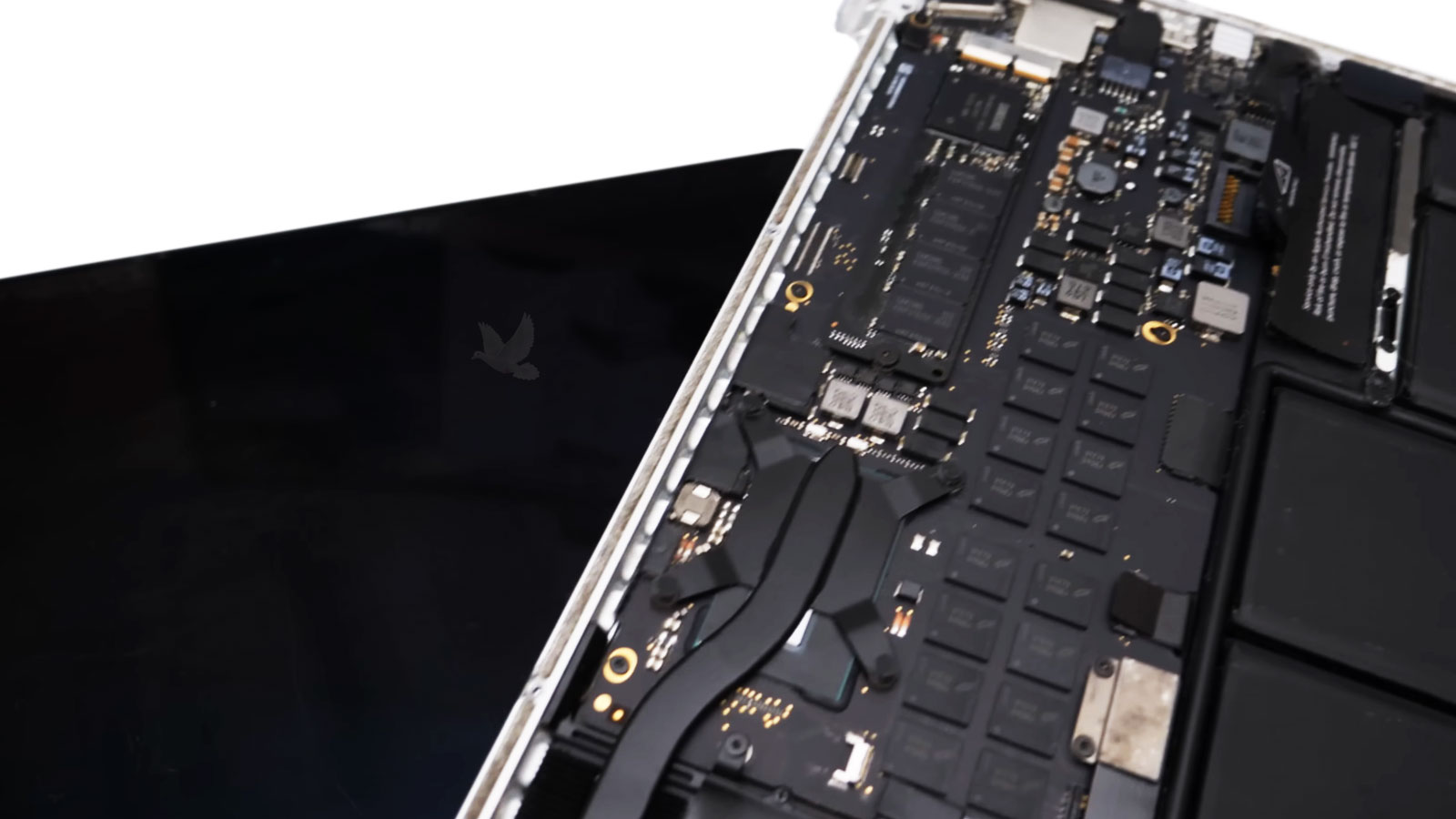
The replacement display should be evaluated as part of the MacBook Pro, not simply checked for whether an image appears.
A New Display Still Needs to Be Checked
Seeing the desktop on a newly installed screen is an important first result, but it does not confirm every aspect of the replacement. The display should be observed across normal operation to make sure the image remains consistent and the assembly behaves correctly after installation.
A successful screen replacement should look correct, respond correctly, and remain stable while the display is being used normally.
Screen Damage Does Not Always Develop the Same Way
The way a MacBook Pro display becomes damaged can influence what is visible afterward. Some failures appear immediately, while others begin in one portion of the screen or change when the lid is moved. Understanding how the problem developed adds useful context when the display is examined.
Direct Impact
A strike against the display can damage the panel even when the surrounding enclosure remains largely intact.Internal Damage Can Spread Beyond the Impact
Cracks, dark areas, colored patterns, or missing portions of the image can extend beyond the point where the screen was struck. What appears externally does not always reveal the full extent of the panel damage.
Pressure Damage
Excessive pressure against an open or closed display can affect the thin panel without leaving an obvious external break.The Surface Can Look Better Than the Panel
Internal damage may produce lines, discoloration, distorted sections, or image loss even when the outside of the screen does not appear severely damaged.
Hinge-Side Stress
Repeated mechanical stress near the lower portion of the display can affect areas exposed to movement as the screen opens and closes.Screen Position Can Reveal a Pattern
When the image changes, flickers, or disappears at particular display angles, that relationship with movement provides useful information when evaluating the screen and its associated connections.
Damage During Transport
A MacBook Pro can suffer display damage while being carried even when the computer was never obviously dropped.A Closed Lid Still Needs Protection
Pressure from another object, an impact inside a bag, or force against the closed lid can damage the display while leaving the rest of the MacBook Pro operational.
The Original Display Problem Should Be Gone After the Repair
A replacement screen should correct the condition that made the original display unusable. Comparing the behavior before and after the repair provides a practical way to confirm that the new assembly has addressed the actual problem rather than simply producing an image during an initial power-on test.
The goal is not simply to install another screen. It is to return the MacBook Pro with the display problem that brought it in actually resolved.
Bring Back the Display You Depend On
A damaged or unreliable screen can make an otherwise functional MacBook Pro difficult or impossible to use. Whether the problem began with an impact, pressure against the display, intermittent image behavior, or a screen that simply stopped producing a usable picture, the next step should be based on what the display is actually doing.
MacBook Pro screen repair and replacement are available in Miami when the built-in display needs professional attention. The screen can be evaluated first when the cause is uncertain, while confirmed display damage can move toward replacement with an assembly appropriate for the particular MacBook Pro.
For customers within Miami, the MacBook Pro can be collected and returned without an added pickup or delivery charge. Service beyond Miami can also be coordinated, with transportation cost determined by the additional travel involved.