

A Computer Can Work Normally Until It Has to Change States
A computer that remains stable while it is already running may still have trouble when it needs to start, restart, enter sleep, wake from sleep, or shut down. Those transitions require hardware and software to change power levels, preserve or restore information, and bring individual devices into or out of operation in a controlled way.
That creates failures that ordinary use may never reveal.
A system might run for hours without difficulty but refuse to wake after being left idle. Another may restart correctly from Windows or macOS yet fail after a complete shutdown. A laptop can appear stable until the lid is closed and opened again, while a desktop may lose a device only after resuming from a low-power state.
These symptoms are useful because they narrow the problem to what changes during the transition. Diagnosis can then examine whether a device is failing to reinitialize, whether stored system state is being restored correctly, or whether hardware that powers down successfully is unable to return to normal operation.
The Reading Can Be Wrong
Modern computers rely on temperature information to make decisions about fan speed, processor performance, charging, and protective shutdowns.
If the information reaching the control system is inaccurate, the computer can react to a temperature condition that does not actually exist.
A Thermal Problem Does Not Always Mean Something Is Too Hot
Temperature monitoring depends on more than the physical temperature of a component. Sensors, thermistors, electrical connections, reference values, and monitoring circuitry all contribute to the number eventually interpreted by the system.
A fault anywhere along that path can produce an incorrect reading.
A damaged sensor may report a temperature far above or below reality. A poor connection can make the reading jump unexpectedly, while a problem in the supporting circuit can cause otherwise normal hardware to appear dangerously hot.
The computer may respond exactly as it was designed to respond: increase fan speed, reduce performance, interrupt charging, display a thermal warning, or shut itself down. The protective response can therefore be functioning correctly even though the information that triggered it is wrong.
Comparing reported temperatures with the actual behavior and physical condition of the hardware helps determine whether heat is truly the problem or whether the measurement itself has become part of the failure.
A Power Circuit Has to Know What It Is Producing
Regulated power circuits do not simply generate a voltage and leave it unchanged. Many continuously measure a portion of their own output and return that information to the controller. The controller uses this feedback to decide whether the output needs to be increased, reduced, or maintained.
When the feedback path becomes inaccurate, the circuit can make the wrong adjustment even though the components responsible for producing power are still capable of working.
A Connection Can Test Good Until Current Has to Pass Through It
A continuity test can confirm that an electrical path exists, but it does not necessarily show how well that path performs while the computer is operating. A connector, solder joint, cable, fuse, switch, or other conductive path can remain electrically connected while developing enough resistance to interfere with the circuit it supplies.
With little or no current flowing, the connection may appear normal. Under a real operating load, however, even a relatively small unwanted resistance can create a voltage drop across that point.
The result is a fault that changes with demand. Hardware may initialize correctly and then become unstable when it begins drawing more current, or a device may work intermittently depending on how heavily the circuit is being used.
Small Parts Can Control Large Functions
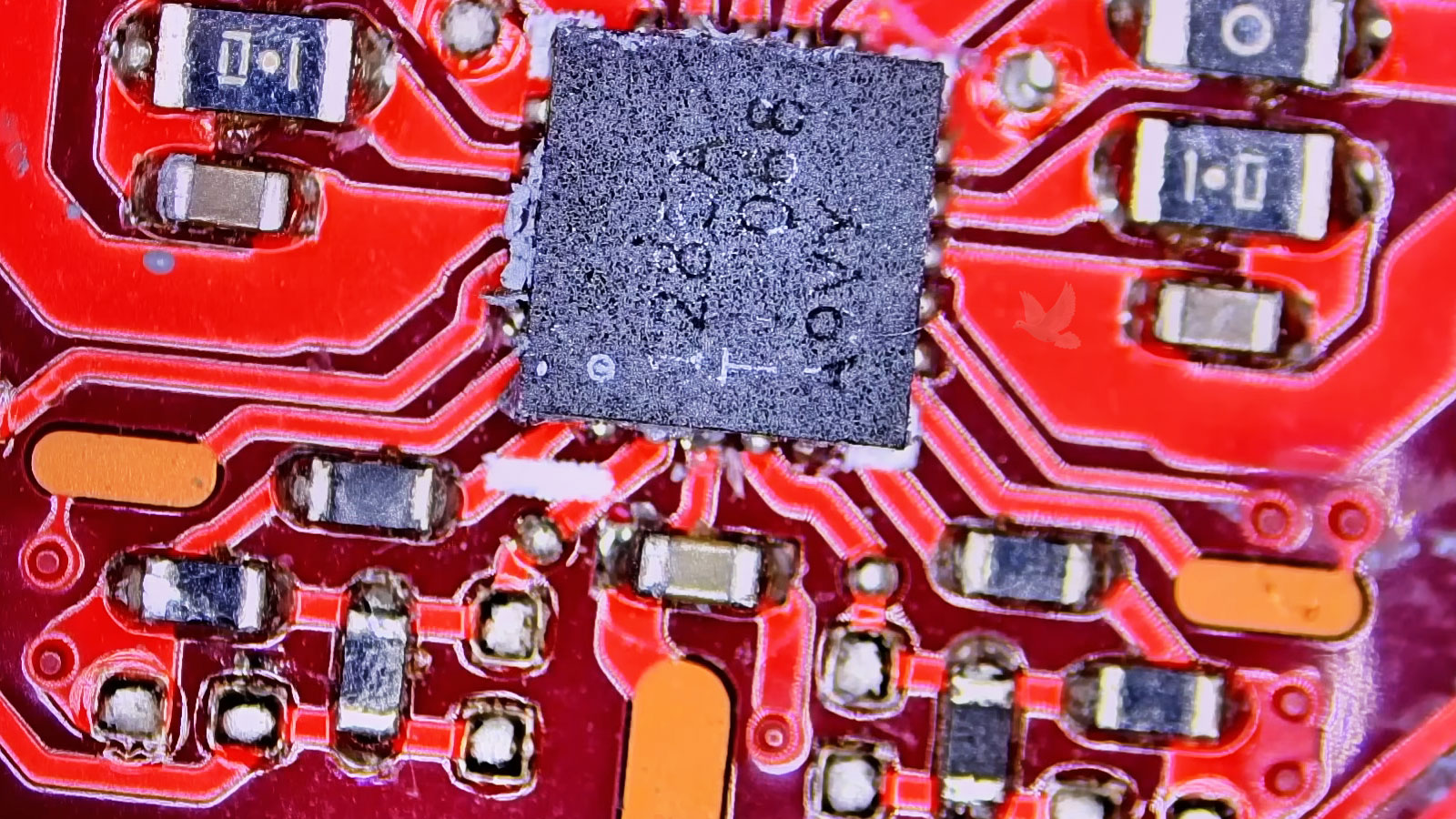
The Failed Component May Be Almost Too Small to Notice
Modern circuit boards contain large numbers of resistors, capacitors, filters, and other small components surrounding the processors, controllers, connectors, and power circuits that attract most of the attention.
Their size does not reflect their importance.
A small component may stabilize a supply, filter unwanted electrical activity, establish operating conditions for another device, or provide part of the path that allows a control circuit to function correctly. When one changes electrically, the resulting symptom can appear somewhere completely different on the board.
Visual inspection alone may provide no answer. A failed component can retain its normal shape and color while becoming shorted, open, leaky, or electrically different from its intended value.
Diagnosis may therefore require measurements around the circuit and comparison with neighboring or related sections rather than searching only for something visibly damaged.
Finding the defective part can come down to understanding what each small component is doing within the larger circuit and whether its electrical behavior still matches that job.
The Drive Is Only One Part of the Path
Good Storage Cannot Protect Data That Arrives Already Corrupted
When files become damaged, attention naturally turns toward the SSD or hard drive. But information passes through several parts of the computer before it is finally written to storage.
Data may originate in memory, move through a controller, cross an interface, and pass through additional circuitry before reaching the storage device. A problem along that route can alter information even when the drive itself is functioning normally.
That distinction becomes important when storage tests repeatedly show a healthy device but corrupted files, installation errors, decompression failures, or inconsistent copies continue to appear.
Comparing the same information at different stages can help separate a storage failure from corruption introduced earlier in the path. Memory instability, a controller problem, an unreliable interface, or another part of the transfer chain may be responsible for sending incorrect data to a perfectly capable drive.
In that situation, replacing the storage device does not correct the cause. The useful question is not only whether the drive can store information correctly, but whether the information reaching it is still correct when it gets there.
The Computer Can Be Affected by Electrical Activity Around It
Not every electrical disturbance begins inside the computer. Long cables and connections to other equipment can provide paths for unwanted electrical activity to reach sensitive interfaces.
Network cables, video connections, USB wiring, audio lines, and other external connections can place equipment that may be physically separated onto the same electrical system. Under certain conditions, interference or transient electrical activity entering through one of those paths can disturb communication without immediately damaging the connected hardware.
The symptoms may be brief and difficult to reproduce: a network connection drops, a USB device resets, a display loses its signal momentarily, or the computer becomes unstable only when particular equipment is connected and operating nearby.
That makes the surrounding installation part of the diagnosis. Testing the computer independently and then restoring external connections systematically can help identify whether the disturbance originates inside the machine or arrives through something attached to it.
A computer that behaves normally on the workbench but fails in its usual location may be revealing information about the environment around the system rather than the computer alone.
When a Computer Problem Starts Getting in the Way
There is a difference between noticing an occasional odd behavior and reaching the point where a computer can no longer be trusted to work when it is needed. Repeated interruptions, unsuccessful restarts, unreliable connections, unexpected changes in operation, or failures that return after appearing to disappear can eventually make normal use unnecessarily difficult.
That is the point where we can step in. Our North Miami computer repair service is available when you are ready to stop working around the problem and have the machine properly examined.
We can evaluate its condition, determine what requires attention, and handle the repair according to what the computer actually needs. The purpose is straightforward: resolve the problem so the machine can return to doing the job you depend on it to do.