
Repair Starts at the Circuit Level
Motherboard problems can involve power delivery, damaged components, failed connections, short circuits, firmware issues, or individual circuits that are no longer operating correctly.
Finding and Repairing Problems on the Main Circuit Board
The motherboard connects nearly every major part of a desktop computer. When something fails on the board, the symptoms can appear in many different ways, including no power, failed startup, unstable operation, missing ports, memory problems, or hardware that is no longer detected.
Proper diagnosis begins by identifying which part of the motherboard is actually responsible rather than assuming the entire board needs replacement.
Power and Startup Problems
Faults in power circuits, connectors, voltage regulation, or related components can prevent the desktop from starting correctly.
Ports and Connected Hardware
USB ports, front panel connections, storage interfaces, lighting headers, and other motherboard connections can fail independently.
Component and Circuit Failures
Individual chips, capacitors, regulators, traces, solder joints, and surrounding circuitry may require closer inspection and testing.
The Symptom Does Not Always Identify the Failed Circuit
A desktop that will not power on, freezes during startup, loses USB connectivity, fails to detect storage, or behaves unpredictably may appear to have a motherboard problem, but the visible symptom does not always reveal the exact cause.
Testing is needed to separate a board level failure from problems involving the power supply, memory, processor, storage devices, connected hardware, or other components.
Confirm the Cause Before Repairing the Board
A motherboard should be repaired only after the fault has been narrowed to the board itself and the affected circuit or component has been identified closely enough to justify the repair.
Motherboard Faults Can Affect Different Parts of the Computer
A motherboard contains multiple circuits, controllers, connectors, and power paths. A failure in one area may affect only a particular function, while another fault can prevent the entire computer from operating.
| Problem Area | Possible Symptoms | What May Need Attention |
|---|---|---|
| Power Circuits | No power, immediate shutdown, repeated startup attempts, or unstable operation | Power input circuitry, voltage regulation, damaged components, connectors, or shorted areas |
| Memory Circuitry | Failure to start, memory errors, instability, or installed memory not being recognized correctly | Memory slots, surrounding circuitry, damaged connections, board traces, or related components |
| USB and Peripheral Connections | Dead ports, intermittent connections, devices disconnecting, or connected hardware not being detected | Ports, headers, damaged connectors, protection components, controller circuitry, or short circuits |
| Storage Connections | Drives disappearing, storage devices not being detected, or unreliable communication with connected drives | SATA connections, M.2 interfaces, surrounding circuitry, damaged connectors, or related controller functions |
| Board Components and Connections | Unpredictable behavior, isolated hardware failures, startup problems, or functions that stop working completely | Chips, capacitors, regulators, solder joints, traces, connectors, and surrounding circuitry |
Board Repair Can Be More Precise Than Board Replacement
Replacing an entire motherboard is not always necessary when the failure is isolated to a repairable area. Depending on the problem, individual components, damaged connections, solder joints, connectors, or sections of circuitry may be examined and repaired directly.
The condition of the board still matters. Extensive physical damage, multiple failures, unavailable components, or damage affecting critical circuitry can change whether a board level repair remains practical.
The Repair Depends on What Actually Failed
Once the defective area has been identified, the repair can focus on that specific problem rather than replacing unrelated hardware that is still functioning correctly.
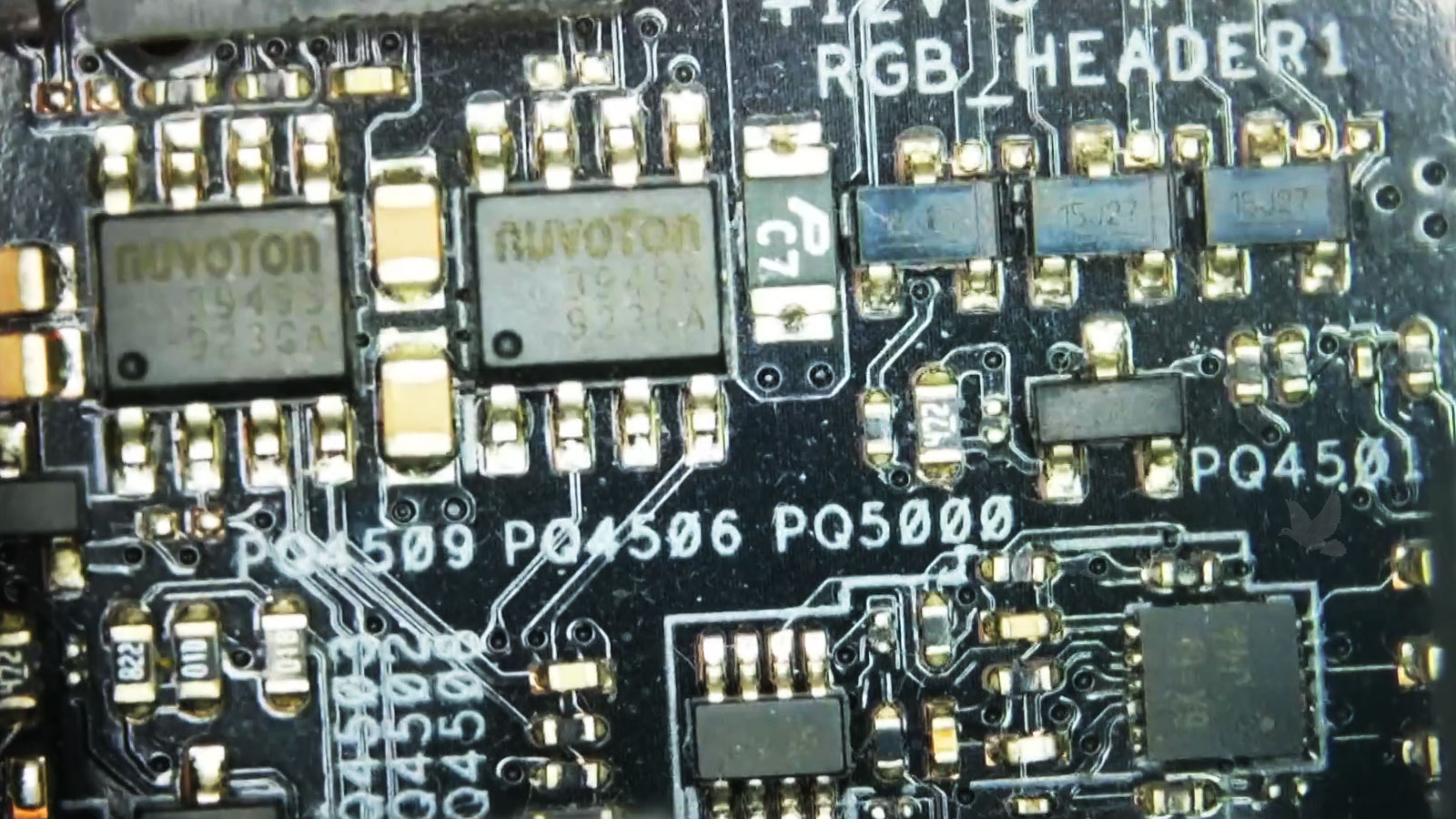
Repairing the Board Requires More Than Finding a Damaged Part
Visible damage can provide an important clue, but motherboard repair often requires additional testing to understand why the component failed and whether surrounding circuitry has also been affected.
Testing begins by narrowing the problem to the affected area of the motherboard. Measurements, inspection, and the behavior of the computer can help identify where power, signals, or normal circuit operation has been interrupted.
A failed component may be the result of another problem nearby. Related components, power lines, connections, and surrounding circuitry may need to be checked before replacing the part that first appears defective.
After the affected component, connection, or circuit is repaired, the motherboard should be tested again to confirm that the original fault has been corrected and that the repaired area is operating properly.
Not Every Damaged Motherboard Should Be Repaired
The possibility of repairing a circuit does not automatically mean that the repair makes practical sense. The extent of the damage, condition of the board, availability of components, and overall value of the computer should be considered before proceeding.
Factors That Can Affect the Decision
A Successful Circuit Repair Still Needs Verification
Correcting the identified fault is only part of the job. The motherboard and the functions affected by the original problem should be checked again before the repair is considered complete.
Inspect the Repaired Area
The repaired components, connections, and surrounding circuitry should be examined for proper placement, soldering, and any remaining visible damage.
Check Electrical Conditions
Relevant power lines and circuit measurements can be checked again to confirm that the abnormal condition found during diagnosis is no longer present.
Test System Operation
The desktop should start and operate normally enough to verify that the original motherboard problem has actually been corrected.
Verify Affected Functions
Ports, storage connections, memory, peripherals, or other functions related to the repaired circuit should be tested when applicable.
The Motherboard Should Be Considered With the Rest of the System
A confirmed motherboard fault may be the main problem, but the condition of the components connected to it still matters. Power supplies, memory, processors, storage devices, graphics cards, and peripherals can influence motherboard behavior or contribute to problems that appear again after a repair.
Protect the Repaired Board
A questionable power supply, damaged peripheral, faulty cable, or problematic connected component should not simply be returned to service without consideration if there is evidence that it may have contributed to the original failure.
Confirm the Complete System
Once the motherboard is operating correctly, the desktop should be evaluated as a complete computer. Normal startup, stability, connected hardware, and the functions related to the original fault should work together as expected.
A Motherboard Problem Does Not Always Require a New Board
When the failure can be isolated to a repairable component, connection, or circuit, addressing that specific fault may restore normal operation without replacing the entire motherboard. The condition of the board and the nature of the failure ultimately determine which approach makes sense.