
A Damaged Display Does Not Always Mean the Computer Is Finished
The screen is one of the largest and most exposed components in an all in one computer. Cracks, impact damage, lines, discoloration, flickering, dark areas, or a panel that no longer produces a usable picture can make the entire computer appear unusable even when the system behind the display is still operating normally.
Replacing the screen begins with identifying the type of display failure and confirming that the panel itself is responsible for the problem. Similar symptoms can sometimes originate from display connections, internal electronics, or other hardware rather than the screen.
PANEL OR SIGNAL?
A visible screen problem can come from the LCD panel itself or from the hardware responsible for delivering the image to it. Confirming which side has failed prevents a screen from being replaced unnecessarily.
Screen Damage Can Affect the Picture in More Than One Way
Some display failures are obvious, while others are easy to confuse with graphics, cable, or motherboard problems. The way the image behaves can help narrow down whether the panel itself is physically damaged, electrically failing, or no longer producing a complete picture.
A Blank Screen Does Not Automatically Need a New Screen
When an all in one powers on without producing a normal picture, the display panel is only one possible cause. Testing the system before ordering a replacement helps separate an actual screen failure from a problem elsewhere in the display path.
The Display Signal Can Be Checked Before the Panel Is Removed
Depending on the computer and the symptoms, diagnosis can include checking whether the system completes startup, whether an external display produces an image, and whether the internal screen is receiving the connections and signals it needs to operate.
A working picture on an external monitor can be especially useful when the built-in display remains blank. It shows that the computer is capable of generating video and helps narrow the problem toward the internal display system rather than treating the entire computer as a no-video failure.
The screen, display cable, connectors, backlight circuitry, and related electronics still have to be distinguished from one another. That distinction is important because replacing a good LCD panel will not correct a failed cable, damaged connector, or another problem interrupting the picture.
The Screen Is Part of the Computer, Not a Separate Monitor
In an all in one computer, the display is built into the same enclosure as the motherboard, storage, cooling system, speakers, wiring, and other internal hardware. Reaching the panel usually requires opening the computer and working around components that remain part of the assembled system.
The construction varies considerably between manufacturers and models. Bezels, adhesive, mounting hardware, internal cables, and the order in which components must be removed can all affect how the display is accessed.
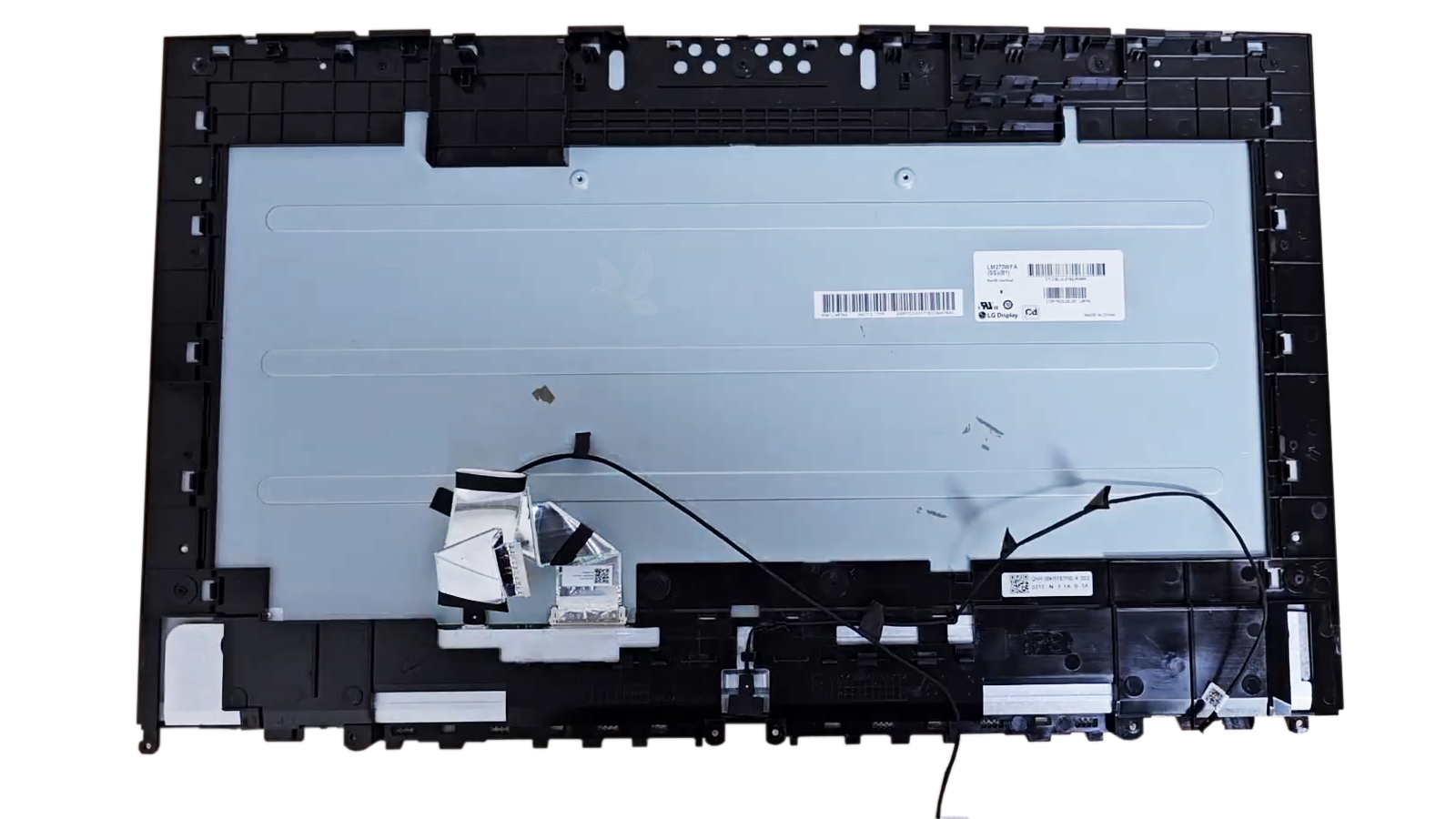
The Replacement Panel Has to Match More Than the Screen Size
Two all in one computers can use screens with the same diagonal measurement and still require different panels. Resolution, connector type and position, mounting points, panel thickness, backlight design, and other specifications can determine whether a replacement is actually compatible.
Confirming compatibility before installation reduces the risk of opening the computer only to discover that a panel with the correct advertised size cannot actually be used in that particular model.
A New Screen Should Be Tested Before Everything Goes Back Together
Once the replacement panel is connected, the display can be checked before the enclosure is completely reassembled. This provides an opportunity to confirm that the new screen is communicating properly with the computer and that the original display problem has actually been corrected.
Testing at this stage also makes it easier to correct a connection or installation issue while the display assembly is still accessible.
CONNECT
TEST
REASSEMBLE
Confirm the replacement is operating correctly while the display assembly is still accessible.
Screen Replacement Should Make Sense for the Computer
Once the display failure and the correct replacement panel have been identified, the remaining question is whether replacing the screen is a practical repair for that particular computer. The answer depends on more than the fact that a compatible panel exists.
When Replacement Is a Practical Direction
Screen replacement can make good sense when the computer is otherwise operating properly, the damage is limited to the display system, and a suitable panel is available at a reasonable cost.
The overall condition and usefulness of the computer matter as well. A system that still meets the owner’s needs may remain worth repairing even after the original screen has been damaged.
When the Decision Needs a Closer Look
A costly or difficult-to-source panel can change the economics of the repair, particularly when the computer is older or already has other significant hardware problems.
In those situations, identifying the screen and understanding the complete condition of the computer makes it possible to compare the repair with other practical options before committing to the replacement.
The goal is to make the replacement decision with the display problem, panel availability, and condition of the computer already understood.
Find Out What the Display Actually Needs
A cracked panel may make the next step obvious, but lines, flickering, a dark display, or a completely blank screen can require additional testing before replacement is appropriate. The screen and the hardware responsible for delivering the picture can be checked to determine where the failure actually begins.
When the panel is confirmed as the problem, the correct replacement can be identified according to the computer’s display specifications and physical construction. The condition of the computer and availability of the screen can also be considered before proceeding with the repair.
If an all in one computer has a damaged or unusable display, the problem can be evaluated to determine whether screen replacement is the appropriate repair.