
Understanding SuperSpeed USB
USB Had Become Almost Invisible
By the time USB 3.0 began appearing on ordinary personal computers, USB itself was already deeply established. Keyboards, mice, printers, cameras, flash drives, external hard drives, scanners, and countless other devices relied on an interface that users had come to expect on practically every computer.
USB 2.0 had provided a theoretical signaling rate of 480 Mb/s, which was more than adequate for many peripherals. But storage devices and other data-intensive hardware were becoming faster, files were becoming larger, and the limitations of the older connection were increasingly noticeable.
USB 3.0, also known as SuperSpeed USB, addressed that problem with much more than a simple increase to an existing clock rate.
A New Data Path Inside a Familiar Interface
USB 3.0 retained compatibility with earlier USB devices while adding separate connections for SuperSpeed communication. This allowed the familiar USB ecosystem to evolve without requiring older peripherals to disappear.
SuperSpeed Raised the Signaling Rate Dramatically
USB 2.0 operated at a maximum signaling rate of 480 Mb/s. SuperSpeed USB increased that figure to 5 Gb/s. The theoretical difference was substantial, although actual file-transfer performance remained lower than the raw signaling rate because protocols, controllers, storage devices, software, and other parts of the system all introduced overhead or limitations.
The additional bandwidth was particularly useful for external storage. A mechanical hard drive, and especially emerging solid state storage, could transfer enough data that the USB 2.0 connection itself became an obvious restriction.
USB 2.0
A 480 Mb/s signaling rate served an enormous range of peripherals, but high-performance storage could increasingly encounter the limits of the interface.
SuperSpeed USB
A 5 Gb/s signaling rate provided substantially more room for external drives and other devices capable of moving large amounts of data.
That did not mean every USB 3.0 device suddenly transferred information at anything close to 5 Gb/s. The interface establishes the available communication capability. The hardware attached to it still determines how much useful data can actually be produced or consumed.
The Connector Carried More Than the Old Four Contacts
The familiar USB 2.0 Type-A connection used four electrical contacts. Two provided power and ground, while the remaining pair carried USB 2.0 data.
USB 3.0 retained those connections and introduced additional contacts for SuperSpeed communication. A compatible USB 3.0 connection therefore had an independent set of signal paths available for the faster protocol while preserving the contacts needed by earlier USB devices.
Compatibility Was Built Into the Physical Design
A USB 2.0 Type-A plug could still make contact with the original USB connections in a compatible USB 3.0 Type-A receptacle. A SuperSpeed device used the additional contacts when connected through appropriate USB 3.0 hardware.
SuperSpeed Could Send and Receive at the Same Time
The additional signal paths changed more than maximum bandwidth. USB 2.0 communication used a shared data pair and did not provide independent simultaneous transmit and receive paths in the same way as SuperSpeed USB.
USB 3.0 introduced separate differential signal pairs for transmitting and receiving SuperSpeed data. This gave the newer interface a full-duplex communication architecture at the SuperSpeed level.
The Architecture Was Different
SuperSpeed was not simply USB 2.0 operating ten times faster over the same two data wires. The additional high-speed transmit and receive paths were a fundamental part of the newer design.
This is also why examining only the familiar USB connector shape does not tell the complete electrical story. Two ports can accept similarly shaped plugs while supporting different internal signal sets and communication capabilities.
Backward Compatibility Required Two Worlds to Coexist
One of USB’s greatest strengths was the enormous collection of existing peripherals already in use. A new standard that immediately abandoned those devices would have created a significant obstacle to adoption.
USB 3.0 was therefore designed so that SuperSpeed functionality could coexist with earlier USB communication. When an older USB device was attached to a compatible port, communication could occur using the older USB connection rather than the additional SuperSpeed paths.
The transition succeeded by adding a faster communication system without requiring the established USB ecosystem to start over.
Backward compatibility did not make an older device faster. A USB 2.0 peripheral connected to a USB 3.0 port still communicated according to the capabilities of USB 2.0.
Why Does a USB 2.0 Device Not Become SuperSpeed?
The additional bandwidth depends on SuperSpeed hardware at both ends of the connection and on the appropriate cable and signal paths. A legacy peripheral lacks the SuperSpeed interface needed to use those additional connections.
Not Every Computer Had Native USB 3.0 Support
During the early adoption period, the presence of USB 3.0 ports did not necessarily mean that the computer’s primary chipset provided the SuperSpeed controller directly.
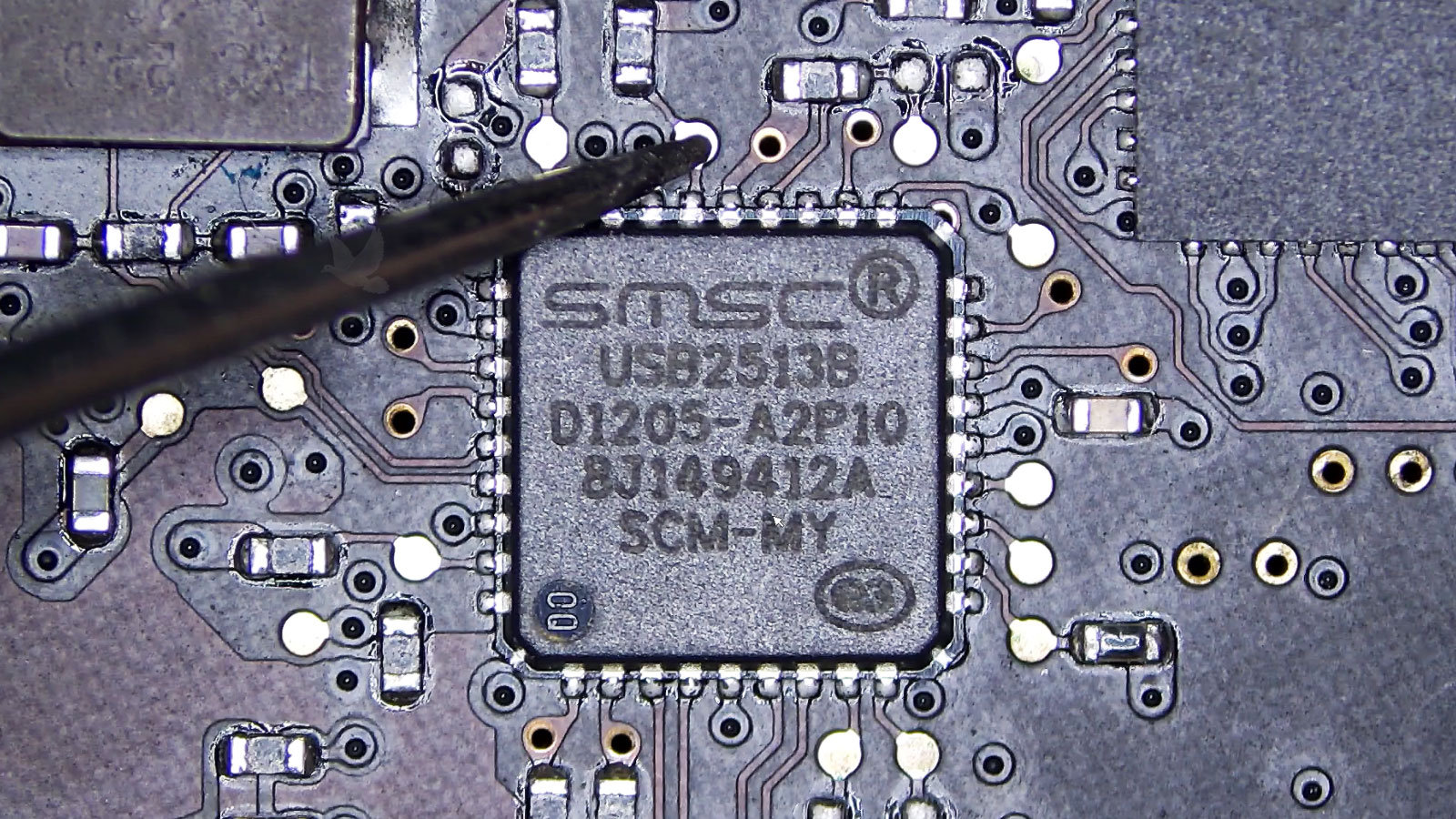
Motherboard manufacturers could add separate USB 3.0 host-controller chips to provide the new interface. These controllers commonly communicated with the rest of the system through another high-speed connection such as PCI Express.
As a result, two computers from the same general generation could differ considerably in their USB capabilities depending on motherboard design and the additional controller hardware installed.
The Port Was Only the Visible End
Behind a USB receptacle is a complete signal path involving the connector, circuit-board traces, host controller, system interconnects, firmware, operating-system drivers, cable, and peripheral controller. The connector alone does not determine whether SuperSpeed communication can occur.
Drivers Could Determine Whether the Port Worked Properly
Additional host controllers also meant that appropriate software support was important. The operating system needed a suitable driver to communicate with the USB 3.0 host controller.
A machine could therefore have physically present USB 3.0 ports while lacking normal SuperSpeed operation if the controller driver was missing, damaged, incompatible, or not properly loaded.
This distinction was especially relevant when installing an operating system or diagnosing a newly assembled computer. The existence of power at a USB connector did not prove that the host controller and its software stack were functioning.
Power Does Not Prove Data Communication
A USB device may receive electrical power even when the data path is unavailable. Charging, indicator lights, or other signs of power should therefore not be treated as proof that the host controller has successfully detected and enumerated the device.
A Connected Device Must Be Recognized and Configured
USB is designed around a host-controlled architecture. Connecting a peripheral begins a process in which the host detects the device and establishes communication before ordinary data exchange can occur.
The device provides information describing itself and the capabilities it exposes. The operating system can then associate the appropriate software support with those functions and configure the device for use.
Physical Connection
The connector and cable establish the electrical paths required by the compatible USB mode.
Enumeration
The host identifies the connected device and obtains information needed to understand its USB functions.
Software Support
The operating system associates the detected hardware with the drivers and services required to make its functions available.
A failure at any of these stages can produce a device that appears absent, operates incorrectly, repeatedly disconnects, or falls back to a different connection speed.
The Cable Became More Important Than It Looked
Because SuperSpeed USB added high-frequency signal paths, the cable was an active part of achieving the intended connection capability. A cable designed only for older USB communication could not provide SuperSpeed simply because one end happened to fit a compatible port.
Cable quality, length, connector condition, shielding, and signal integrity all matter more as data rates increase. Electrical communication that is reliable at a lower signaling rate is not automatically reliable when much faster signals are introduced.
Speed Problems Are Not Always Device Problems
When a high-speed peripheral operates below its expected capability, the complete connection should be considered. Host support, controller drivers, cable capability, hubs, connectors, and the peripheral itself can all influence the negotiated operating mode and actual performance.
USB Power Management Also Became More Sophisticated
USB 3.0 introduced changes intended to make link power usage more efficient. Rather than requiring unnecessary activity across the connection when no useful transfer was occurring, SuperSpeed provided mechanisms that allowed portions of the link to enter reduced-power states.
This mattered increasingly as USB expanded beyond desktop peripherals into portable computers and other devices where power consumption influenced battery life and thermal behavior.
The evolution of USB was therefore not exclusively a race for higher transfer numbers. Increasing bandwidth while managing power efficiently was becoming an important part of interface design.
External Storage Exposed the Difference Clearly
Many low-bandwidth devices had little reason to need SuperSpeed. A keyboard or mouse generates nowhere near the amount of data required to challenge USB 2.0.
External storage was different. Large backups, disk images, photographs, video collections, and other substantial files made transfer time highly visible. As storage devices became faster and capacities increased, moving that data through a 480 Mb/s interface became increasingly restrictive.
SuperSpeed gave those devices a much larger communication path. The actual performance still depended on the drive and system, but the interface was far less likely to be the same bottleneck it had been under USB 2.0.
The Familiar USB Port Was Becoming a Much Faster Interface
The move to USB 3.0 demonstrated how an established computer interface could evolve without discarding the devices and habits built around earlier versions.
The familiar connector concealed substantial technical changes. Additional signal contacts, separate transmit and receive paths, new host-controller requirements, higher signaling rates, different power-management capabilities, and new cabling requirements all worked together to create SuperSpeed operation.
At the same time, older USB devices remained useful. That combination of continuity and technical change allowed SuperSpeed USB to expand gradually across motherboards, laptops, external storage devices, and other peripherals without requiring an abrupt break from the enormous USB ecosystem that already existed.
