
Build a Cleaner Path for Every Network Connection
Network wiring becomes part of the infrastructure that computers, switches, access points, printers, cameras, and other connected equipment depend on every day. How those cables are planned and installed can affect much more than appearance. Their routes, termination points, identification, and organization all influence how easily the network can be used, maintained, and expanded.
A wiring installation can involve adding new network connections, extending existing infrastructure, organizing cables around network equipment, or replacing wiring that no longer suits the way a home or business uses its connected devices.
Planning those connections before cables are installed helps keep individual runs purposeful. Instead of allowing wiring to accumulate wherever another connection happens to be needed, the installation can account for where equipment is located now and where additional connectivity may reasonably be required later.
Good network wiring should make connections easier to understand, not create another problem to untangle later.
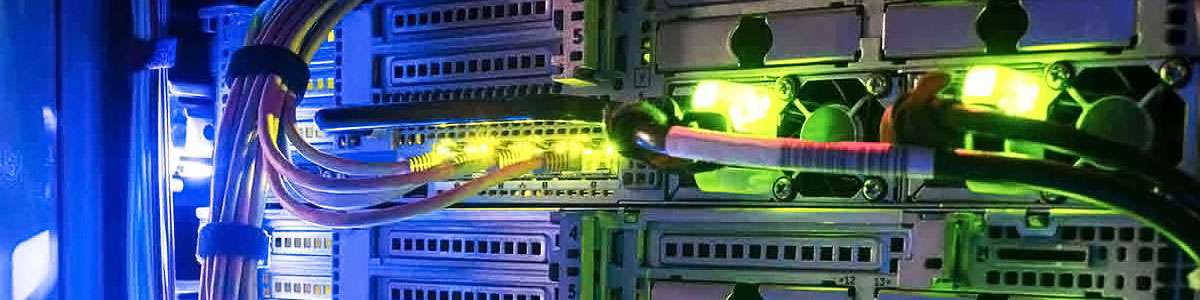
Order at the Equipment End Matters
Multiple cable runs eventually converge around network equipment, making this one of the places where organization becomes especially valuable. Neatly routed connections reduce unnecessary tangles and make individual cables easier to follow when equipment is changed or a particular connection needs attention.
Every Cable Run Should Have a Destination and a Purpose
Installing network cable begins with understanding what needs to be connected and where those connections belong. Equipment locations, work areas, network hardware, and the available routes between them can be considered before cable is pulled, helping the finished installation remain deliberate rather than improvised.
Planning first helps keep the installation organized from one end of each cable to the other.
Cable Routing Should Follow the Space, Not Fight Against It
Once the endpoints have been established, each network cable needs a suitable route between them. The available path may pass through walls, ceilings, equipment areas, or other accessible portions of the property depending on how the space is constructed.
A clean route keeps unnecessary cable out of occupied areas while allowing the run to reach its destination without excessive length or awkward placement. Existing infrastructure also needs to be considered so new wiring does not simply become another layer of tangled cable around older installations.
What Changes From One Installation to Another
Network wiring cannot always follow an identical path from one property to another. The building, equipment locations, and existing infrastructure determine how each installation can be approached.
A cable can reach the correct destination and still be poorly installed. The path it takes is part of the finished wiring job.
A Cable Run Is Only Useful When Both Ends Are Finished Properly
Routing the cable establishes the physical path, but the connection still has to be completed at its endpoints. The way each run is terminated and organized determines how it connects with network equipment on one side and the intended device or network outlet on the other.
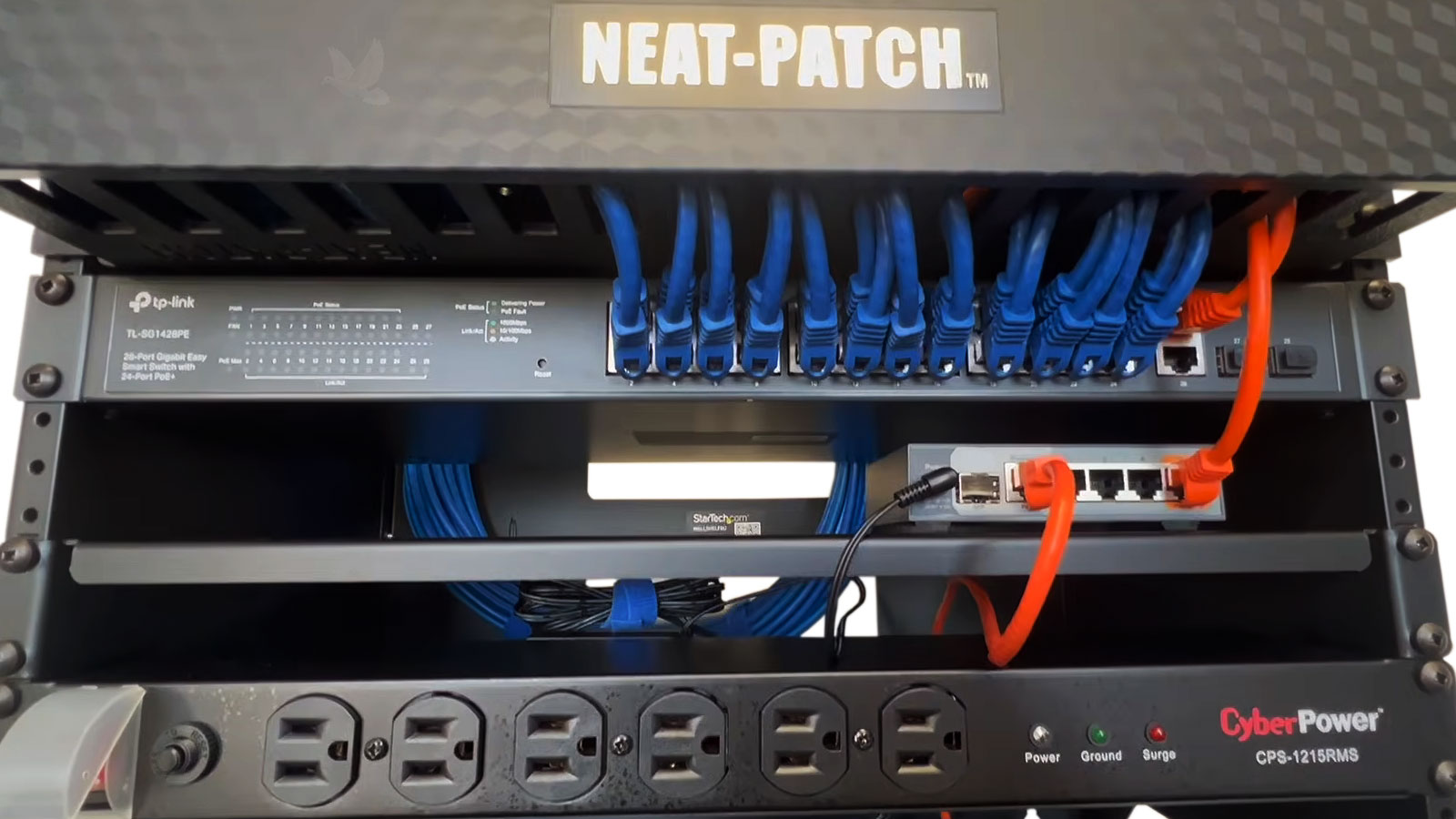
Both Ends Belong to the Same Installation
Network Equipment End
At the central network location, multiple cable runs may terminate near switches, patching equipment, or other network hardware. Keeping those connections orderly makes individual runs easier to identify and reduces unnecessary cable congestion around equipment.
Device or Outlet End
At the opposite end, the cable needs to reach the location it was intended to serve and provide a clean connection for the network device or outlet. The finished endpoint should correspond with the route and purpose established during planning.
The cable between two locations may be hidden from view, but the quality of the installation remains visible at both ends.
The Finished Cable Should Be Checked Before the Job Is Considered Complete
Once a network run has been routed and terminated, testing helps confirm that the connection was completed correctly from one endpoint to the other.
This step can expose problems that are difficult to recognize visually. A cable may look properly installed while still containing a termination problem, an interrupted conductor, or another condition that prevents the connection from operating as intended.
Finding that problem while the installation is still being completed is considerably better than discovering it later when a computer, access point, camera, or other device fails to communicate through the new run.
What Verification Can Tell Us
Testing can answer several different questions about the completed run. Together, those results help distinguish a properly finished connection from one that needs attention before it is put into regular use.
The individual conductors need an uninterrupted path between the two endpoints. A continuity problem can indicate that part of the cable or one of its terminations is preventing the signal path from reaching the opposite end correctly.
The conductors also need to correspond correctly from one end of the run to the other. Checking their arrangement can reveal crossed, reversed, missing, or otherwise incorrect connections that may not be apparent by looking at the outside of the termination.
After the physical run has been verified, the connection can be checked with the equipment it is intended to serve. This provides another confirmation that the installed path is usable rather than merely physically complete.
Testing closes the gap between a cable that appears finished and a network connection that has been confirmed to function.
Today’s Installation Should Not Become Tomorrow’s Cable Mystery
Network wiring often remains in place much longer than the computers and other devices connected to it. Workstations move, switches are replaced, access points are added, and rooms can take on different purposes while the installed cable continues serving the property.
That makes organization useful beyond the day of installation. When individual runs can be followed and their destinations understood, later network work does not have to begin by sorting through an unidentified collection of cables.
Keeping the equipment side orderly also leaves practical working space around switches and other network hardware when connections need to be moved or additional runs are introduced.
A wiring installation becomes easier to maintain when someone can understand what was done without having to rediscover every connection.
Organization Continues to Pay Off After Installation
The benefit is practical: less time spent tracing unknown wiring and a clearer network environment when the installation eventually needs to change.
One Wiring Infrastructure Can Serve Many Types of Network Equipment
Wired connections are useful anywhere network equipment benefits from a dedicated physical path back to the network. The purpose of each run may be different, but planning them as part of the same infrastructure helps keep those connections organized instead of treating every new device as a separate wiring project.
Computers and Work Areas
Desktops, docking stations, printers, and other equipment in frequently used work areas can connect through dedicated network runs instead of depending entirely on wireless access.
Wireless Access Points
Access points can require network cabling even though devices connecting through them are wireless. Proper placement allows the network to reach the location selected for wireless coverage.
Cameras and Network Devices
Network-connected cameras and other fixed devices may need cable runs to locations where ordinary computer connections would not normally be installed.
Switches and Equipment Areas
Network hardware can bring multiple connections together and distribute them toward the locations they serve, making the equipment area an important part of the overall wiring plan.
Considering these different uses together can produce a more coherent installation, particularly when several rooms or device types need wired connectivity within the same property.
Network wiring works best as infrastructure: individual cable runs may serve different equipment, but they should still make sense as parts of the same network.
Put the Right Network Connections Where They Are Needed
A network wiring installation can begin with a single connection or involve multiple cable runs serving different areas of a home or business. In either case, planning the routes, completing the terminations, organizing the equipment side, and verifying the finished connections all contribute to infrastructure that remains practical after installation.
Wiring installation service in Miami can accommodate new network connections, additional runs for expanding equipment, and situations where existing cabling needs to be reorganized or replaced. The layout can be considered around the property and the devices that need wired access rather than forcing every installation into the same arrangement.
The finished network should provide more than cables between two points. It should leave connections that are usable now and understandable when equipment changes later.
Miami customers can also have the initial service visit handled without a separate local travel charge. For locations beyond the regular Miami service area, any additional travel cost can be determined according to the distance involved.
Turn the Wiring Plan Into Working Connections
A cleaner route from the network equipment to each endpoint makes the finished installation easier to use, follow, and maintain.