
Finding the Cause of a Game Console Problem
A console that will not start, loses video, shuts down during play, refuses to read games, or behaves unpredictably does not always reveal what has actually failed. Similar symptoms can come from very different parts of the system, which makes diagnosis an important first step before deciding what should be repaired.
Power delivery, storage, cooling, internal connections, damaged ports, system software, and individual electronic components can each produce problems that appear similar from the outside. Identifying where the failure begins helps separate a repairable fault from symptoms caused elsewhere in the console.
The Same Symptom Can Lead to Very Different Repairs
A console that suddenly shuts off may have a cooling problem, a power-related failure, or an electronic fault on the board. A system with no picture may point toward the video connection, a damaged port, internal circuitry, or another condition preventing normal output. Even a console that appears completely dead can require testing before the failed area becomes clear.
This is why replacing the part that seems most obvious is not always the right starting point. The visible symptom tells part of the story, but testing helps determine whether that symptom is the original failure or simply the result of another problem inside the system.
A useful diagnosis narrows the possibilities before repair decisions are made. That can prevent unnecessary parts replacement and provides a clearer understanding of what the console actually needs.
Testing the Console as a Complete System
A game console combines several systems that depend on one another. Power has to remain stable, cooling must control operating temperatures, storage has to communicate properly, ports must maintain reliable connections, and the main board has to coordinate everything while the operating software starts and runs.
Diagnostic testing can therefore move through different areas of the console rather than concentrating immediately on a single suspected component. The condition of connectors, power behavior, temperature-related symptoms, storage response, visible board damage, and the circumstances under which the failure occurs can each provide useful information.
Some faults appear immediately. Others only become noticeable after the console has been running, when a particular feature is used, or when the system is placed under load. Looking at the console as a complete system helps connect those clues instead of treating each symptom as an isolated problem.
What a Console Is Doing Provides Diagnostic Clues
The way a failure appears can help determine where testing should begin. Different symptoms point toward different possibilities, but none should automatically be treated as proof that a particular component has failed.
No Power
The console does not respond normally when the power button is pressed, or it starts briefly and immediately shuts back down.Where Testing May Lead
Testing may involve the power input, internal power delivery, shorted components, damaged circuitry, or another fault preventing the system from completing startup.
No Video
The console appears to power on, but the screen remains blank, the signal cuts in and out, or no stable picture reaches the display.Where Testing May Lead
Possible areas include the HDMI port, surrounding video circuitry, damaged connections, board-level faults, or a system problem occurring before normal video output begins.
Unexpected Shutdowns
The system begins operating normally but powers off during gameplay, after warming up, or when the console is placed under heavier load.Where Testing May Lead
Diagnosis may focus on cooling performance, abnormal temperatures, power instability, internal contamination, or an electronic fault that appears only after the system has been running.
Startup or Storage Errors
The console may freeze during startup, fail to load normally, display storage-related errors, or behave unpredictably when accessing installed games and system data.Where Testing May Lead
Testing can involve storage communication, corrupted system data, internal connections, failing storage components, or another hardware or software condition interfering with startup.
One Failed Component Can Affect an Entire Circuit
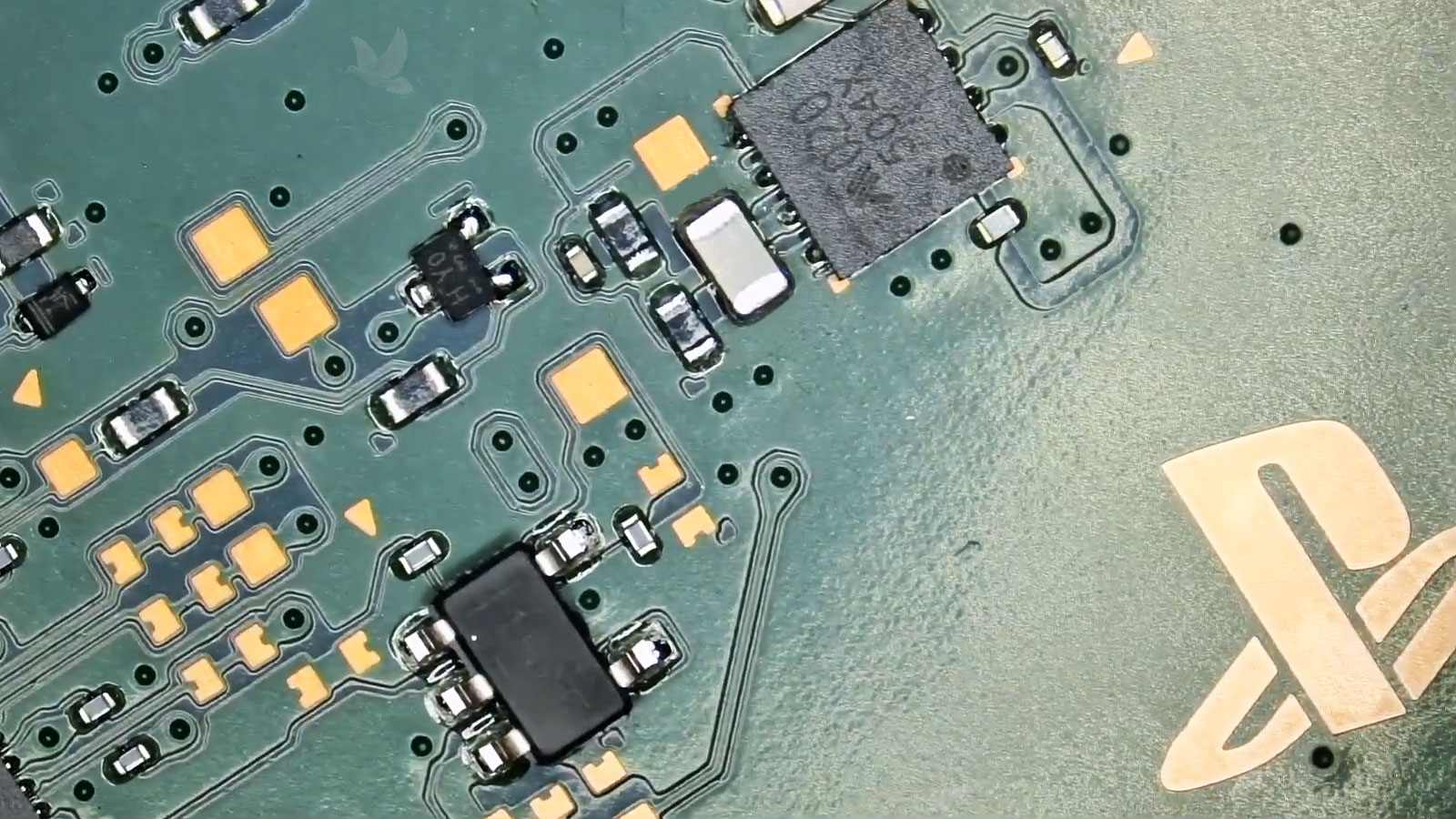
A tiny electronic component can prevent a much larger part of the console from operating. Its size does not indicate how important its role may be.
When the Problem Leads to the Circuit Board
Not every console failure ends with a replaceable module, cable, drive, or external connector. Testing can sometimes trace the problem to the main board itself, where individual integrated circuits and other electronic components control power, communication, charging, video, and numerous functions throughout the system.
A shorted component is one example. Detecting the short is important, but finding one affected component does not necessarily establish that it is the only fault. The surrounding circuit may need to be checked to determine whether another component caused the failure, whether additional parts along the same electrical path are affected, or whether the problem extends farther into the board.
This becomes particularly important before component-level repair. Replacing the first visibly damaged or electrically abnormal part without understanding the surrounding circuit can leave the original cause unresolved.
Board-level diagnosis is therefore less about the physical size of the failed component and more about understanding what that component does, what it connects to, and what the measurements around it reveal.
Not Every Console Failure Is Strictly Hardware
A console can show serious symptoms even when the cause is not a physically damaged component. System software, storage data, updates, settings, and hardware can affect one another, so determining which side of the system is responsible can be part of the diagnostic process.
Problems that remain consistent regardless of settings or software changes can point toward physical hardware. Power failures, damaged ports, abnormal temperatures, unstable electrical measurements, and components that are not functioning correctly can provide evidence that testing needs to continue inside the console.
Startup failures, update problems, corrupted system data, unusual menu behavior, or errors that began after a software change may require examining the system environment before assuming that a physical component needs replacement.
The distinction is not always clean. A storage problem can corrupt data, overheating can cause crashes that resemble software instability, and failing hardware can interrupt updates or prevent the operating system from loading correctly. Diagnosis becomes especially valuable when the symptoms could reasonably originate from either side.
A Diagnosis Should Lead to a Useful Answer
Finding a fault is only valuable when the result helps determine what should happen next. By the end of the diagnostic process, there should be a clearer picture of the problem, the type of repair it may require, and whether proceeding with that repair is reasonable.
Identify the Failure
Determine which area, component, connection, or system condition is responsible for the symptoms rather than relying only on what the console appears to be doing.
Define the Repair
Once the cause is better understood, the next step may involve a component, port, cooling system, storage device, software correction, board-level work, or another repair specific to the failure.
Decide Whether to Proceed
Not every technically possible repair is automatically the right decision. The extent of the failure and the work required can be considered before committing to a repair that may not make practical sense.
Game Console Diagnostic Help in Miami
When a console has stopped working normally and the cause is uncertain, diagnostic testing can help determine what is actually happening before parts are replaced or a repair direction is chosen.
Game console diagnostics are available in Miami for systems with power failures, video problems, shutdowns, startup errors, damaged connections, storage-related symptoms, and faults that may require deeper electronic testing. The objective is to identify the problem as accurately as possible and establish what kind of repair, if any, should follow.