
Local Help for Computer Problems That Need a Real Solution
Computer problems rarely arrive at a convenient time. A system that will not start, a laptop that suddenly becomes unstable, damaged hardware, lost access to important files, or a machine that can no longer be relied on can quickly interrupt work and everyday tasks.
Getting the problem properly identified is more useful than guessing at a repair. Different symptoms can have very different causes, and what appears to be a software failure may originate with storage, memory, power, cooling, or another hardware component. Careful diagnosis helps determine what actually needs attention before unnecessary parts are replaced or changes are made.
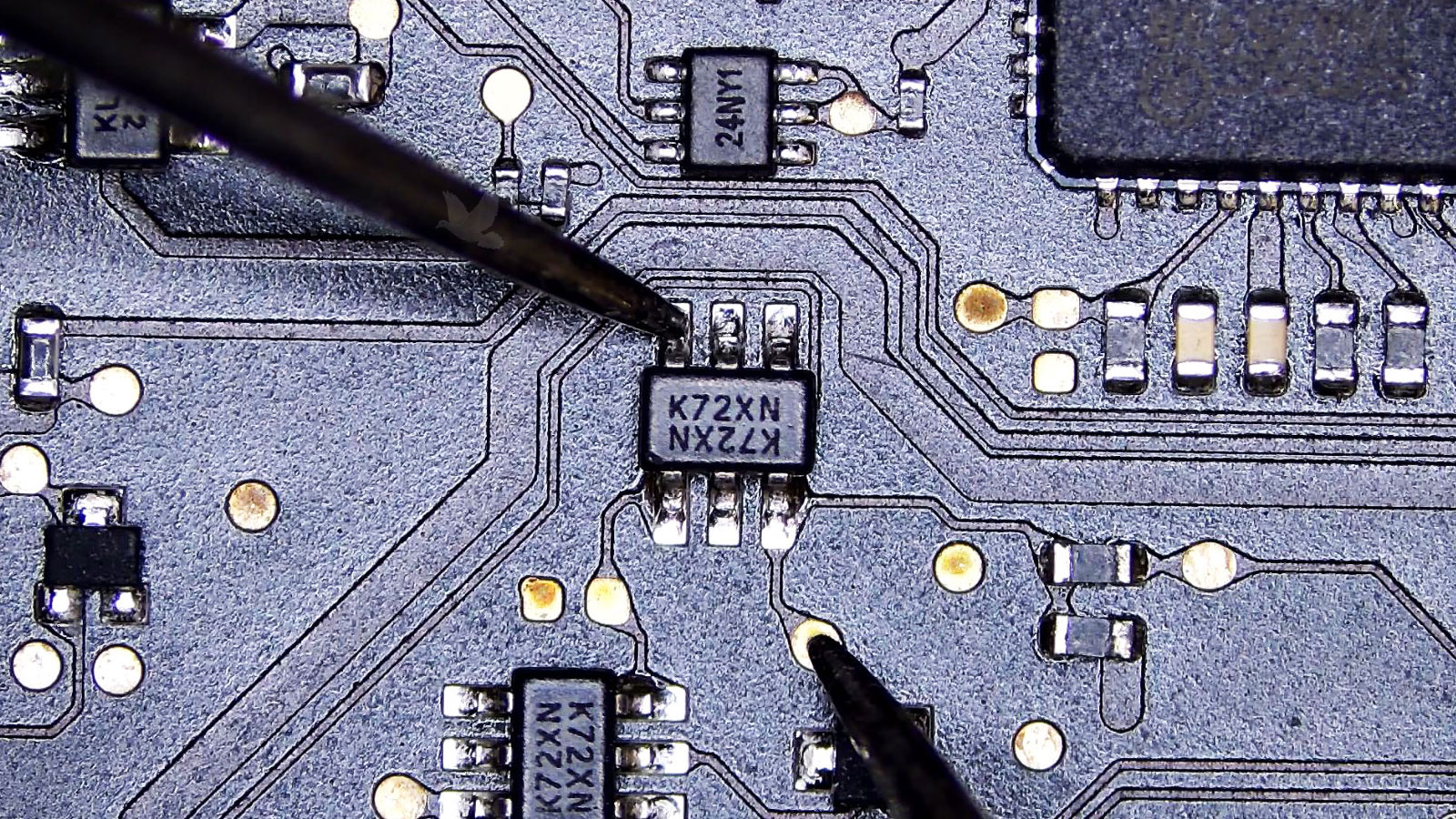
The Symptom Is Only the Starting Point
A computer can show the same outward symptom for several completely different reasons. Random shutdowns may involve overheating, unstable power, memory faults, or a failing component. A machine that feels unusually slow can point toward storage trouble, excessive background activity, insufficient resources, or an operating system that is no longer functioning correctly.
Other failures provide even fewer clues. A blank screen does not automatically mean the display has failed, and a computer that refuses to start may have problems far beyond the power button itself. Freezing, unusual noises, repeated error messages, network interruptions, and devices that suddenly disappear can each require a different diagnostic path.
Problems Often Begin Before a Complete Failure
Performance That Keeps Getting Worse
Longer startup times, applications that hesitate, delayed file access, or frequent periods of unresponsiveness can develop gradually. Because the computer continues to operate, these changes are easy to accept until ordinary tasks begin taking noticeably longer.
A progressive slowdown can also provide useful clues. Whether the change happens everywhere or only during particular activities helps narrow down which parts of the system deserve attention.
Failures That Come and Go
Intermittent problems can be particularly difficult to understand because the computer may behave normally between failures. A connection drops occasionally, an application closes without warning, the display briefly disappears, or the system restarts only under certain conditions.
Patterns matter with this type of problem. What was running, how long the computer had been operating, and whether the failure appears under heavier workloads can help distinguish an isolated incident from a developing fault.
Changes You Can Hear or Feel
Unusual fan activity, excessive heat, clicking or grinding sounds, vibration, or a new electrical noise should not be dismissed simply because the computer remains usable. Physical changes can reveal developing problems that software messages never identify.
Noticing these signs early can also provide a clearer picture of how the condition developed, particularly when the behavior changes according to temperature, workload, or how long the machine has been running.
The Computer and Its Files Are Two Separate Concerns
When a computer develops a serious problem, getting the machine operational again may not be the only priority. Documents, photographs, accounting records, projects, email archives, application data, and other files stored inside it can be considerably harder to replace than the hardware itself.
A failed operating system also does not necessarily mean the files are gone. In some situations, the storage device remains accessible even though Windows or macOS can no longer start normally. In others, the storage hardware itself may be unstable, making repeated attempts to start the computer an unnecessary risk.
For that reason, the condition of the data can influence how a repair should proceed. If important information has not been backed up, preserving access to it may need to come before reinstalling software, resetting the system, or making other changes that could alter what is stored on the drive.
This distinction becomes especially important when the computer contains business records, unfinished work, family photographs, or files that exist nowhere else. A repair decision that makes sense for an easily replaceable machine may not make sense when irreplaceable information is involved.
A Repair Should Make Sense for the Machine
The technically possible repair is not always the most sensible repair. The computer’s age, overall condition, hardware configuration, intended use, and the extent of the failure can all affect which direction makes the most sense.
A relatively small hardware problem on an otherwise capable system may be straightforward to address. The decision becomes different when several components are deteriorating, the machine can no longer support the software required for its intended use, or the cost of restoring it begins approaching the value of a suitable replacement.
Condition
A computer with one isolated failure is very different from a machine with multiple aging or damaged components. Looking at the system as a whole helps prevent one repair from simply revealing the next problem shortly afterward.
Purpose
A computer used for basic everyday tasks has different requirements from one used for engineering, design, gaming, business applications, or other demanding work. What the machine still needs to accomplish matters when deciding how far a repair should go.
Practical Value
Cost matters, but so do setup time, installed applications, specialized configurations, available replacements, and the effort involved in moving to another computer. Those factors can make repairing an existing system worthwhile even when the hardware itself is not new.
What Should You Do While the Problem Is Still Unclear?
What happens immediately after a computer begins acting differently can matter. Before making major changes, a few simple decisions can help avoid complicating the original problem and preserve useful clues about what caused it.
When Something Changes, Make a Note of It
Not Every Computer Problem Needs the Same Kind of Attention
Where the computer is located, whether it can still operate, and what type of failure is involved can change the most practical way to address the problem. Some issues can be handled without moving the machine, while others require physical access to components or diagnostic equipment.
Software configuration problems, application errors, account issues, certain performance concerns, and other problems that do not require physical access may be suitable for remote assistance. This can avoid transporting a computer when the work can be completed directly through its existing internet connection.
Remote work is not appropriate when the machine cannot start reliably, has no usable connection, or shows signs of a physical hardware failure.
Some problems involve more than one machine. Office networks, shared equipment, connectivity, peripherals, or systems that depend on each other can make the surrounding environment part of the diagnosis.
In those situations, examining the computer where the problem occurs can reveal conditions that would disappear if only the machine were removed from the location.
Hardware failures, internal damage, component-level problems, unstable systems, and machines that cannot operate normally may require hands-on examination. Physical access allows individual components and electrical conditions to be tested rather than relying exclusively on what the operating system can report.
More involved work can also require disassembly, controlled testing, or access to equipment that would not ordinarily be available where the computer is being used.
When the Problem Needs More Than Another Attempt
There comes a point when additional restarts, settings changes, replacement parts chosen by guesswork, or repeated troubleshooting no longer move the problem forward. When the cause remains uncertain or the computer contains information and hardware worth protecting, a proper diagnosis can provide a much clearer direction.
Start With What the Computer Is Doing
You do not need to identify the failed component before asking for service. The symptoms themselves are enough to begin: when the problem started, what appears on the screen, whether the computer still starts, and anything unusual that happened beforehand.
A description of the behavior gives the repair process a practical starting point without requiring you to diagnose the machine yourself.