
When an iMac Display Problem Goes Beyond the Glass
A damaged or malfunctioning iMac screen can affect much more than the appearance of the computer. Cracked glass, missing video, distorted colors, flickering, vertical lines, dark areas, or an image that disappears during use can point to very different problems inside the display system.
iMac screen repair in Miami begins by identifying whether the fault is actually within the display assembly or whether another part of the computer is preventing a normal image from reaching the screen.
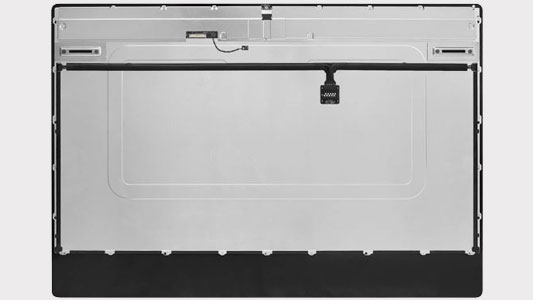
The Visible Screen Is Only One Part of the Display System
What appears from the outside as a single screen depends on the LCD panel, internal connections, power delivery, and the hardware responsible for producing the image. A visible display problem can therefore begin at different points even when the symptoms appear in exactly the same place.
When the LCD is removed, its connections and surrounding display hardware become accessible for closer inspection. This is particularly important when the screen has no visible physical damage but produces symptoms such as flickering, missing video, abnormal colors, lines, or intermittent operation.
Replacement Should Follow Diagnosis
A replacement LCD makes sense when the display assembly itself has been identified as the source of the problem. If the fault originates elsewhere in the video or power path, replacing the screen alone would not correct the underlying condition.
Similar Screen Symptoms Can Come From Different Faults
What appears on the iMac display provides useful evidence, but the symptom alone does not always identify the failed part. A dark screen, distorted picture, or intermittent image can involve the LCD itself, its connections, power reaching the display, or hardware responsible for producing the video signal.
The diagnostic process becomes more useful when each symptom is treated as a starting point rather than immediate proof that the entire screen assembly needs replacement.
Before the LCD Comes Out, the Failure Should Make Sense
Removing an iMac display is a significant part of the repair process, so replacement should not begin simply because the symptom appears on the screen. The evidence gathered beforehand should support the conclusion that the display assembly is actually involved.
Once the evidence points to the display assembly itself, the repair can move from diagnosis into removal and replacement with a much clearer understanding of what is being corrected.
Reaching the LCD Requires Opening the iMac Carefully
Once replacement is justified, the existing display has to be separated from the iMac before the internal connections can be accessed. The screen occupies nearly the entire front of the computer, making its removal one of the most delicate stages of the repair.
The display must be supported while its internal cables are disconnected, and the surrounding surfaces need to remain protected throughout the process. Care during removal matters because unnecessary stress can damage connectors, cables, the replacement surface, or other hardware that was functioning normally.
After the damaged LCD is removed, the exposed area also provides an opportunity to inspect the connections and mounting surfaces before the replacement display is installed.
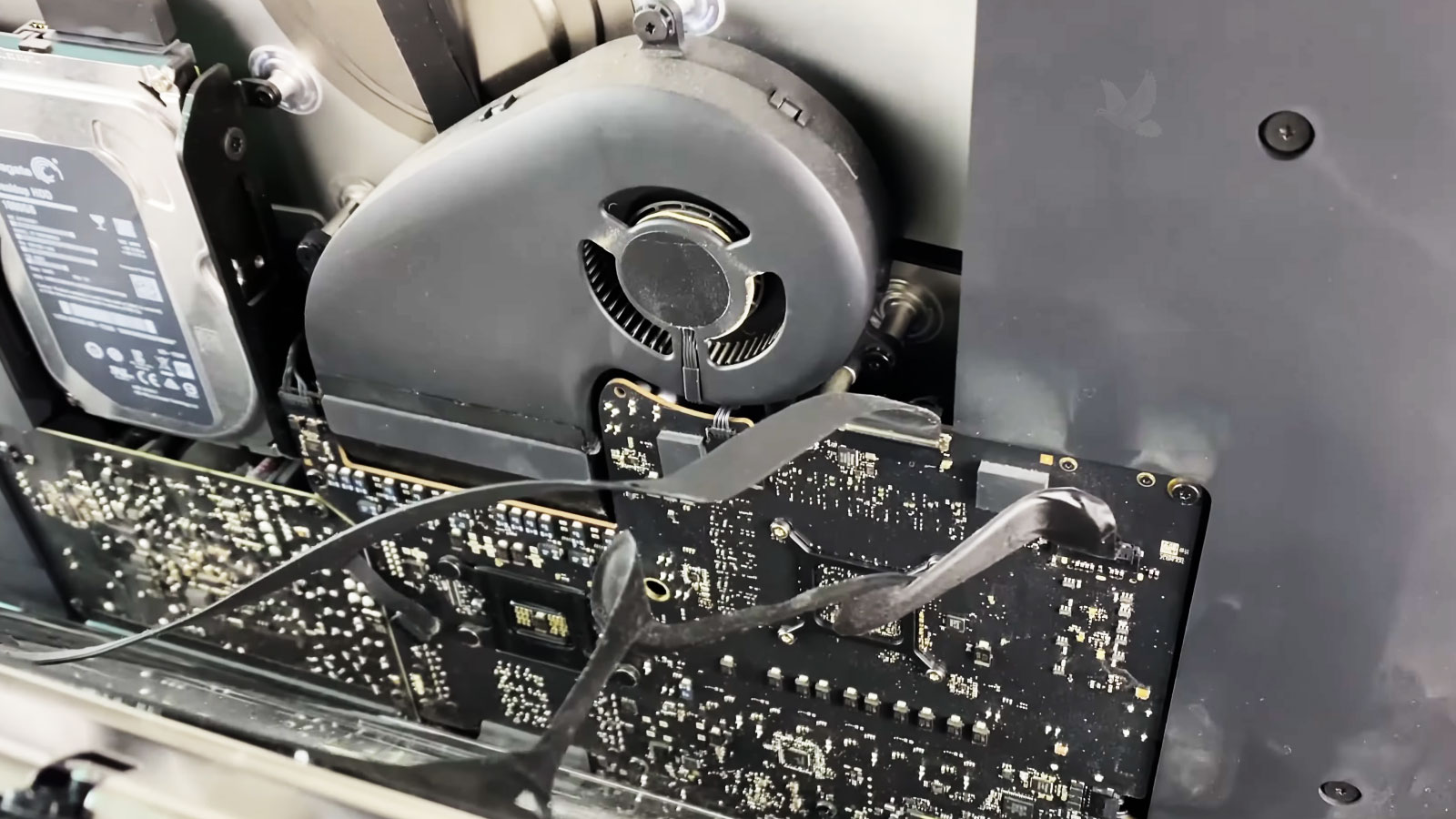
Installing the Replacement LCD Is a Sequence, Not a Single Step
A replacement display should not simply take the place of the old one and immediately be sealed into the computer. Several checks along the way help make sure the new LCD is connected correctly, operates normally, and is ready for final installation.
Testing before final assembly creates an opportunity to catch a connection or display problem while the internal area is still accessible, rather than discovering it only after the iMac has been completely closed.
A New LCD Still Has to Prove Itself
Seeing an image appear on the replacement screen confirms an important part of the repair, but it does not verify every aspect of display operation. The LCD should continue behaving normally as the iMac starts, reaches the desktop, and remains in use.
Look Beyond the First Picture
Brightness, color, image stability, and the complete visible area of the panel can be checked for abnormalities that may not be obvious during the first few seconds after startup.
Keep the Display Operating
The replacement LCD should remain stable beyond the initial startup test. Flickering, intermittent loss of image, changes in brightness, or other behavior that develops during operation can reveal a problem that a brief power-on check would miss.
Check the Finished Assembly
After the display is secured, the completed installation can be examined again to confirm that the screen remains properly positioned and that normal display operation continues with the iMac fully assembled.
When the Display Is Ready for Repair or Replacement
iMac screen repair service is available in Miami for damaged displays, failed LCD panels, intermittent screen problems, and other faults that have been traced to the display assembly. The condition of the screen and the results of diagnosis help determine whether the existing display requires repair attention or replacement.