
When Graphics Failure Goes Beyond the MacBook Pro Display
A MacBook Pro can have serious graphics trouble even when the screen itself is not responsible. Distorted images, unstable video, abnormal colors, or failures that appear when graphics activity increases can shift attention away from the display and toward the hardware responsible for producing the image.
On many MacBook Pro designs, that investigation leads directly to the logic board. The graphics hardware and its supporting circuitry are part of a densely integrated system, which changes both how the fault must be diagnosed and how a board-level repair is approached.
Graphics Trouble Does Not Always Look the Same
A Graphics Fault Can Extend Beyond the GPU Chip
The GPU may be the component associated with producing graphics, but it depends on other parts of the logic board to operate correctly. Power must reach the appropriate circuits, supporting components must behave normally, and graphics memory must remain accessible while information is being processed.
That relationship matters during GPU repair because similar visual symptoms can originate from different points within the graphics system. Replacing or working on the GPU without establishing which part of that system has failed can direct an otherwise complex repair toward the wrong component.
On MacBook Pro models where the graphics hardware is integrated into the logic-board assembly, those relationships can be investigated directly on the board. The objective is to determine whether the fault belongs to the GPU itself or to something required for the GPU to function correctly.
Display Side
A panel, display cable, backlight, or connection problem can interfere with what appears on the built-in screen even when graphics are being generated correctly elsewhere in the MacBook Pro.
Where the Image Breaks Down Changes the Repair Direction
Visual trouble becomes much more informative when the behavior can be traced through the graphics path. If an abnormal image is being generated before it reaches the display, replacing screen hardware would leave the source of the problem untouched.
External video behavior can sometimes provide another useful point of comparison. A problem that follows the generated graphics beyond the built-in display tells a different story from one confined to the MacBook Pro screen.
The type of corruption also matters. Artifacts that appear during startup, distortion that changes with graphics activity, or instability that occurs as the graphics system is placed under greater demand can provide evidence about which side of the graphics path deserves closer attention.
The purpose is not simply to prove that something looks wrong. It is to establish whether the problem originates in the hardware producing the graphics or farther along the path responsible for displaying them.
Graphics Side
When corrupted graphics originate before the image reaches the display, attention can move toward the GPU, graphics memory, power circuitry, and related logic-board hardware.
Heat Applied to the GPU Area Has to Be Controlled
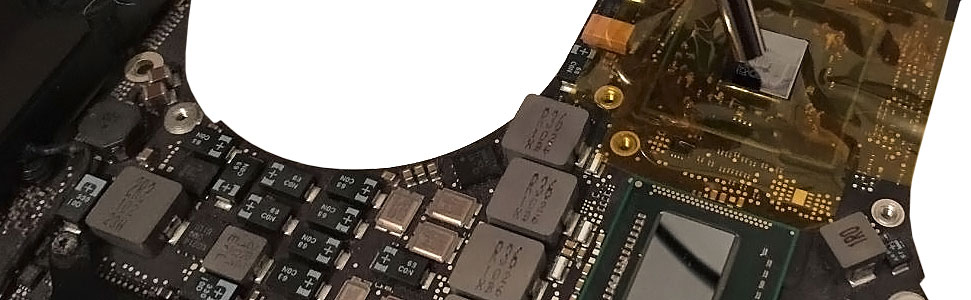
Working around soldered graphics hardware involves more than directing heat toward the chip. The GPU sits among other components on a densely populated logic board, so the surrounding area must be considered while controlled heat is applied where the work requires it.
The Repair Method Depends on What Failed
Once the graphics fault has been narrowed to the logic board, the next question is not simply whether the GPU can be heated or removed. The appropriate work depends on the condition found around the graphics hardware and what must be corrected to restore normal operation.
A fault involving connections beneath a soldered graphics component presents a different repair problem from a defective supporting component. Work in this area may require controlled thermal processing, but the procedure should follow the condition that has actually been identified rather than being applied automatically.
If evidence points specifically to the graphics processor itself, the repair becomes considerably more involved. The GPU is part of the logic-board assembly, so work on the chip requires board-level equipment and careful control of the surrounding area.
A graphics failure can originate in circuitry associated with the GPU rather than inside the graphics processor. Power components and other devices around the graphics section may need attention when testing shows that the GPU is not receiving the conditions required to operate normally.
Graphics memory and its connections can also influence the image being produced. When the evidence points toward memory-related behavior, concentrating only on the GPU would leave another important part of the graphics subsystem unexplored.
The important distinction is that GPU repair describes the area of the problem, not one universal repair technique. The work should match the fault found on that particular MacBook Pro.
Producing an Image Again Is Only the First Check
A MacBook Pro displaying a normal picture after GPU-related work is encouraging, but that moment alone does not establish that the graphics system is stable. A problem that originally appeared intermittently or only when graphics activity increased may not reveal itself during a simple startup.
Post-repair testing therefore needs to continue beyond the first successful image. The MacBook Pro can be observed as graphics activity changes, looking for the distortion, instability, freezing, or other behavior that originally pointed toward the graphics system.
Video output should remain clean as the computer continues operating. If the original fault appeared only after the machine had been running for some time, immediate startup behavior provides only part of the answer.
The important result is consistency. The repaired graphics system should continue producing normal output without depending on a brief test or a particular operating condition.
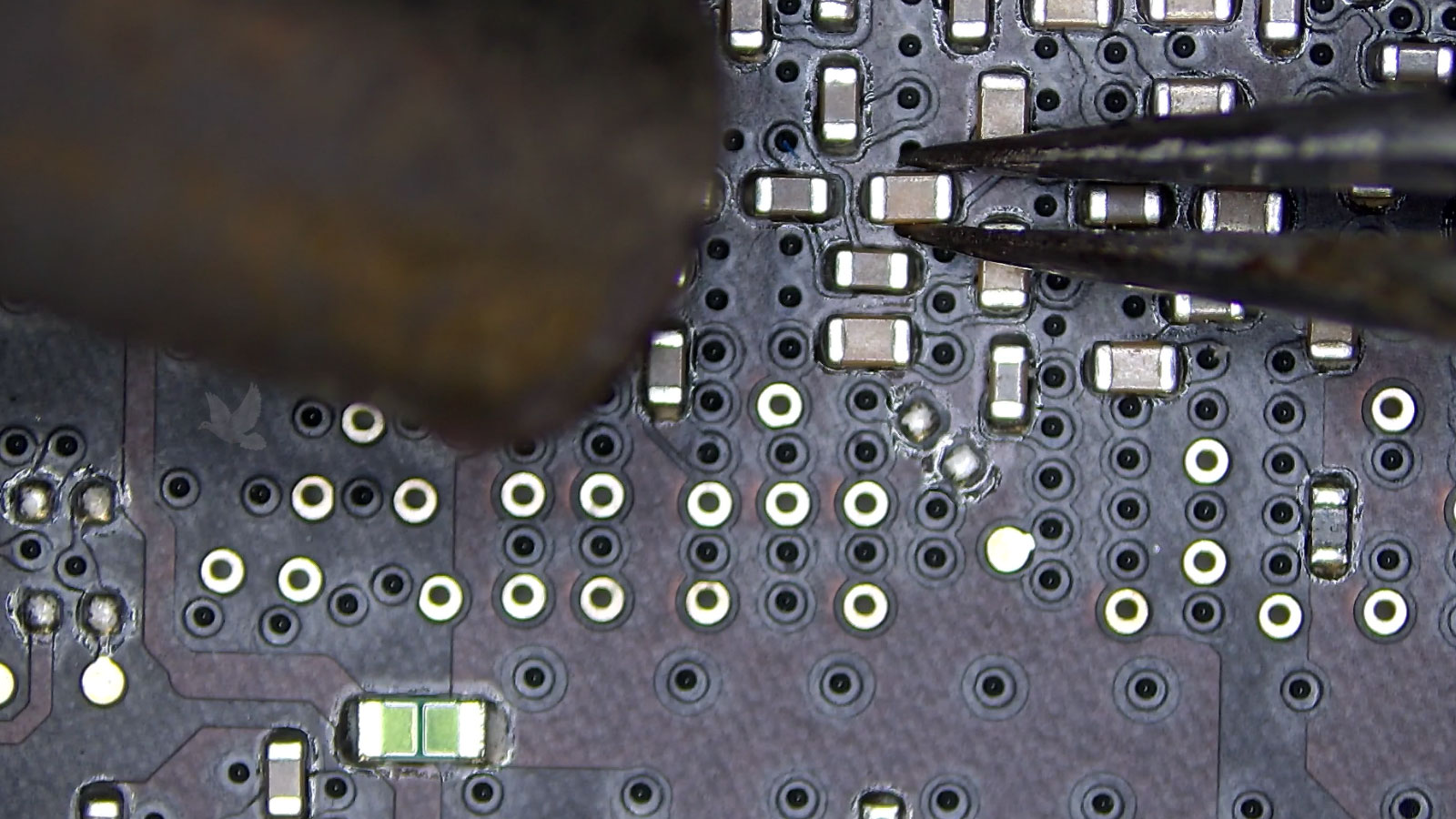
Board-level GPU work is followed by functional testing to confirm that the original graphics behavior does not return.
A GPU Repair Should Not Create Another Logic Board Problem
Board-level graphics work takes place in an area populated by components, solder joints, traces, and connections that have nothing to do with the original failure. Correcting the GPU-related fault is therefore only part of what matters. The surrounding logic board also needs to emerge from the procedure in proper condition.
After the work is complete, the serviced area can be inspected for anything that may have shifted, been disturbed, or developed an unintended connection during the procedure. Particular attention belongs around the immediate work area, where thermal and physical activity has been concentrated.
That final inspection provides a different kind of verification from the functional testing performed in the previous section. One confirms how the MacBook Pro behaves; the other confirms the physical condition of the board where the repair took place.
Inspect the Work Area
The area surrounding the graphics hardware can be examined after the procedure for displaced components, solder irregularities, or anything else that should not remain on the finished board.
Preserve Nearby Hardware
Components and connections beside the GPU remain part of the working logic board. Finishing the repair means leaving those neighboring areas undisturbed and functioning normally.
When the Graphics Problem Is on the Logic Board, the Repair Can Go There Too
Graphics corruption, unstable video, and other GPU-related failures do not necessarily mean the entire MacBook Pro has reached the end of its useful life. When the fault can be traced to graphics hardware on the logic board, component-level work may provide a repair path that addresses the affected area directly.
MacBook Pro GPU repair is available in Miami for graphics problems that require board-level attention. The work can extend from the GPU and its connections to graphics memory, power delivery, or supporting components when the evidence shows that those areas are involved.
The repair approach depends on what is actually found, with the goal of correcting the confirmed graphics fault and returning the MacBook Pro with stable video operation.
Have the Graphics Failure Evaluated
If a MacBook Pro is producing corrupted graphics, losing video, or becoming unstable during graphics activity, the problem can be examined to determine whether board-level GPU repair is appropriate.
For customers located in Miami, the MacBook Pro can also be collected for service and returned afterward without an added pickup or delivery charge.