
When Laptop Keys Stop Responding the Way They Should
A laptop keyboard problem can begin with a single key and gradually become much more disruptive. Letters may stop registering, certain keys may respond only when pressed firmly, characters can repeat unexpectedly, or an entire section of the keyboard may become unusable. In other cases, the keyboard appears completely inactive even though the laptop itself starts and operates normally.
Not every keyboard symptom points to the same failure. Individual key mechanisms can become damaged, debris or liquid can interfere with operation, the keyboard cable or connector may develop a problem, and some symptoms can originate elsewhere in the laptop rather than in the keyboard assembly itself.
Laptop keyboard repair in Miami begins by identifying where the failure is actually occurring before deciding whether the appropriate solution involves the affected keys, the keyboard assembly, its connection, or another component influencing keyboard operation.
The Symptom Helps Narrow Down Where the Problem Begins
Keyboard failures do not always affect the entire assembly at once. The pattern of keys that stop working, how they respond when pressed, and whether the problem is isolated or widespread can provide useful clues before anything is removed from the laptop.
Some Keyboard Problems Go Beyond an Individual Key
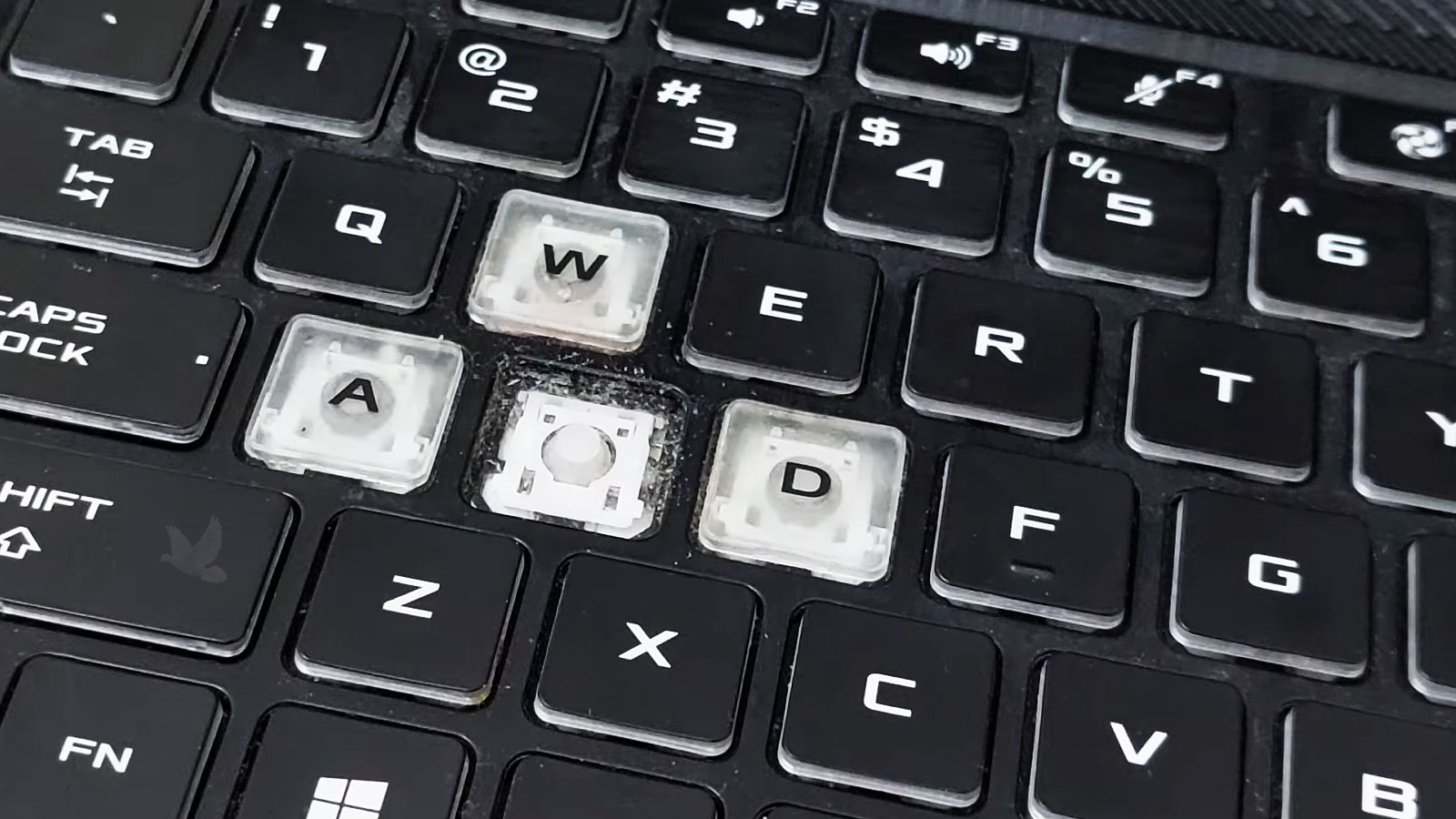
A damaged keycap or hinge mechanism does not always require replacing the complete keyboard. When the underlying mechanism and electrical contact remain intact, the problem may sometimes be limited to the individual key and the parts that allow it to attach and move correctly.
Replacement of the keyboard assembly becomes more relevant when damage extends beneath the visible keys, multiple positions are affected, internal contacts or keyboard circuitry have deteriorated, or previous liquid exposure has compromised areas that cannot be reliably corrected one key at a time.
The replacement also has to match the laptop correctly. Keyboard layout, mounting points, ribbon cable position, connector type, backlighting, and other model-specific details can differ even between assemblies that appear nearly identical from the front.
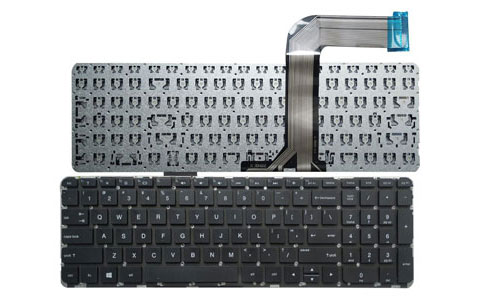
Front and rear views reveal details that are hidden once the keyboard is installed.
A Working Keyboard Can Still Have Developing Damage
Liquid exposure does not always disable a keyboard immediately. Residue, corrosion, or contamination can continue affecting contacts and electrical paths after the surface appears dry.
What Gets Under the Keys Can Matter as Much as the Keys Themselves
Dust, crumbs, hair, and other debris can interfere with the movement of individual keys, particularly when material becomes trapped around the small mechanisms beneath the keycaps. Cleaning may help when the problem is genuinely mechanical, but removing a key without understanding its attachment system can also damage delicate clips or hinges.
Liquid creates a different concern because the visible keyboard may be only the first area affected. Moisture can travel beneath the assembly and reach the ribbon connection or components below it. Sticky residue can also remain after evaporation, producing intermittent keys, repeated input, or failures that appear later rather than immediately after the spill.
A Dead Keyboard Can Point Beyond the Keys
Replacing the keyboard immediately can miss the real problem when the assembly itself is still functional. Before condemning it, the connection between the keyboard and the laptop can help determine whether key signals are actually reaching the system.
Ribbon Cable and Connector
A loose, damaged, contaminated, or improperly seated flex cable can interrupt communication between an otherwise usable keyboard and the motherboard.
Motherboard Signal Path
Keyboard input ultimately travels into circuitry on the laptop itself. Connector damage or a fault along that path can produce symptoms that resemble a defective keyboard assembly.
Software and Input Behavior
When the symptom does not behave like a straightforward hardware failure, testing can help separate physical keyboard trouble from configuration, driver, operating-system, or other input-related behavior.
Not Every Keyboard Problem Requires the Same Level of Repair
The appropriate repair can range from addressing one damaged key to removing and replacing the complete keyboard assembly. What makes sense depends on which parts are damaged, whether the underlying contacts still work, and how the keyboard is constructed inside that particular laptop.
A missing or damaged keycap does not automatically condemn the entire keyboard. If the attachment points, hinge mechanism, and electrical contact beneath the key remain usable, replacing or correcting the affected pieces may be enough to restore normal operation.
The small mechanism beneath a laptop key controls its movement and keeps the keycap positioned correctly. Broken clips, damaged hinges, or missing pieces can prevent a key from sitting or moving normally even when the electrical portion of the keyboard still responds.
Widespread key failure, internal circuit damage, extensive contamination, or problems affecting parts of the keyboard that cannot be serviced individually can make complete assembly replacement the more practical approach.
Laptop construction varies considerably. On some models the keyboard can be removed as a separate component, while others secure it within the palm-rest or upper-case assembly. That construction can change how much disassembly is required to reach and replace the failed keyboard.
Keyboard Operation Should Be Checked Across Different Types of Input
Letter Keys
The alphabet provides 26 individual key positions that can be checked for normal registration, repetition, and response.
Number Keys
The main number row can be tested independently, particularly when the original failure affected only part of the keyboard matrix.
Function Keys
A standard F1 through F12 row adds another group of inputs whose operation can be verified after keyboard work.
Key Combinations
Two-key combinations such as Shift with another key help confirm that simultaneous input is being recognized correctly.
When the Keyboard Problem Is More Than an Annoying Key
Laptop keyboard repair is available in Miami for individual key problems, damaged key mechanisms, unresponsive sections, liquid-related symptoms, connection faults, and keyboards that require complete replacement. The repair can follow the actual failure rather than assuming that every keyboard symptom requires replacing the entire assembly.