
Replacing a Laptop Drive When Storage Begins to Fail
A failing or inadequate storage drive can affect nearly everything a laptop does, from starting Windows and opening programs to saving files and completing routine updates. Slow response, repeated disk errors, unusual noises from a mechanical hard drive, disappearing storage, corrupted files, or a laptop that no longer boots normally can all justify examining the drive before assuming the problem lies elsewhere.
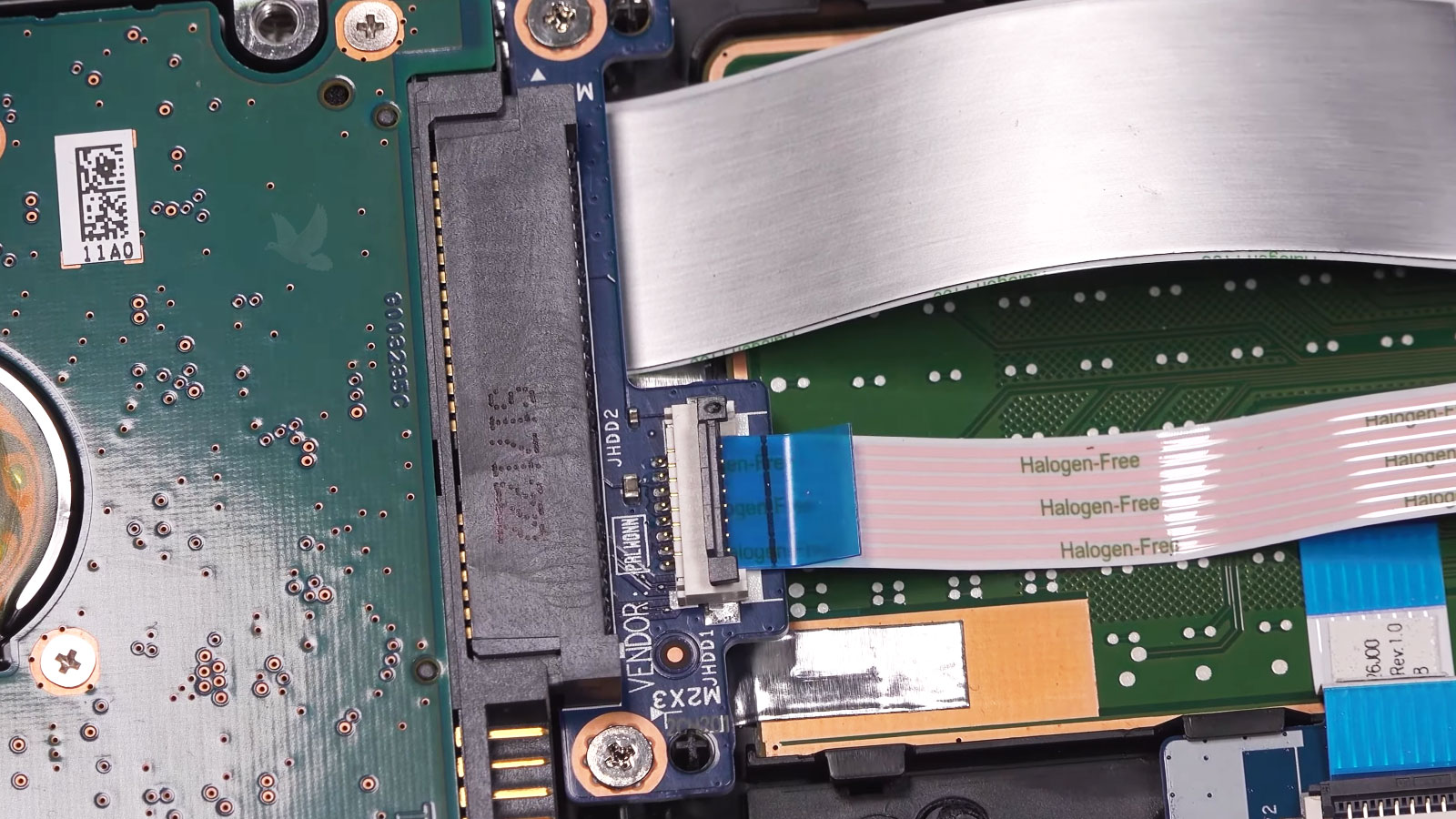
Laptop hard drive replacement can involve more than simply removing one device and installing another. The existing storage type, physical dimensions, interface, available motherboard connections, capacity requirements, and condition of the original drive all influence what replacement makes sense. Depending on the laptop, that may mean replacing a traditional 2.5-inch hard drive with an SSD, installing another compatible 2.5-inch drive, or working with M.2 storage instead.
The Replacement Has to Match the Storage Connection
Two replacement drives can serve the same basic purpose while being completely different physically. Before choosing new storage, the laptop’s available connection and the type of drive already installed help determine which options actually belong inside the machine.
2.5-Inch SATA Storage
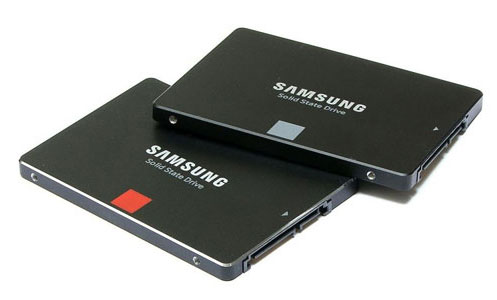
The familiar 2.5-inch bay can accommodate mechanical hard drives as well as SATA solid-state drives in compatible laptops. Moving from an older HDD to an SSD can retain the same basic drive location and connection while replacing mechanical storage with solid-state technology.
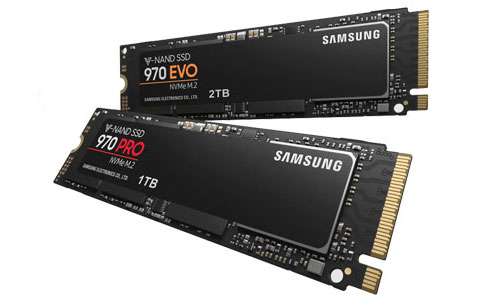
Samsung 970 PRO and 970 EVO M.2 SSDs for laptop storage
M.2 drives mount directly to the motherboard and occupy far less physical space than a 2.5-inch drive. Their similar appearance does not automatically make every M.2 drive interchangeable, so the laptop’s supported interface and specifications still matter when selecting a replacement.
The right replacement starts with the connection the laptop was designed to use, not simply with a drive that looks like it will fit.
Replacing the Drive Does Not Decide What Happens to the Data
The New Drive Does Not Have to Match the Old Capacity
Replacing a laptop drive creates an opportunity to reconsider how much storage the machine actually needs. A nearly full drive can leave little room for new files, applications, updates, temporary data, and the normal growth that occurs as the laptop continues to be used.
The replacement can therefore be selected around current usage rather than automatically duplicating the capacity printed on the old drive. Someone storing mostly documents and everyday applications may have very different requirements from a laptop carrying large photo collections, video projects, engineering files, virtual machines, games, or other storage-intensive material.
Available space is only one part of that decision. The replacement still has to be compatible with the laptop, and the amount of information that needs to be transferred or cloned can also affect the practical capacity required on the new drive.
A drive replacement can solve the immediate storage problem while also leaving enough room for what the laptop will need next.
A Drive Can Be Replaced for Two Very Different Reasons
When Storage Becomes Unreliable
Read errors, corrupted files, unusual mechanical sounds, disappearing storage, freezing, or repeated startup trouble can indicate that continued use of the existing drive deserves caution.Protect What Can Still Be Read
When failure is developing, repeatedly stressing the old drive simply to keep the laptop operating may not be the best priority. Its condition can influence whether information should be copied, cloned carefully, or handled through a recovery-oriented process before the replacement becomes the primary storage device.When Storage Is Simply Holding the Laptop Back
An older mechanical hard drive may continue functioning normally while still delivering noticeably slower startup, application loading, file access, and everyday response than solid-state storage.Replacement Can Also Be an Upgrade
When the existing drive is healthy, moving to compatible solid-state storage can be planned as an upgrade rather than an emergency repair. That provides more flexibility for transferring the existing environment, choosing capacity, and preparing the new drive before the old one is retired.
The Laptop Still Has to Recognize the New Storage Correctly
A drive can be physically installed and still not be ready for normal use. The connection, firmware detection, storage configuration, and operating system all have a role in turning the replacement from an installed component into usable laptop storage.
The New Drive Should Be Ready for Everyday Use
Confirm the System Starts Normally
After the storage change, normal startup provides an early indication that the new drive, boot configuration, and operating environment are working together correctly. Repeated restarts or inconsistent detection deserve attention before the laptop returns to regular use.
Check the Files That Were Carried Over
When information has been transferred or cloned, important folders and files can be checked on the replacement drive rather than assuming that their presence alone means everything arrived in usable condition.
Verify Normal Storage Operation
Basic read and write activity, available capacity, application access, and general system behavior can be observed after the replacement. This helps catch an installation or configuration problem before the laptop is considered finished.