
What Builds Up Inside a Laptop Over Time
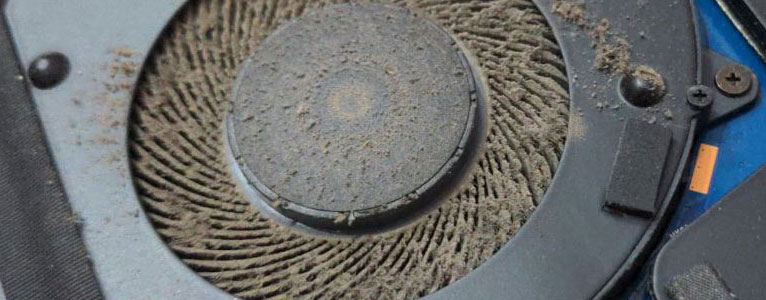
Dust rarely stays on the outside of a laptop. Cooling fans continuously pull air through small vents, carrying fine particles, fibers, pet hair, and other airborne debris into spaces that are difficult to see without opening the machine. Some material settles across internal surfaces, while heavier accumulation begins collecting around the fan, heatsink, and narrow exhaust passages.
As those areas become restricted, the cooling system has to move air through increasingly smaller openings. A laptop may respond with longer periods of fan activity, warmer surfaces, sudden changes in fan speed, or reduced performance during demanding tasks. The change can happen gradually enough that it becomes part of the machine’s normal behavior before anyone realizes how much has accumulated inside.
Cleaning therefore involves more than improving appearance. Internal condition, airflow, cooling surfaces, moving components, and the way the laptop is operating all matter when deciding what attention it actually needs.
Changes That Can Develop Gradually
Not every warm or noisy laptop is dirty, which is why these signs are better treated as clues rather than proof of a specific problem. Their value comes from showing that the cooling system and internal condition deserve a closer look.
When Debris Reaches the Cooling Path
The fan is only one part of the cooling path. Air has to enter the laptop, travel across or through the cooling assembly, and leave through the exhaust without significant obstruction. Debris caught anywhere along that route can interfere with the amount of air available to carry heat away from the processor and other temperature-sensitive components.
One of the more troublesome areas is the narrow space where the fan directs air through the heatsink fins. Fine material can collect between those fins and gradually form a dense layer that behaves almost like a filter. The fan may still spin normally, yet much less air actually passes through the exhaust. Simply seeing the fan rotate does not confirm that the cooling system is breathing properly.
Heavy contamination can also settle around the fan blades and housing. Besides restricting movement of air, uneven buildup can affect how smoothly the fan rotates and contribute to changes in sound or vibration. Loose material elsewhere inside the chassis can migrate again as air circulates, so removing only the dust that is immediately visible at an exterior vent may leave the main restriction untouched.
Proper internal cleaning addresses the complete airflow route rather than treating the outside of the laptop as though it represents the condition inside.
Internal Cleaning Requires More Than Removing Dust
Once a laptop is opened, the objective is not simply to make the inside look cleaner. Fans, connectors, ribbon cables, cooling assemblies, and exposed electronic components occupy a confined space, and each needs to be treated appropriately while contamination is removed.
A Clean Interior Is Only Part of Laptop Maintenance
Removing accumulated debris restores access to areas that are normally hidden during everyday use. That creates an opportunity to notice mechanical wear, cooling concerns, and physical conditions that dust alone cannot explain. Maintenance uses that access to look beyond cleanliness and consider how the laptop’s working parts are holding up.
Fan Condition
A fan can be clean and still have wear in its bearings, damaged blades, excessive movement, or an abnormal sound. Its physical condition matters because reliable cooling depends on more than removing whatever has collected around it.
Cooling Contact
Heat must transfer efficiently from temperature-producing components into the cooling assembly before airflow can carry it away. Where inspection indicates a problem with that thermal interface, its condition deserves separate attention rather than assuming additional cleaning will correct it.
Vents and Openings
Vent grilles can become distorted, obstructed, or partially covered in ways that affect airflow even after loose contamination is gone. Checking both intake and exhaust openings helps identify restrictions that are part of the chassis rather than the fan itself.
Internal Physical Condition
Loose fasteners, displaced protective material, stressed cables, or signs of previous internal work can become apparent once the interior is visible. These observations provide useful context about the machine’s condition without turning routine maintenance into unnecessary replacement of parts.
The Right Cleaning Interval Is Not the Same for Every Laptop
A calendar alone cannot determine when internal cleaning is necessary. Two identical laptops can accumulate contamination at very different rates depending on where they operate, how often their fans run, and what is present in the surrounding air. Usage conditions provide a better guide than choosing an arbitrary maintenance interval.
Beds, couches, blankets, and similar surfaces can partially cover intake openings while also placing the laptop close to fibers and lint. A machine frequently used this way may collect material internally faster than one that normally operates on a clean, hard surface with its vents unobstructed.
Homes with shedding pets can place considerably more hair and fine material into the air available to the cooling fan. Some of it remains visible around vents, while finer contamination can travel farther into the cooling assembly and accumulate where exterior inspection cannot reveal it.
Gaming, rendering, engineering applications, and other sustained workloads can keep cooling fans active for long periods. More fan activity means more air passes through the chassis, and with that air comes whatever dust and fine material are present in the surrounding environment.
Laptops used in workshops, warehouses, construction-related settings, or other environments with elevated airborne material face conditions very different from those of a machine kept in a relatively controlled office. Maintenance needs should reflect that difference rather than following the same schedule for both.
When Cleaning Helps and When the Problem Goes Deeper
Internal contamination can contribute to cooling problems, but similar symptoms can originate from failing hardware or electrical faults. Separating those situations matters because removing dust cannot correct a component that is no longer functioning properly.
Conditions Cleaning May Improve
These conditions have a direct relationship with airflow. Once the obstruction is properly removed, the cooling system has a better opportunity to move air through the path it was designed to use. The result still depends on the condition of the fan and the rest of the cooling assembly.
Signs That Deserve Further Diagnosis
Give the Cooling System a Fresh Start
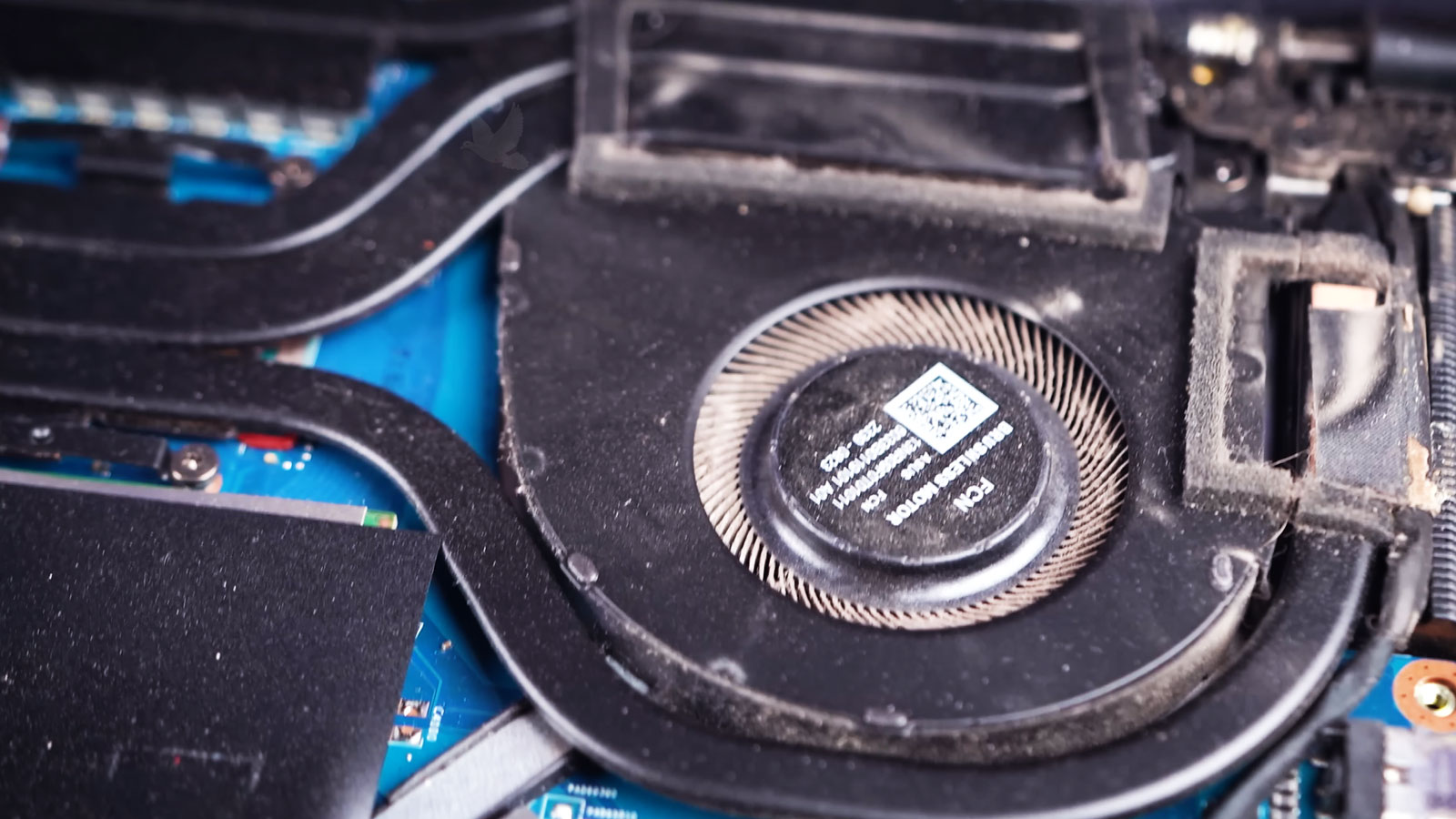
When dust and debris have made their way deep inside a laptop, exterior cleaning can only reach a small part of what has accumulated. Internal cleaning and maintenance provide access to the cooling path, fan assembly, vents, and surrounding areas where contamination can remain hidden.
Laptop cleaning and maintenance service is available in Miami for systems that need this kind of internal attention. The work can be especially worthwhile when visible buildup, changing fan behavior, restricted airflow, or operating conditions suggest that contamination has progressed beyond what can be addressed from outside the machine.
The objective is straightforward: remove what should not be inside, examine the condition of the areas exposed during the process, and leave the cooling system with a clear path to do its job.